MC1489942 New Power BI report publishing capabilities for leaders
Primary service: Viva
ChangePilot summary
- Microsoft Viva Insights is expanding Power BI report publishing so leaders, managers, chief officers, and delegates can publish reports directly instead of relying on analysts.
- The existing feature access control will be renamed from "Analyst report publish" to "Report publish" and will continue to be managed by Global Admins and Insights Admins.
- Published reports can be shared to defined audiences, with support for unfiltered or manager-hierarchy-based distribution, and recipients will access them from the Viva Insights Reports tab.
- Admins retain visibility and control through the Admin Publish Reports experience, including viewing, removing, and publishing reports on behalf of users.
- Microsoft says no action is required, but organizations should review report publishing governance and internal approval processes before rollout.
What it means for you
What admins need to do
Review your Viva Insights report publishing governance, including who is allowed to publish, how audiences are approved, and how report lifecycles are managed. Update internal documentation and helpdesk guidance to reflect that leaders and delegates can now publish reports directly and that the feature control has been renamed to Report publish. If you rely on analyst-only publishing today, confirm whether you want to keep that process or adjust your approval workflow before rollout.
Impact on users
Leaders, managers, and delegates will be able to publish Viva Insights Power BI reports directly from the Reports tab. Recipients will receive an email notification and can view shared reports in Viva Insights, but they will not be able to download, edit, republish, or extend access to those reports.
If you miss it
If this change is missed, leaders may begin publishing reports before your organization updates its governance or support processes, which could create confusion about who is authorized to share insights and how published reports are managed. Users may also receive new report notifications without advance preparation from IT or the helpdesk. There is no indication of a service outage or compliance issue, but lack of readiness could lead to inconsistent report-sharing practices.
- Admin controls available
- Yes
History
Recorded changes
No changes recorded since ChangePilot first saw this post.
Microsoft message
Updated November 16, 2026: We have updated the timeline. Thank you for your patience.
[What and why]
We are expanding report publishing capabilities in Microsoft Viva Insights to include leaders, such as chief officers, managers, and their delegates. As part of this update, in Viva Feature Access Management, the Analyst report publish setting will be renamed to Report publish. This setting, which is on by default, will continue to be managed by Global Admins and Insights Admins, and will govern publishing for both analysts and leaders. This update enables leaders to directly publish and distribute curated Power BI reports available in Viva Insights without requiring an analyst to publish on their behalf.
[Rollout schedule]
- General Availability (Worldwide and GCC): Rollout begins in mid-December 2026 (previously early November) and is expected to complete by end of December 2026 (previously late November).
[Impact on your organization]
Who is affected
- Organizations using Microsoft Viva Insights report publishing capabilities.
- Analysts, chief officers, managers, delegates, Insights Admins, and Global Admins.
- Users who receive published Viva Insights reports.
Platforms and services
- Microsoft Viva Insights
- Power BI reports available through the Viva Insights Reports tab
What will happen
- All analysts and leaders will be able to publish Power BI reports that are available to them in the Reports tab.
- Users can publish either default or customized reports available to them.
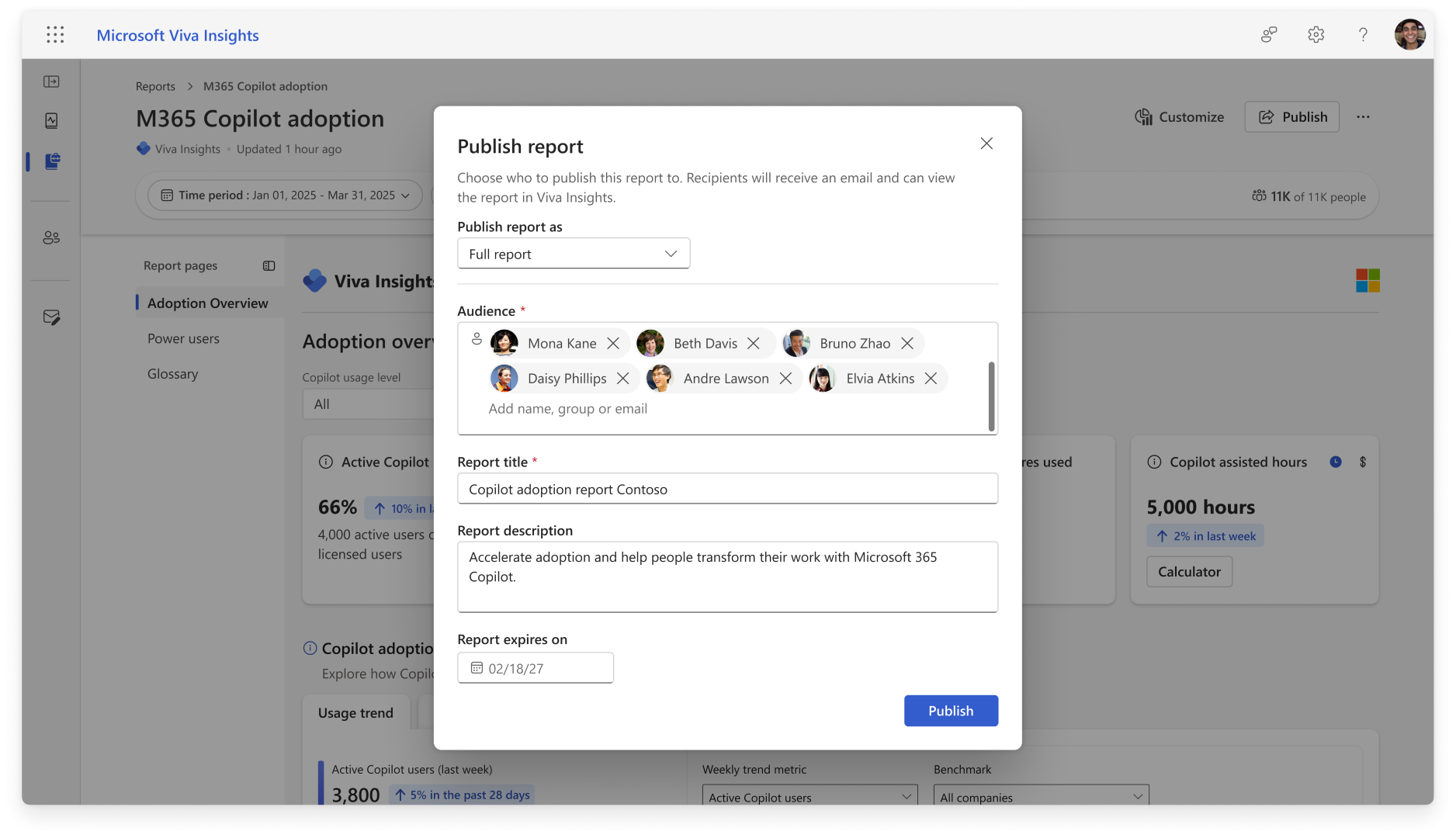
- Publishers can define the audience, report title, description, and publication end date.
- Recipients will receive an email notification when a report is published to them, and can access published reports from the Viva Insights Reports tab.
- Published reports can be shared using either:
- Unfiltered publish, where recipients view the report using the full data scope available for that report.
- Manager-hierarchy publish, where recipients view the report based on the applicable manager hierarchy.
- If a published report is configured to refresh weekly or monthly, the underlying query will continue to refresh until the publication end date.
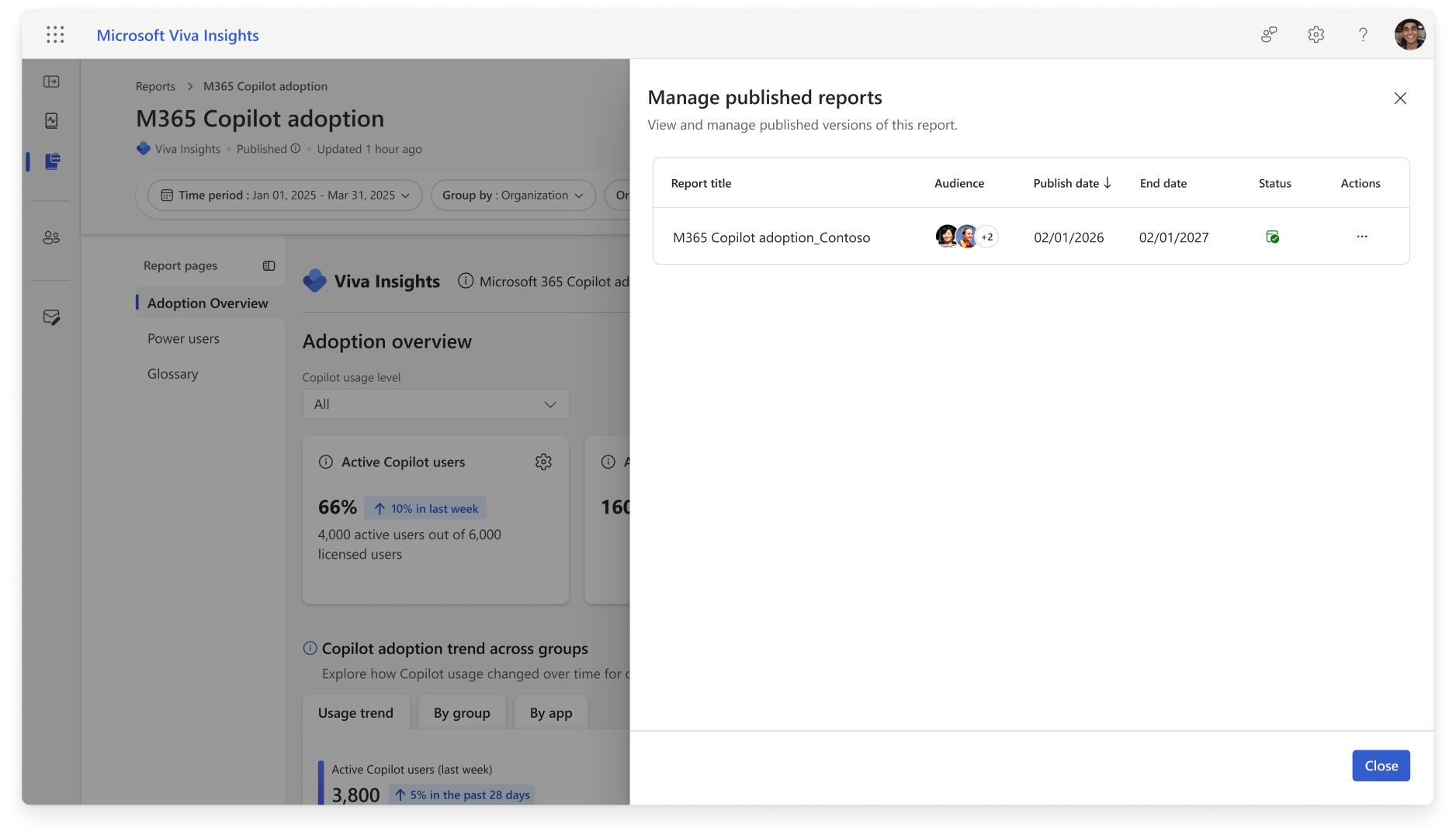
- Analysts and leaders will be able to manage published reports through the Manage publishes option.
- Recipients can view and interact with published reports but cannot download reports, access row-level data, modify or manage publications, extend access, or republish reports.
- If a publisher loses the qualifying role used to publish the report, recipients will retain access until the publication expires.
- The existing Analyst report publish feature access control will be renamed to Report publish. This control will govern report publishing for analysts and leader personas, remains managed by Global Admins and Insights Admins, and is on by default.
- Insights Admins will have visibility into published reports through the Admin Publish Reports experience, including the ability to view and remove publications and publish reports on behalf of users.
Setting up report properties prior to publishing
View and manage published reports
[Action required and recommendations]
No action is required. We recommend that you review your organization's report publishing governance and processes prior to rollout.
[Learn more]
[Compliance considerations]
No compliance considerations identified. Review as appropriate for your organization.
More information
Details
In weekly changes
Platforms
- Web
Services
- Power BI
- Viva
Category
- Plan for change
Microsoft tags
- Admin Action
- Feature Update
- New Feature
- User Adoption