MC1485120 Right-click to customize the classic ribbon
Primary service: Outlook
ChangePilot summary
- Microsoft Outlook is adding a new way to customize the classic ribbon by right-clicking the Home or View tab and choosing Customize.
- Users can choose which commands and groups appear on the Home and View tabs and reorder them to match their workflow.
- The change affects Outlook users across New Outlook for Windows and Outlook on the web.
- No admin configuration or deployment action is required.
Latest update: Confirmation change is for New Outlook for Windows and Outlook on the Web
What it means for you
What admins need to do
No configuration is needed. IT teams should simply be aware of the new ribbon customization entry point in Outlook, update any internal user guidance or screenshots if you maintain Outlook training materials, and be prepared to answer helpdesk questions about the right-click Customize option on the Home and View tabs.
Impact on users
Users will be able to customize the classic Outlook ribbon more easily by right-clicking the Home or View tab and choosing Customize. They can then select which commands and groups appear and reorder them to suit their preferences.
If you miss it
If IT does nothing, the feature will still arrive automatically and users may notice a new customization option without prior explanation. The business impact is low, but helpdesk tickets or user confusion may increase briefly as people discover the new ribbon customization entry point on their own.
- Admin controls available
- No
History
Recorded changes
- Confirmation change is for New Outlook for Windows and Outlook on the Web
Microsoft message
Updated October 5, 2026: We have updated the content. Thank you for your patience.
[What and why]
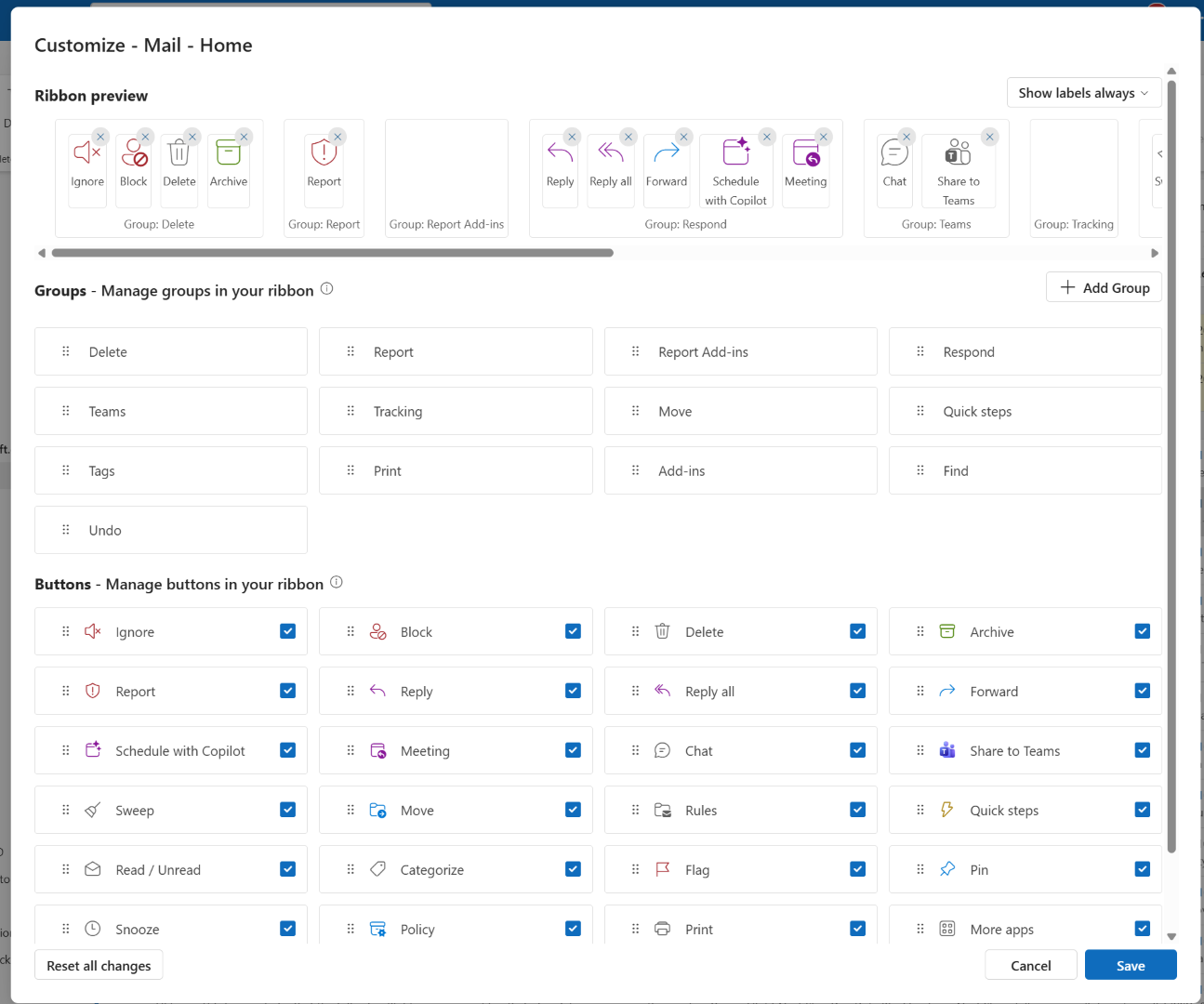
We are updating the classic ribbon customization experience in New Outlook for Windows and Outlook on the Web. Users can now customize the classic ribbon by right-clicking the ribbon on the Home or View tab and selecting the Customize button. Users can then choose which commands and groups appear on the Home and View tabs and arrange them in their preferred order.
[Rollout schedule]
- General Availability (Worldwide): Rollout began in late September 2026 and is expected to complete by mid-November 2026.
[Impact on your organization]
Who is affected
- Microsoft Outlook users
Platforms and services
- New Outlook for Windows
- Microsoft Outlook on the web
What will happen
- Users can customize the classic ribbon by right-clicking on the ribbon, selecting which commands and groups to display on the Home and View tabs, and arranging them as desired.
Classic ribbon customization entry point
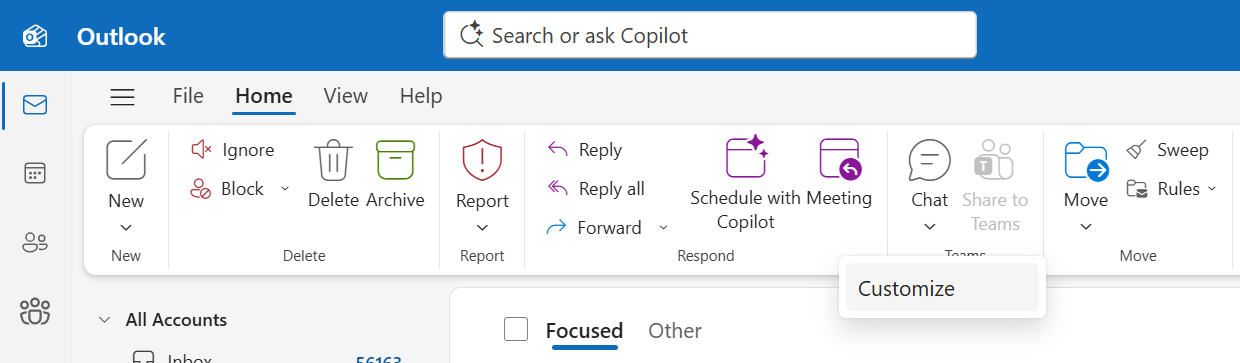
Classic ribbon customization menu
[Action required and recommendations]
No action is required.
[Compliance considerations]
No compliance considerations identified. Review as appropriate for your organization.
Details
In weekly changes
Platforms
- Web
Services
- Exchange
- Outlook
Category
- Stay informed
Microsoft tags
- Feature Update
- New Feature
- User Adoption