MC1479519 Agents and Skills in CIQ
Primary service: M365 Copilot
ChangePilot summary
- Microsoft is adding support for inserting Agents and Skills directly into prompts in CIQ using / or @ while composing.
- Users with access to CIQ and available Agents and Skills can discover them from the CIQ Agents and Skills tab.
- The change is on by default where Agents and Skills are supported and does not require changes to existing workflows.
- IT may want to inform users, update training materials, and review approved Agents and Skills guidance.
Latest update: Screenshots updated
What it means for you
What admins need to do
No configuration is required. IT teams should update internal Copilot/CIQ guidance, brief the help desk and champions on the new Agent and Skills insertion experience, and inform users how to discover approved Agents and Skills via the CIQ tab and prompt shortcuts.
Impact on users
Users with access to CIQ will be able to find available Agents and Skills more easily and insert them directly into prompts using / or @. This should make it faster to access specialized AI capabilities without leaving the current Copilot experience.
If you miss it
If IT does nothing, the feature will still appear for eligible users and may generate help desk questions or confusion about the new insertion shortcuts and discovery tab. Business impact is low, but users may not take advantage of the feature as quickly and internal guidance may become outdated.
- Admin controls available
- Yes
History
Recorded changes
- Screenshots updated
Microsoft message
Updated October 5, 2026: We have updated the content. Thank you for your patience.
[What and Why:]
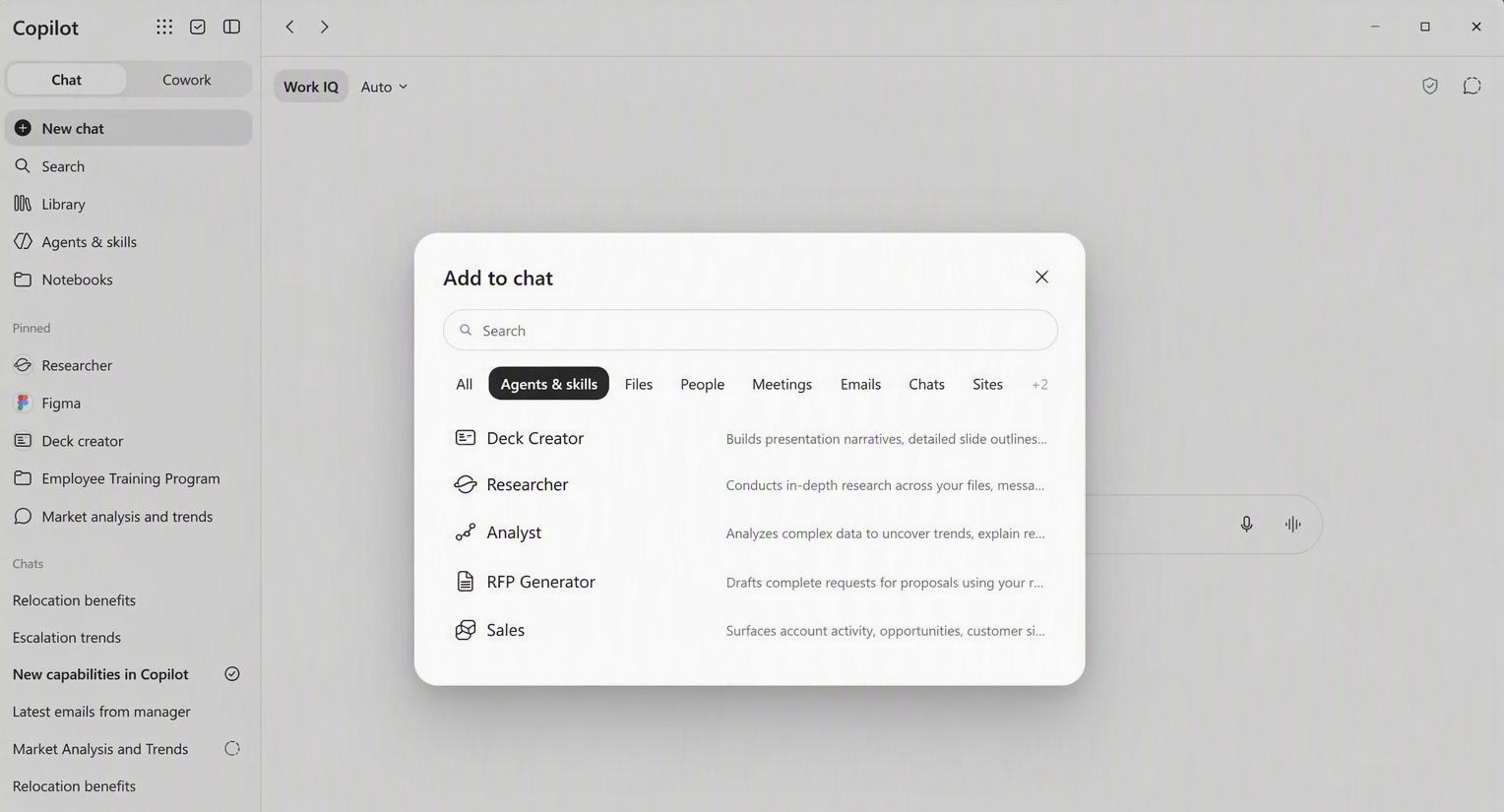
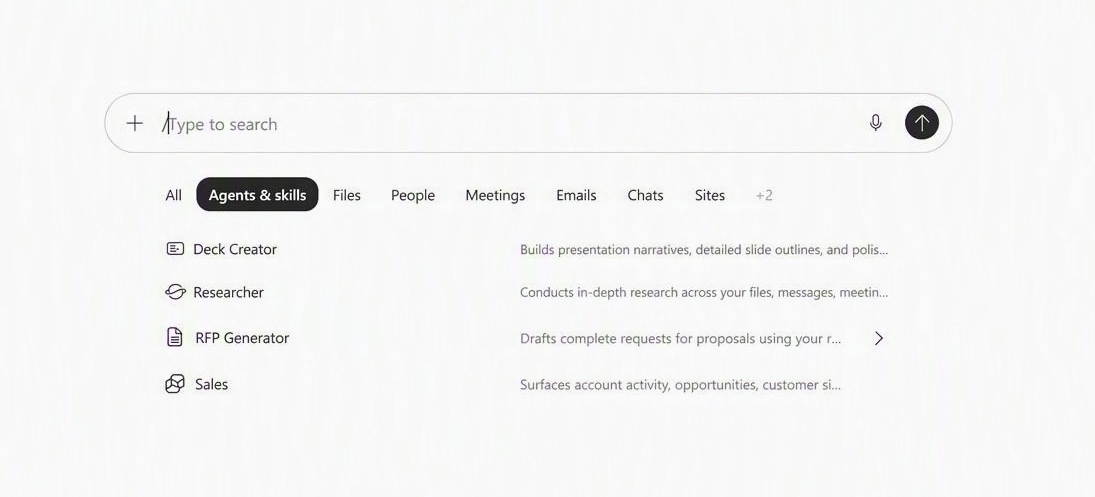
We are introducing support for inserting Agents and Skills directly into prompts via the Context IQ (CIQ) menu which users can access by selecting "Add content" after opening the Plus (+) menu. Users will be able to access available Agents and Skills from the CIQ Agents and Skills tab after selecting "Add content" or by referencing them by typing / or @ while composing prompts. Users will be able to access available Agents and Skills from the CIQ Agents and Skills tab and quickly reference them by typing / or @ while composing prompts. This improvement helps users discover and use specialized capabilities more efficiently, improving productivity by making context-specific AI assistance easier to access within existing workflows.
Screenshot - Agents & skills tab in CIQ menu when user selects "Add content" from the Plus (+) menu.
Screenshot - Agents & skills tab when user types "/" or "@" in the prompt box.
[Rollout Schedule:]
- General Availability (Worldwide): Rollout begins in mid-September 2026.
- Expected completion: Late September 2026.
[Impact on Your Organization:]
Who is affected:
- Users who have access to CIQ and available Agents and Skills within their organization.
Platforms/Services:
- CIQ
- Copilot experiences that support Agents and Skills integration
What will happen:
- Users will be able to insert Agents and Skills directly into prompts using @ and /.
- Agents and Skills will be discoverable from the CIQ Agents and Skills tab.
- Users can quickly access specialized capabilities without navigating away from their current experience.
- The change is available by default where Agents and Skills are supported.
- No changes to existing user workflows are required; this enhancement provides an additional way to invoke available capabilities.
[Action Required/Recommendations:]
No action is required.
You may want to:
- Inform users about the new Agents and Skills discovery experience.
- Update internal training or adoption materials if your organization documents CIQ workflows.
- Review any organizational guidance related to approved Agents and Skills usage.
[Compliance considerations:]
No compliance considerations identified. Review as appropriate for your organization.
Details
In weekly changes
Services
- M365 Copilot
Category
- Plan for change
Microsoft tags
- New Feature
- User Adoption