MC1476237 Remediation actions from the Teams message entity flyout
Primary service: Defender XDR
ChangePilot summary
- Microsoft Defender for Office 365 is adding a new Teams message entity flyout workflow for security teams to investigate and remediate malicious Teams messages from one place.
- Administrators will be able to submit a Teams message to Microsoft, block the external sender, and block associated domains from the same action menu.
- The change applies to Microsoft Defender for Office 365 Plan 1 and Plan 2 customers and is available from existing investigation areas such as Submissions, Alerts, Advanced Hunting, and Quarantine.
- Existing investigation experiences remain available, and no configuration changes are required.
- Microsoft recommends updating security operations procedures, training, and internal documentation to reflect the new remediation options.
What it means for you
What admins need to do
Review Teams message investigation runbooks and update analyst guidance so responders know they can submit messages and block senders/domains from the Teams message entity flyout. Refresh internal documentation and provide a short briefing to SOC/security analysts so they can use the streamlined workflow without changing existing investigation processes.
Impact on users
There is no direct day-to-day change for most users. Security staff will have a more efficient way to investigate suspicious Teams messages and take remediation actions, but normal Teams usage should look the same.
If you miss it
If IT does nothing, the feature will still appear and security teams may simply miss an efficiency improvement. The main business impact is slower or less consistent Teams message investigation and remediation because analysts may continue using older, more fragmented workflows. There is no expected user disruption or compliance blocker from missing this announcement.
- Admin controls available
- No
- Licences affected
- Defender for Office 365 Plan 1, Defender for Office 365 Plan 2
History
Recorded changes
No changes recorded since ChangePilot first saw this post.
Microsoft message
[What and why]
We are enhancing the Teams message entity flyout in Microsoft Defender for Office 365 to help security teams investigate and remediate malicious Teams messages more efficiently. Administrators will be able to submit messages to Microsoft and block external senders or associated domains from a single workflow, reducing the need to navigate between investigation experiences.
[Rollout schedule]
- General Availability (Worldwide): Beginning in late September 2026 and expected to complete by mid-October 2026
[Impact on your organization]
Who is affected
- Security administrators and analysts in organizations with Microsoft Defender for Office 365 Plan 1 or Plan 2 who investigate Teams messages through Submissions, Alerts, Advanced Hunting, or Quarantine
Platforms and services
- Microsoft Defender for Office 365
- Microsoft Teams
- Microsoft Defender portal
What will happen
Administrators investigating Teams messages through Submissions, Alerts, Advanced Hunting, or Quarantine will be able to open the Teams message entity flyout and access the Take action workflow directly from the message.
The updated action wizard will support the following actions:
- Submit to Microsoft: Submit the Teams message to Microsoft for review and analysis:
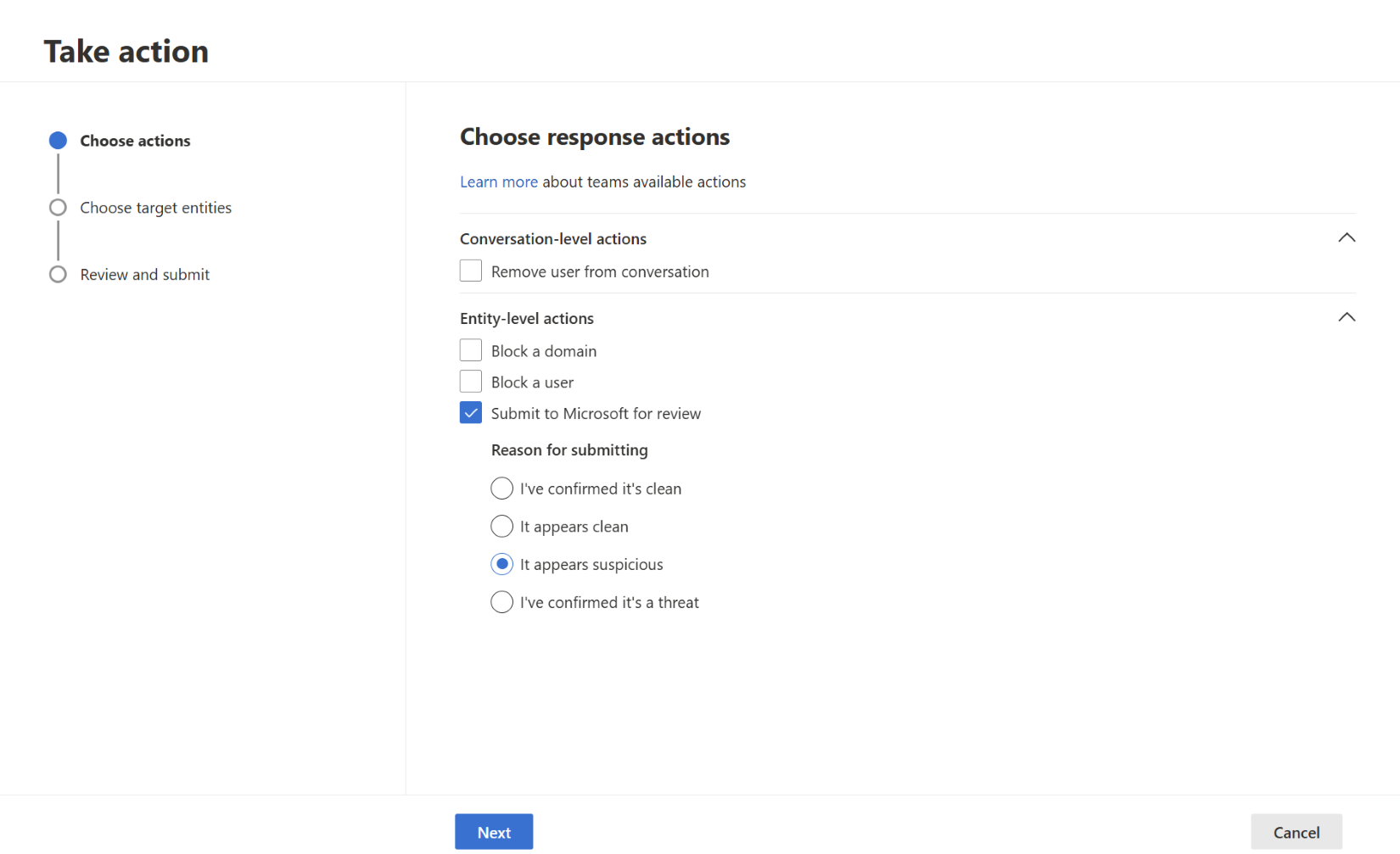
- Block sender: Add the external sender to the Tenant Allow/Block List (TABL). When available, sender information will be prepopulated to reduce manual entry.
- Block domain: Add one or more domains associated with the investigated message to TABL. The wizard will identify and prepopulate domains associated with an external sender, allowing administrators to select the domains to block.
-
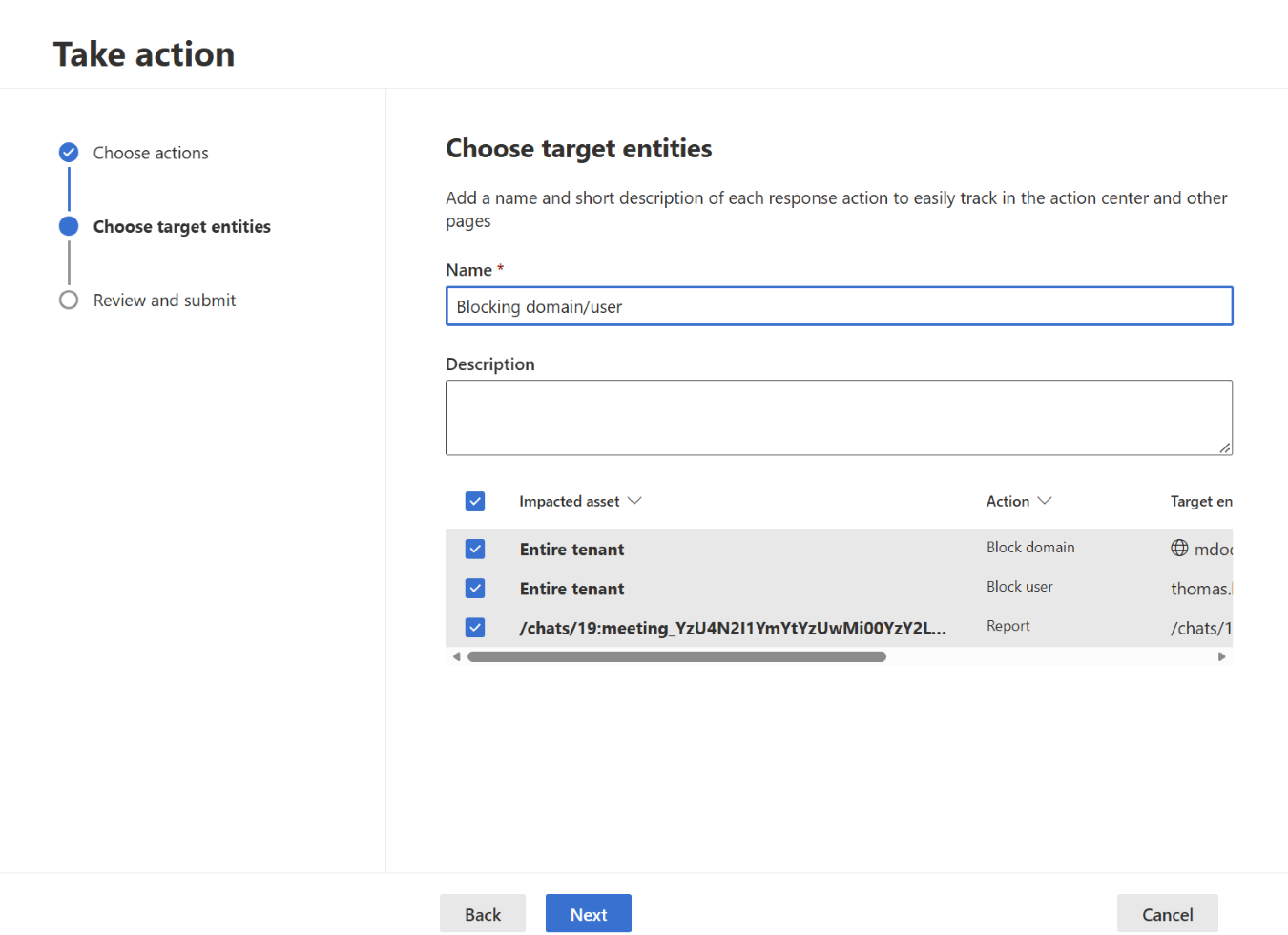
Administrators can perform multiple actions in a single workflow. For example, they can submit a message to Microsoft while also blocking the associated sender or domain.
These actions will be available to Microsoft Defender for Office 365 Plan 1 and Plan 2 customers. Existing investigation experiences and workflows will remain available. No configuration changes are required for this capability.
[Action required and recommendations]
No action is required before rollout.
We recommend that organizations:
- Review internal security operations procedures for Teams message investigations.
- Update administrator training materials and documentation to include the new remediation actions available from the Teams message entity flyout.
- Inform security operations teams about the streamlined investigation and remediation workflow.
Learn more
- [To be updated closer to launch.] Teams message entity panel in Microsoft Defender for Office 365 - Microsoft Defender for Office 365 | Microsoft Learn
[Compliance considerations]
No compliance considerations were identified in the source content. Review this change as appropriate for your organization.
More information
Details
In weekly changes
Platforms
- Teams
Services
- Admin
- Defender XDR
- Security
- Teams
Category
- Stay informed
Microsoft tags
- Admin Action
- Feature Update
- User Adoption