MC1473165 Brand Skill support now available in PPT Copilot [Web]
Primary service: PowerPoint
ChangePilot summary
- Brand managers can upload custom presentation skills as Markdown or .zip files to Brand Kit and publish them for use with Copilot in PowerPoint.
- The capability is intended for organizations that want approved, reusable guidance for presentation creation and more consistent content output.
- Affected users are brand managers and users who have access to Copilot in PowerPoint in organizations where a Brand Kit skill has been published.
- IT should review Brand Manager assignments, establish governance/review processes for the content, and test skills before broad publication.
- Microsoft notes that publishing is required for the feature to take effect; it is not automatically enabled just because the capability is available.
What it means for you
What admins need to do
Confirm who can act as Brand manager under the Enterprise Brand Manager policy, then define the approval workflow for creating and maintaining presentation skills. Review the skill content for security, privacy, legal, branding, and accessibility before publication, and test representative presentation scenarios. Update internal guidance and helpdesk readiness so users know where approved skills live and how they are governed.
Impact on users
Users with Copilot in PowerPoint will be able to use organization-published presentation skills to guide how Copilot creates slides and content. If no skill is published for a tenant, users will not see a change. Where skills are published, users may notice more consistent, brand-aligned presentation outputs.
If you miss it
If IT does not establish governance and review processes, unvetted presentation guidance could be published to Copilot in PowerPoint. That could lead to inconsistent or inappropriate branded content, privacy or compliance issues, and confusion for users if the wrong owners publish or maintain skills. If the organization simply misses the announcement, the feature itself will not auto-enable, but it may delay adoption of a useful capability.
- Admin controls available
- Yes
History
Recorded changes
No changes recorded since ChangePilot first saw this post.
Microsoft message
[What and why:]
Brand managers will be able to upload custom presentation skills as Markdown (.md) files to Brand Kit and share them across their organization for use with Copilot in PowerPoint. This capability helps organizations provide reusable, organization-approved instructions that guide presentation creation, supporting more consistent and efficient content development.
This change advances personal and team productivity by embedding reusable presentation guidance into the tools employees use to create presentations.
[Rollout schedule:]
Frontier: We will begin rolling out mid-September 2026 and expect to complete by late September 2026.
General Availability, Worldwide: We will begin rolling out in late September 2026 and expect to complete the rollout by the end of September 2026.
[Impact on your organization:]
Who is affected:
- Brand managers who create, manage, and publish organizational Brand Kits.
- Users in organizations where a Brand Kit containing a custom presentation skill has been published and who have access to Copilot in PowerPoint.
- The product team should confirm applicable licensing and whether additional eligibility requirements apply.
Platforms and services:
- Microsoft 365 Brand Kit
- Microsoft Copilot
- Microsoft PowerPoint - Web
What will happen:
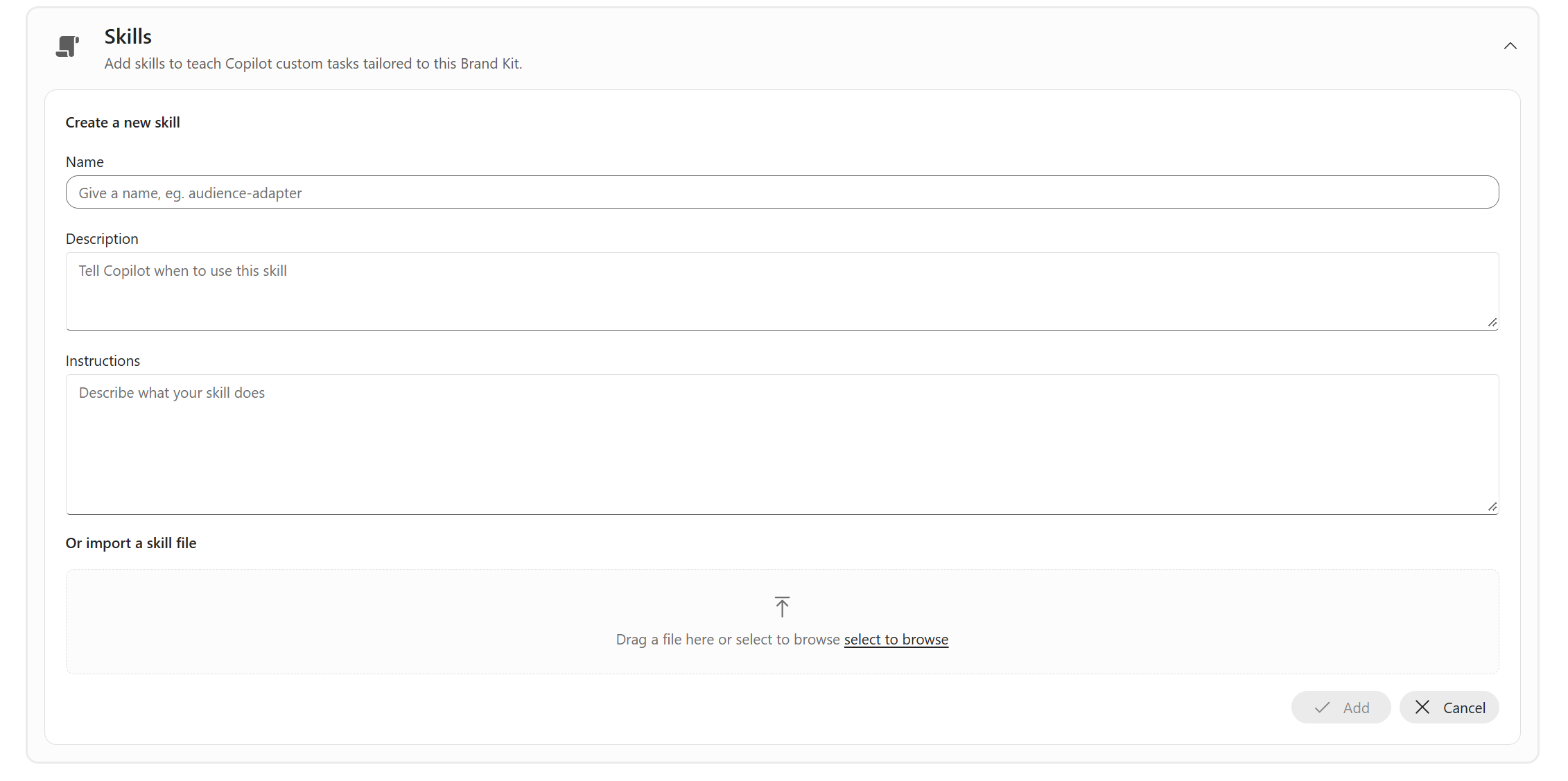
- Brand managers will be able to upload a custom presentation skill as a Markdown (.md) or .zip file to Brand Kit.
- Brand managers will be able to publish the skill for use by people in their organization.
- Eligible users will be able to use the published skill with Copilot in PowerPoint.
- The skill can provide reusable instructions to guide how Copilot creates presentations.
- The feature requires a Brand manager to upload and publish a skill. It is not automatically activated merely because the capability becomes available.
[Action required and recommendations:]
- Review who is assigned as a Brand manager through the Enterprise Brand Manager policy.
- Identify the people responsible for writing, reviewing, approving, and maintaining presentation skills.
- Establish governance for security, privacy, accessibility, legal, and brand review.
- Test skills with representative presentation scenarios before publishing them broadly.
- Communicate the availability of published skills to users of Copilot in PowerPoint.
- Update internal Brand Kit and Copilot documentation.
- Review published skills periodically and remove or replace outdated instructions.
- Review Microsoft documentation: Brand Skill support for Copilot in PowerPoint.
[Compliance considerations:]
- This change provides eligible users with a new way to interact with generative AI by using organization-published instructions with Copilot in PowerPoint.
- This change introduces organization-published instructions that can guide Copilot when users create presentations.
- Brand Kit publishing is governed through the Enterprise Brand Manager policy and a mail-enabled security group. Confirm that presentation skills use the same controls without additional configuration.
- Confirm storage, retention, audit logging, Purview behavior, user-level disablement, third-party integration, and GDPR data-subject-request implications before publication.
More information
Details
In weekly changes
Platforms
- Web
Services
- M365 Apps
- M365 Copilot
- PowerPoint
Category
- Plan for change
Microsoft tags
- Admin Action
- New Feature
- User Adoption