MC1470885 M365 Copilot: Tell Copilot what you need directly from the Copilot button in Word, Excel, and PowerPoint
Primary service: M365 Copilot
ChangePilot summary
- Microsoft 365 Copilot is getting a new prompt input directly on the Copilot button in Word, Excel, and PowerPoint, reducing the need to open the Copilot pane first.
- Eligible users can type or dictate prompts from within the document, and context-aware prompt experiences will appear when content is selected in Word and PowerPoint.
- Suggested actions such as Rewrite and Shorten will appear when appropriate, and the feature is enabled by default for eligible Copilot users.
- Existing Copilot administration controls continue to apply, but there is no separate admin control for this prompt input experience.
- IT should update user training, help desk guidance, and end-user communications to reflect the new in-app Copilot entry point.
Latest update: - Microsoft 365 Copilot prompt entry is being added directly to the Copilot button in Word, Excel, and PowerPoint. - Eligible users can type or dictate prompts without opening the Copilot pane, and can reference selected content for contextual actions. - Suggested actions such as Rewrite and Shorten will appear when appropriate, improving in-document Copilot access. - The feature is enabled by default for eligible Microsoft 365 Copilot users, and existing Copilot admin controls still apply. - No separate admin control exists for this prompt input experience; IT should update training, help desk guidance, and end-user communications.
What it means for you
What admins need to do
Update user training and help desk guidance to cover the new Copilot button prompt experience, including keyboard shortcuts and the fact that users can ask Copilot directly from Word, Excel, and PowerPoint without opening the Copilot pane. Review your current Copilot Chat pinning configuration and related documentation, then communicate the change to eligible users so they know where to find the new entry point.
Impact on users
Eligible Copilot users will see a new prompt box attached to the Copilot button in Word, Excel, and PowerPoint. They can ask Copilot questions, dictate prompts, and use contextual actions without first opening the Copilot pane, which should make common Copilot tasks faster and more convenient.
If you miss it
If IT does not prepare users and support staff, the new Copilot entry point may appear without warning, causing confusion and help desk questions about where the old workflow went or how to use the new prompt input. There is no indication of service disruption or compliance impact, but user adoption and support readiness could be affected.
- Admin controls available
- Yes
- Licences affected
- Copilot
History
Recorded changes
No changes recorded since ChangePilot first saw this post.
Microsoft message
Updated November 11, 2026: We have updated the content. Thank you for your patience.
[What and Why:]
Microsoft is making Copilot more accessible within Word, Excel, and PowerPoint by adding a new prompt input directly to the Copilot button and providing contextual prompt experiences when users select content. This update helps users engage with Microsoft 365 Copilot without leaving their workflow, enabling faster content creation, editing, and task completion. This change supports personal and team productivity by bringing Copilot assistance directly into the document experience.
[Rollout Schedule:]
- General Availability (Worldwide): Rollout begins September 2026 and is expected to complete by the end of December 2026.
- Available in Word, Excel, and PowerPoint on Windows desktop, macOS, and web.
- Rollout may occur on different platforms at different times.
[Impact on Your Organization:]
Who is affected:
- Microsoft 365 users eligible for Microsoft 365 Copilot using Word, Excel, or PowerPoint on Windows desktop, macOS, or web.
Platforms/Services:
- Microsoft 365 Copilot
- Word
- Excel
- PowerPoint
- Windows desktop
- macOS desktop
- Web
What will happen:
- Users will see a new button and prompt in the top right (by default).
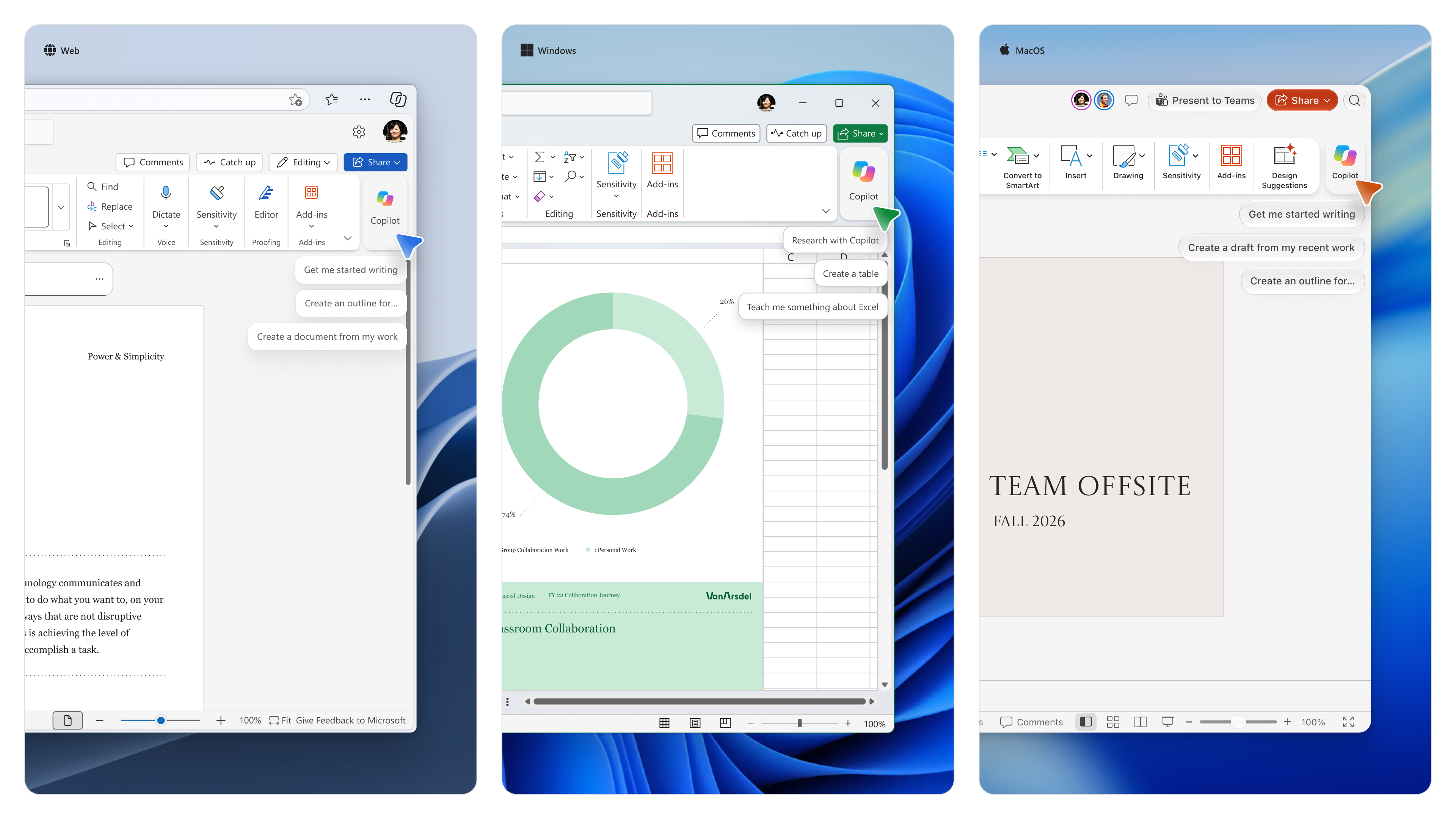
- Users can type or dictate prompts without opening the Copilot pane.
- Users can reference Microsoft 365 content directly from the prompt input experience.
- When content is selected in Word or PowerPoint, a contextual Copilot input will appear.
- Suggested actions such as Rewrite and Shorten will be shown when appropriate.

- Windows shortcut: Alt + C.
- Mac shortcut: Command + Control + I.
- The feature is enabled by default for eligible users.
- Existing Copilot administration controls continue to apply.
- No separate admin control is available for the prompt input experience.
[Action Required / Recommendations:]
No admin action is required.
- Update user training and adoption materials.
- Update help desk documentation.
- Review the Pin Microsoft 365 Copilot Chat setting.
- Communicate the change to end users.
- Review Manage Microsoft 365 Copilot Chat documentation.
- Review Pin Microsoft 365 Copilot Chat in Microsoft 365 apps documentation.
- Review The Copilot Dynamic Action Button in Word, Excel, and PowerPoint documentation.
[Compliance Considerations:]
- New generative AI interaction entry points are introduced.
- The update expands how users invoke existing Copilot capabilities.
- Existing admin controls remain available through the Pin Microsoft 365 Copilot Chat setting.
More information
Details
In weekly changes
Platforms
- Windows
- Mac
- Web
Services
- Excel
- M365 Apps
- M365 Copilot
- PowerPoint
- Word
Category
- Plan for change
Microsoft tags
- New Feature
- User Adoption