MC1467357 Updated header and dashboard for chats and channels on mobile
Primary service: Teams
ChangePilot summary
- Microsoft Teams mobile will get a redesigned header and lightweight dashboard for chats and channels.
- The new experience surfaces channel details, people, and pinned content in one place to make navigation and common actions easier on mobile.
- Users on Teams mobile devices are affected; desktop behavior is not changing in this post.
- No configuration or admin action is required, but Microsoft recommends notifying users and updating training/help desk materials.
Latest update: Standard end: late November 2026 (previously early October 2026).
What it means for you
What admins need to do
Notify Teams mobile users about the updated chat and channel navigation experience, and brief the help desk so they can answer questions about the redesigned header and dashboard. Update any internal screenshots, quick-reference guides, or training content that reference the current mobile navigation flow.
Impact on users
Users on Teams mobile will see a redesigned chat and channel header, plus a new lightweight dashboard that brings channel details, people, and pinned content together. Navigation should feel more consistent with the desktop experience and make it easier to find information and complete common tasks.
If you miss it
If IT does nothing, the change will still roll out and users may be surprised by the updated mobile layout and navigation. The main risk is avoidable help desk questions and confusion, especially if internal documentation or training still shows the old experience. There is no security or compliance impact indicated.
- Admin controls available
- No
History
Recorded changes
- Standard end: late November 2026 (previously early October 2026).
Microsoft message
Updated November 3, 2026: We have updated the timeline. Thank you for your patience.
[What and why]
We're updating the Microsoft Teams mobile experience with a redesigned header and lightweight dashboard for chats and channels. This update brings key channel details, people, and pinned content into a single, intuitive experience, helping users find information and take action more quickly.
The updated experience creates a more consistent navigation model across desktop and mobile, making it easier for users to move between chats and channels.
[Rollout schedule]
- Targeted Release: Beginning in late September 2026
- General Availability (Worldwide, GCC, GCC High, DoD): Beginning in early October 2026 and expected to complete by end of November 2026
[Impact on your organization]
Who is affected
- Users who access Microsoft Teams on mobile devices.
Platforms and services
- Microsoft Teams for mobile
What will happen
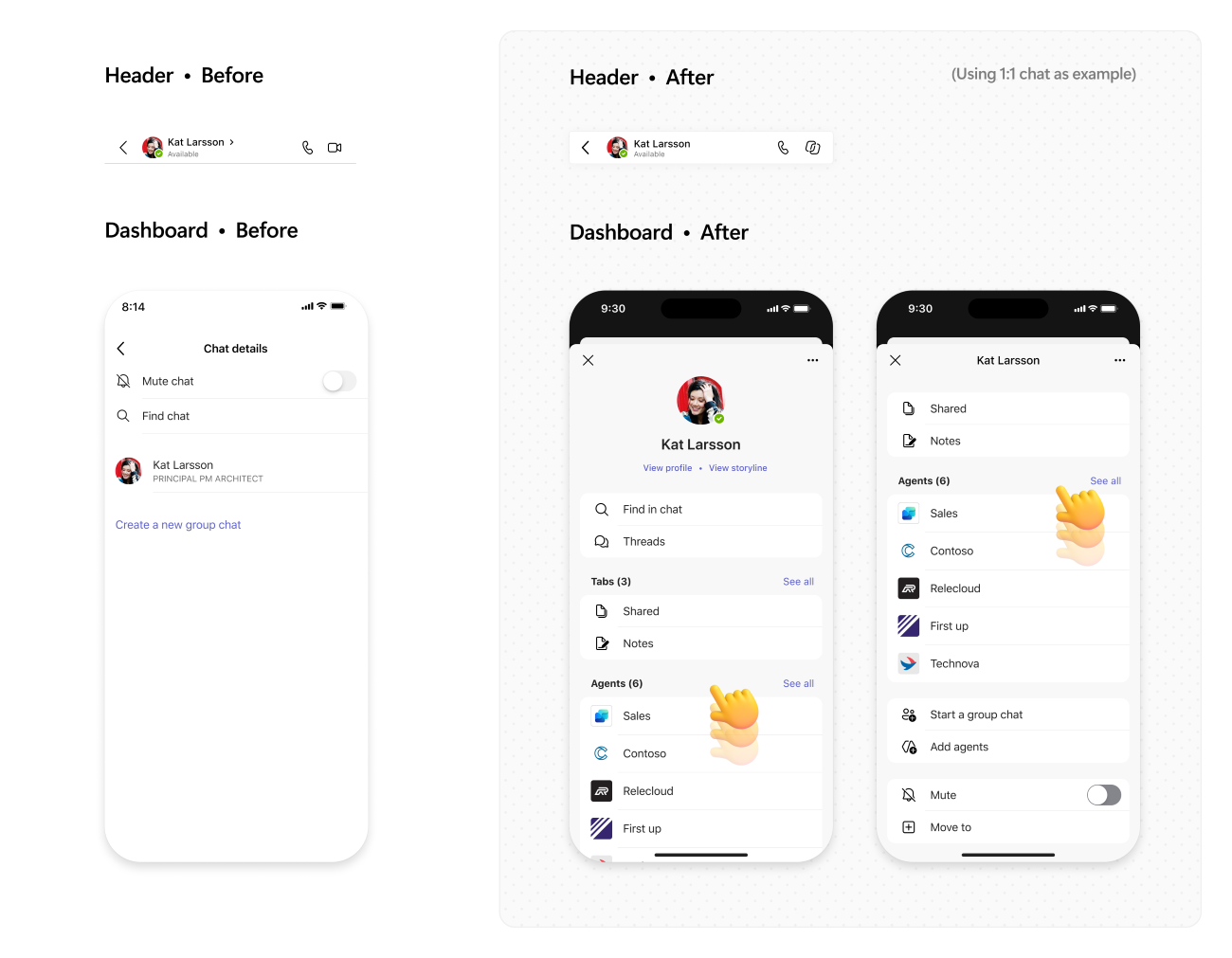
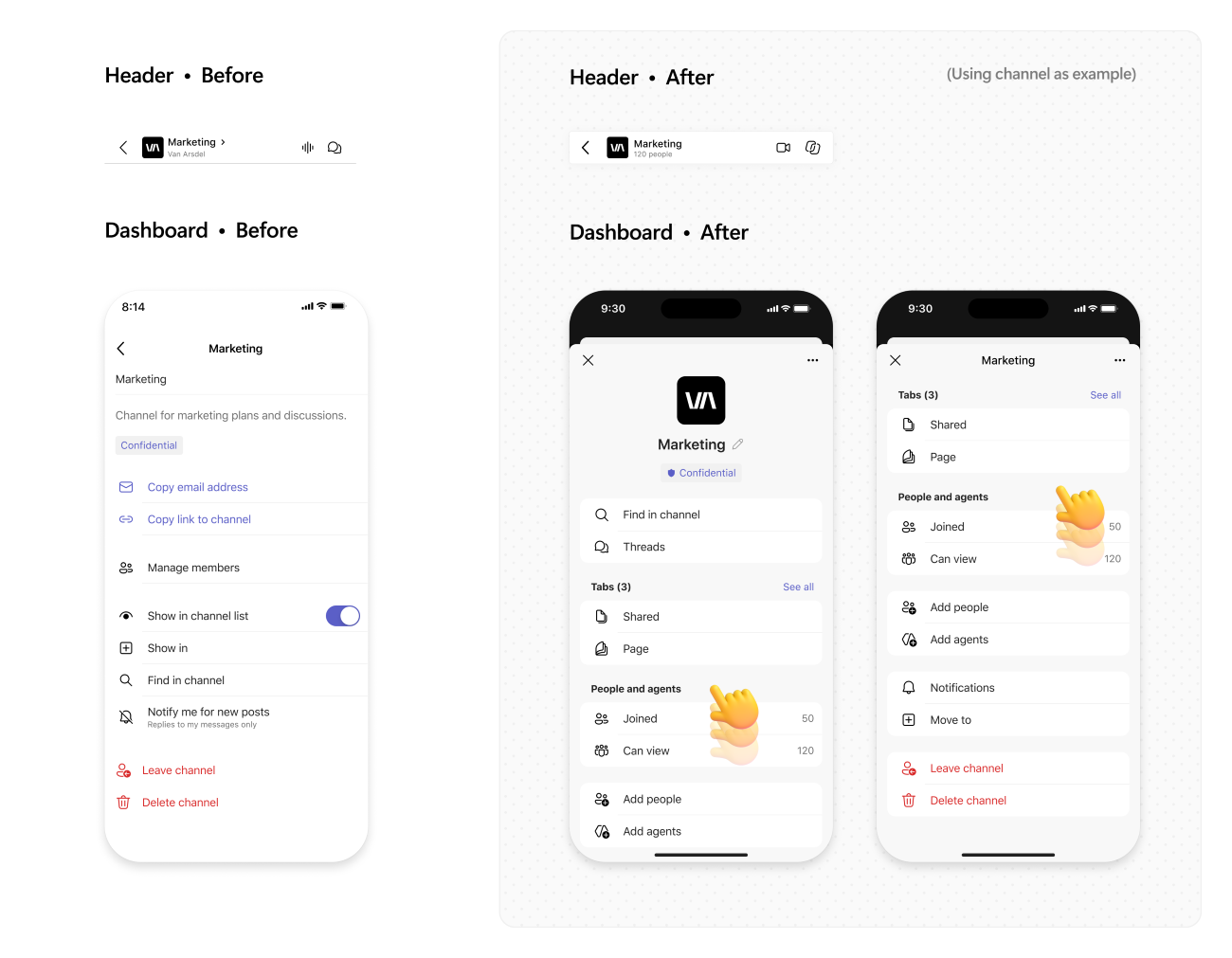
- Users will see a redesigned header experience in chats and channels on mobile.
- A new lightweight dashboard will provide easier access to channel details, people, and pinned content.
- Navigation across chats and channels will become more consistent with the Teams desktop experience.
- The update is intended to help users get oriented and complete common tasks more quickly while using Teams on mobile.
Screenshot 1 - Chat view:
Screenshot 2 - Channel view:
[Action required and recommendations]
No action is required.
You may want to:
- Notify users about the updated mobile experience.
- Review and update internal training or support documentation that references the current mobile navigation experience.
- Inform help desk and support teams of the upcoming change.
[Compliance considerations]
No compliance considerations identified. Review as appropriate for your organization.
Details
In weekly changes
Platforms
- Android
- iOS
Services
- Teams
Category
- Stay informed
Microsoft tags
- Admin Action
- Feature Update
- User Adoption