MC1462461 Ask Copilot in Teams
Primary service: Teams
ChangePilot summary
- Teams is adding an Ask Copilot entry point in chats and channel threads so users can send a specific message or selected text into the Copilot pane as context.
- The feature applies across Teams desktop, web, and mobile clients and works in 1:1 chats, group chats, meeting chats, and channel conversations.
- There is no new admin policy or tenant configuration to deploy; access continues to follow existing Teams Copilot licensing and admin controls.
- IT should update user guidance and helpdesk/trainers so users know where to find Ask Copilot in Teams and how it behaves.
What it means for you
What admins need to do
Review internal Teams Copilot guidance and helpdesk scripts so support staff can explain the new Ask Copilot entry points in message actions and selected-text context menus. If you publish user training or adoption materials, add a short note showing where the option appears on desktop, web, and mobile. No configuration change is required.
Impact on users
Users with access to Teams Copilot will see a new Ask Copilot option in chats and channel threads. They can select text or use the message menu to open Copilot with the conversation content already included, making it quicker to ask questions about a specific message without copying text manually.
If you miss it
If IT does nothing, the feature will still appear automatically and users may discover it without guidance. The main impact is confusion or missed adoption opportunity, not service disruption. Helpdesk teams may receive questions about where the new option came from and how it differs from opening Copilot manually.
- Admin controls available
- Yes
History
Recorded changes
No changes recorded since ChangePilot first saw this post.
Microsoft message
[What and why:]
We're introducing Ask Copilot in Microsoft Teams, a faster way for users to get Copilot assistance directly from a conversation. From a specific message or selected text, users can open the existing Copilot pane with the relevant content automatically included as context, reducing the need to copy, paste, or manually provide conversation details.
[Rollout Schedule:]
- General Availability (Worldwide): Rollout will begin in late August 2026 and is expected to complete by late September 2026.
[Impact on Your Organization:]
Ask Copilot will be available in 1:1 chats, group chats, meeting chats, and channel thread conversations across Teams desktop, web, and mobile clients (iOS and Android).
Users will be able to access Ask Copilot in the following ways:
Desktop and Web
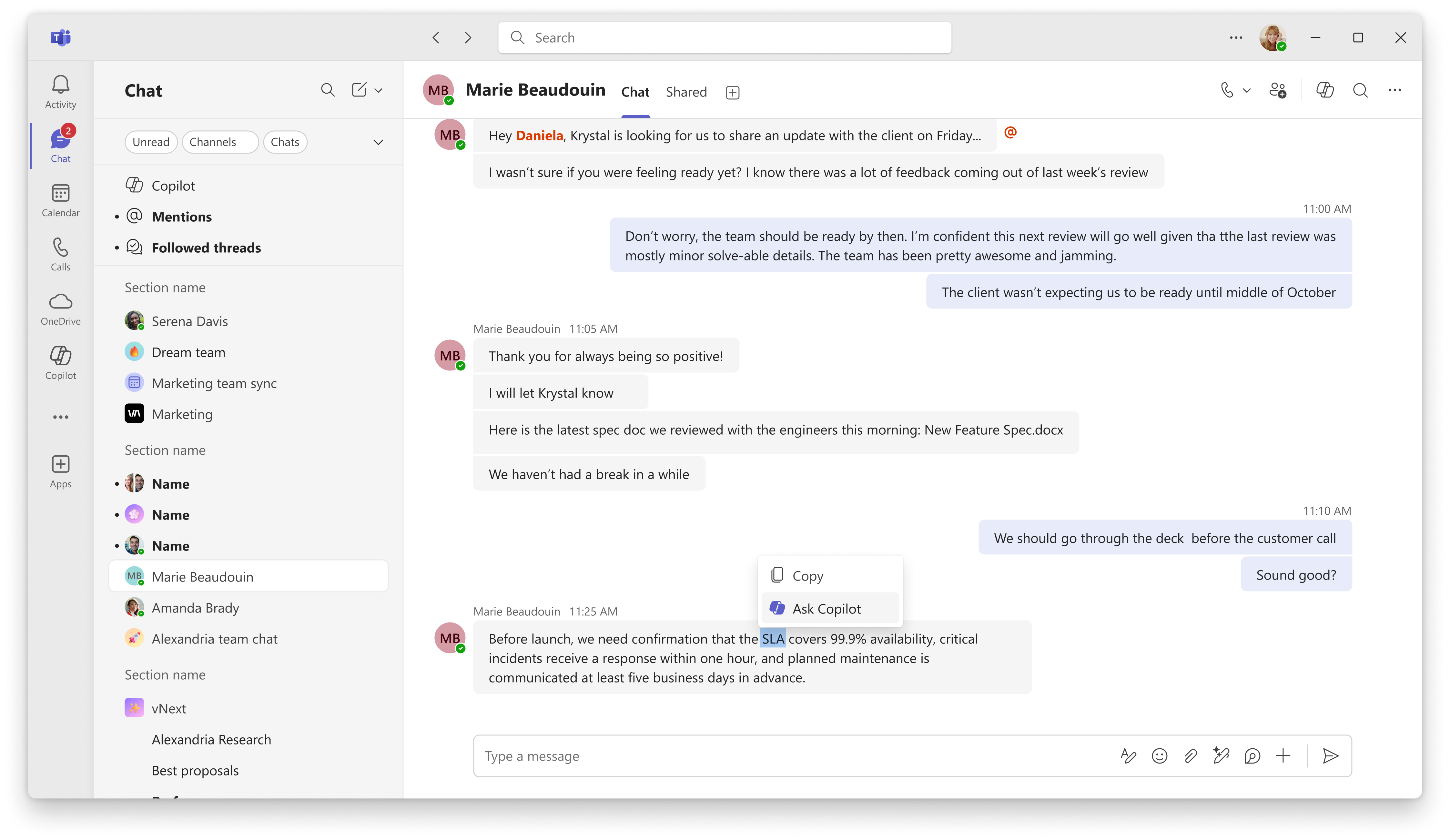
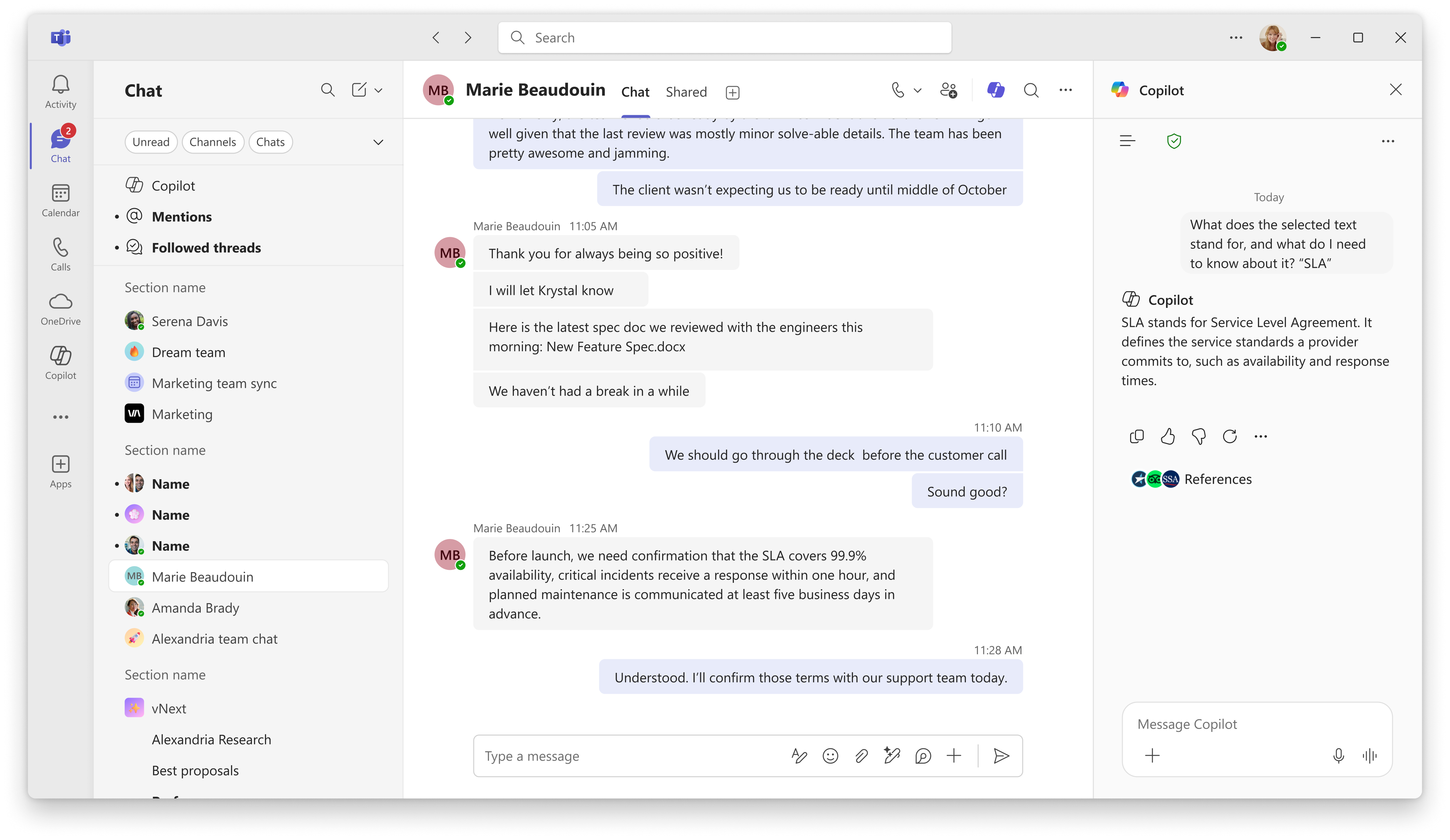
- Select text within a message, right-click, and choose Ask Copilot. The Copilot pane will open and use the selected text as grounding context.
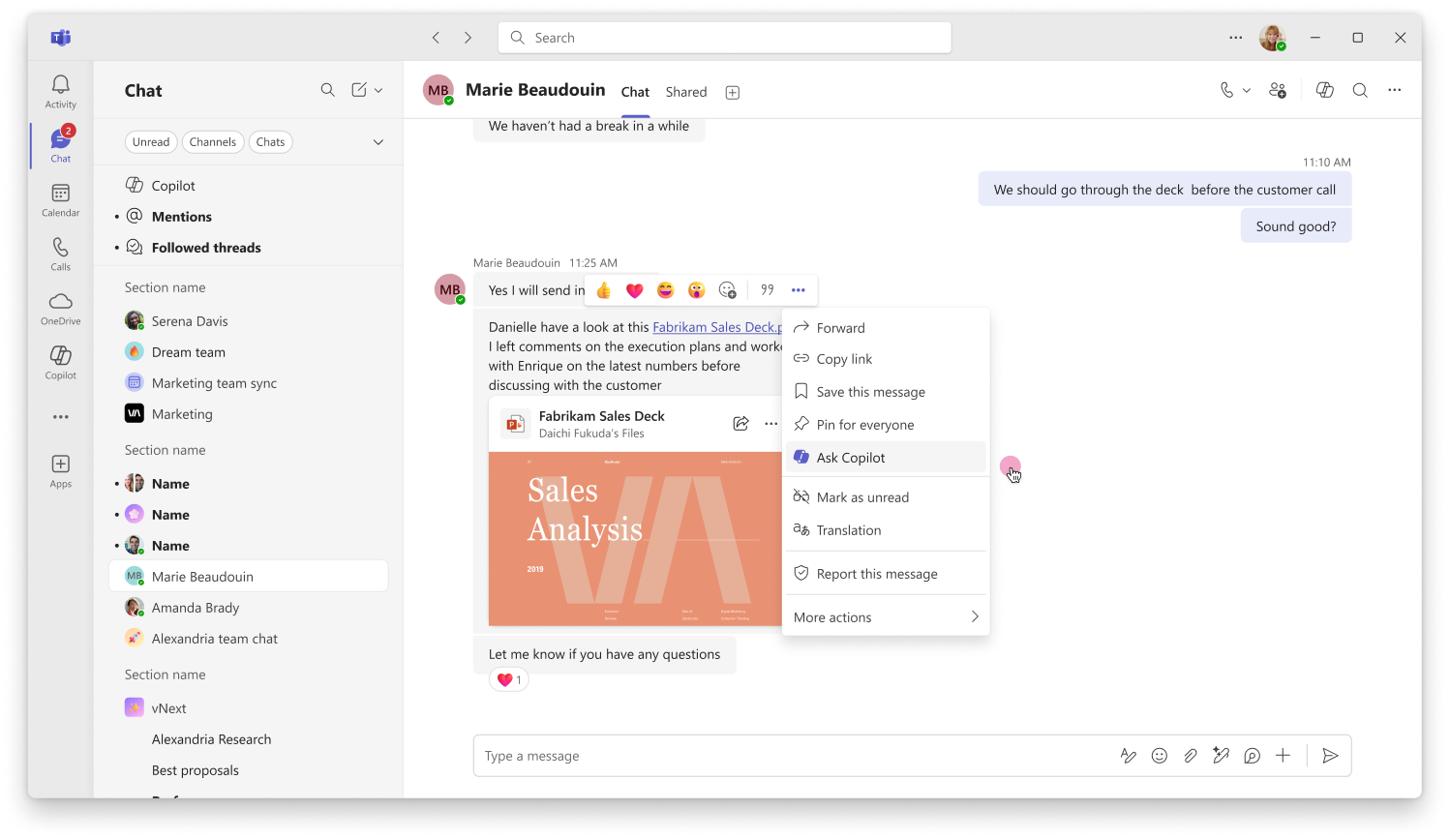
- Open the message actions menu and select Ask Copilot to use the entire message as grounding context.
Mobile (iOS and Android)
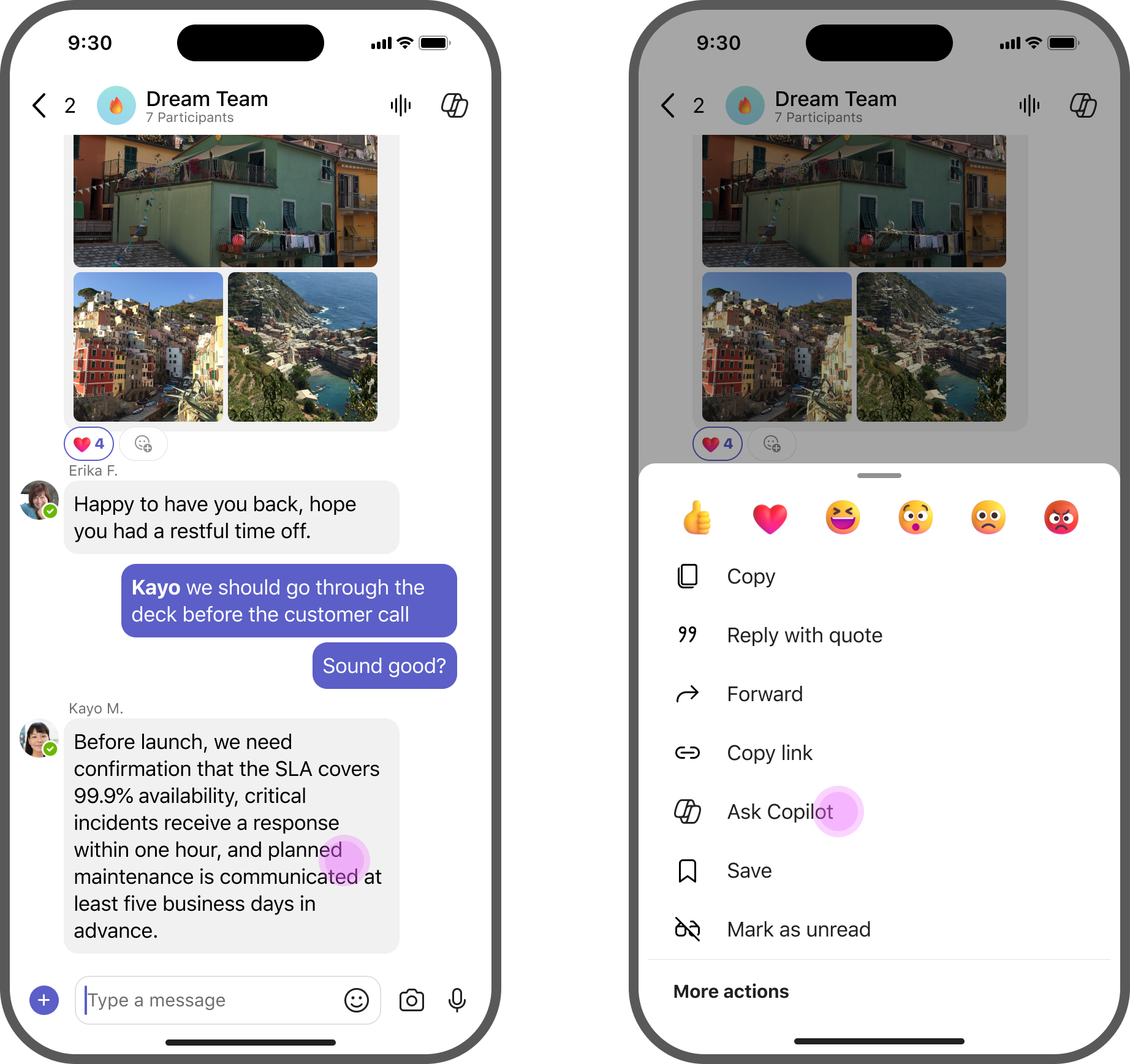
- Press and hold a message, then select Ask Copilot from the message action menu. Teams will open the existing Copilot pane with the selected message content included as grounding context.
This feature helps users quickly ask Copilot questions about conversations and messages without needing to manually copy content or restate context.
[Action required / Recommendations:]
No action is required to enable this feature.
- No new admin policy is being introduced.
- Access continues to follow existing Teams Copilot licensing and administrator controls.
- Consider updating internal training materials and user guidance to highlight the new Ask Copilot entry points in Teams.
[Compliance Considerations:]
No compliance considerations identified, review as appropriate for your organization.
Details
Platforms
- Desktop
- Web
- Mobile
- iOS
- Android
Services
- M365 Copilot
- Teams
Category
- Plan for change
Microsoft tags
- New Feature
- User Adoption