MC1457229 Import Executive Assistant data with People connectors
Primary service: M365 Copilot
ChangePilot summary
- Microsoft 365 People connectors now support ingesting Executive Assistant data from external HR and people systems into Microsoft 365 profiles.
- Supported sources include SAP SuccessFactors, Workday, and custom People connectors; Microsoft 365 remains a display and consumption layer while the source system stays authoritative.
- Assistant information can surface in profile cards, Org Explorer, Outlook on the web, new Outlook, SharePoint, Teams, and Microsoft 365 Copilot experiences.
- Copilot can use the ingested Assistant data for people-related grounding and responses, including reasoning over multiple Assistant values.
- Admins should review connector ingestion and profile source precedence if they want Assistant data displayed consistently when multiple sources provide the same attribute.
What it means for you
What admins need to do
Review whether your organization wants Assistant data exposed in Microsoft 365 profile experiences and Copilot. If yes, configure or update the appropriate People connector (SAP SuccessFactors, Workday, or custom connector), validate the assistant field mappings, and confirm profile source precedence so the intended source wins when multiple systems provide the same attribute. Update any internal documentation and help desk guidance to explain where the data will appear and that changes must be made in the source system.
Impact on users
If your organization ingests Executive Assistant data, users may see that information on profile cards, in Org Explorer, and in Outlook, Teams, SharePoint, and Copilot. Copilot may also use the data when answering people-related questions. If you do not configure the connectors, there is no change for users.
If you miss it
If IT does nothing, Assistant data will simply not be ingested or surfaced in Microsoft 365, so users will not benefit from the new profile and Copilot experiences. If multiple profile sources are already in use and precedence is not reviewed, the wrong Assistant value could be displayed when sources overlap, creating confusion and support calls, but there is no immediate service outage or compliance risk from missing the announcement.
- Admin controls available
- Yes
History
Recorded changes
No changes recorded since ChangePilot first saw this post.
Microsoft message
[What and why]
Microsoft 365 People connectors now support ingesting Executive Assistant information from external HR and people systems into Microsoft 365. Organizations can use supported connectors, including SAP SuccessFactors, Workday, and custom People connectors, to bring Executive Assistant data into Microsoft 365 while keeping the source system as the authoritative record.
After Assistant data is ingested, it becomes available across Microsoft 365 experiences such as profile cards, organizational views, Org Explorer and Microsoft 365 Copilot, helping users more easily identify and connect with the appropriate point of contact.
[Rollout schedule]
- General Availability (Worldwide): Available now
[Impact on your organization]
Who is affected
- Microsoft 365 administrators who manage People connectors or organizational profile data
- Users whose Assistant information is ingested into Microsoft 365
Platforms and services
- Microsoft 365 profile cards
- Org Explorer
- Outlook on the web
- New Outlook
- SharePoint
- Microsoft Teams
- Microsoft 365 Copilot experiences
What will happen
After Executive Assistant data is ingested into Microsoft 365:
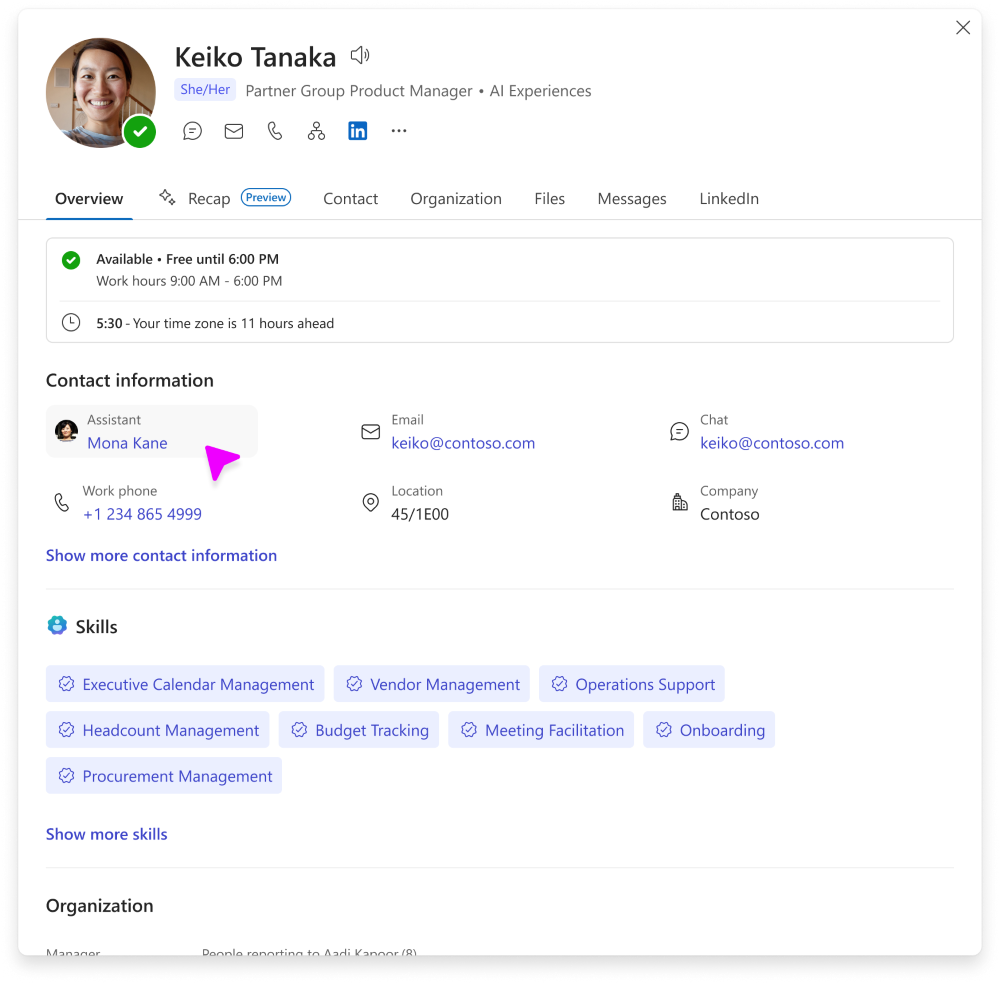
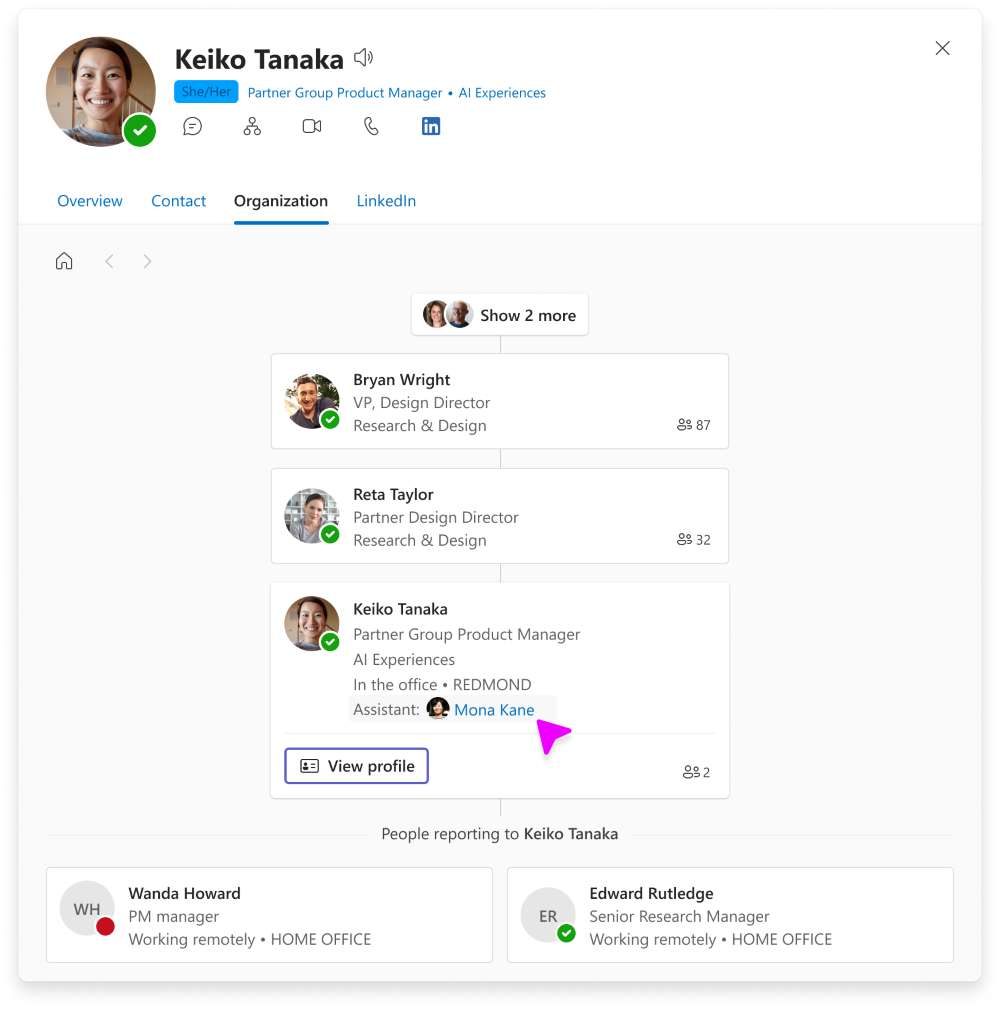
- Assistant information can appear in Microsoft 365 profile experiences, including profile cards in Outlook on the web, new Outlook, Teams, SharePoint, and Microsoft 365 Copilot, as well as Org Explorer.
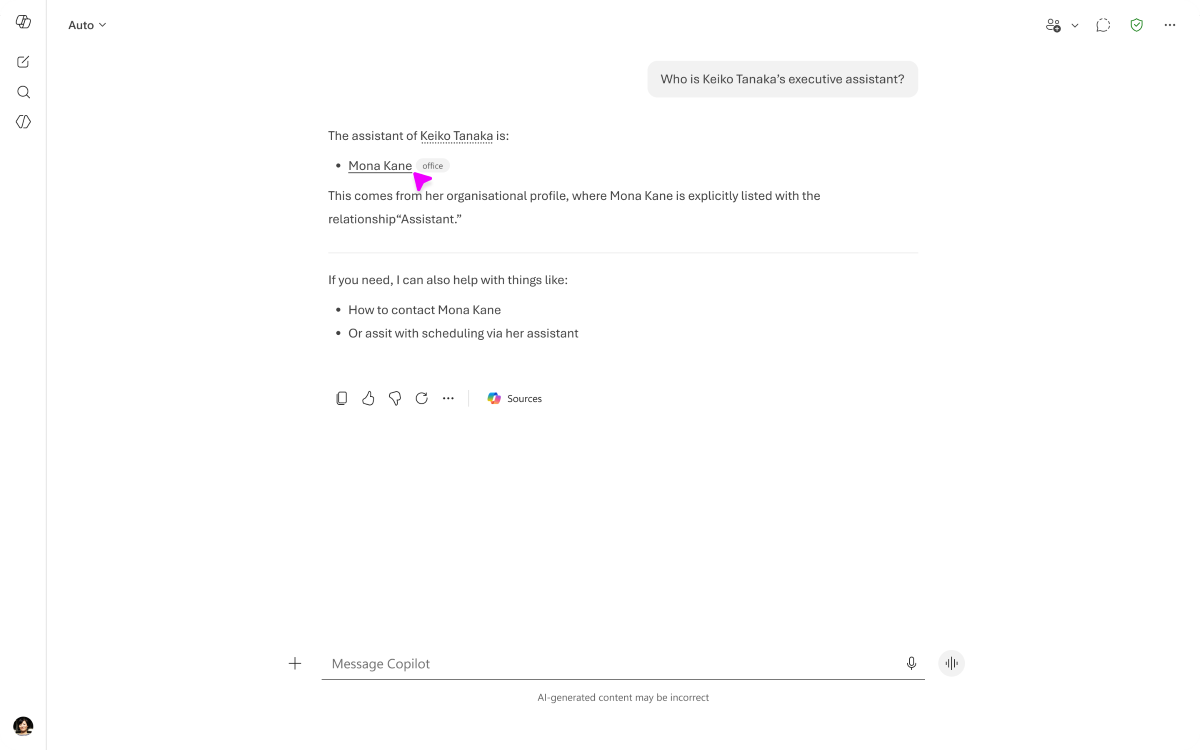
- Microsoft 365 Copilot can use the ingested Assistant information as part of people-related grounding and responses.
- Microsoft 365 Copilot can reason over all Assistant values associated with a user.
- If multiple sources provide Assistant information, source precedence settings determine which value is displayed in Microsoft 365 profile experiences.
- If both user-entered and connector-ingested Assistant values exist, the first value from the highest-priority connected-ingested source is used for display.
- Assistant information is informational profile data and does not grant permissions, modify reporting structures, or create delegated access.
Screenshot 1 - View of Assistant in Contacts tab:
Screenshot 2 - View of Assistant in Copilot:
Screenshot 3 - View of Assistant in Organization tab:
[Action required and recommendations]
No action is required to maintain your current environment.
If your organization wants Assistant information to be available in Microsoft 365 experiences, administrators can ingest the data using supported People data ingestion methods, including:
- SAP SuccessFactors
- Workday
- Custom People connectors
Organizations that use multiple profile data sources should review profile source precedence settings to determine which source is authoritative for overlapping profile attributes.
Learn more
- Add an assistant on your profile in Microsoft 365 | Microsoft Support
- Import organizational data from SAP SuccessFactors | Microsoft Viva | Microsoft Learn
- Import organizational data from Workday | Microsoft Viva | Microsoft Learn
- Manage profile source precedence in Microsoft 365 | Microsoft Graph | Microsoft Learn
- Use people data connectors with Microsoft 365 Copilot | Microsoft Graph | Microsoft Learn
- Use your organizational data in Microsoft 365 and Microsoft Viva | Microsoft Viva | Microsoft Learn
[Compliance considerations]
| Question | Answer |
| Does this change store new customer or organizational data in Microsoft 365? | Yes. Executive Assistant information from third-party systems can be ingested into Microsoft 365 profiles through People connectors and Organizational Data in Microsoft 365. The ingested data is stored as part of the Microsoft 365 user profile and is available across Microsoft 365 experiences. |
| Does this change alter how customer or organizational data is processed, stored, or accessed? | Yes. Assistant information that originates in external HR or people systems can be ingested along with other profile data sources, and surfaced in Microsoft 365 profile experiences based on configured source precedence rules. |
| Does this change introduce or significantly modify AI capabilities that interact with customer data? | Yes. Microsoft 365 Copilot can use ingested Assistant information to provide grounding for assistant-related prompts and responses, helping users identify and coordinate with the appropriate point of contact. |
| Does this change provide end users with a new way to interact with generative AI? | Yes. Users can ask assistant-related questions in Microsoft 365 Copilot, and Copilot can use the ingested Assistant information when generating responses. |
| Does this change modify how users access, export, delete, or correct personal data? | Yes. Assistant information displayed in Microsoft 365 experiences originates from connected data sources. Updates must be made in the source system and then synchronized through the connector. Users can export profile data, and administrators can manage deletion and correction processes through the connected source and Microsoft 365 data management capabilities. |
| Does this change add an integration with third-party software or services? | Yes. The feature supports ingesting Assistant information from external systems through Microsoft-built and custom People connectors, including supported HR systems and custom people data sources. |
| Does this change include an admin control? | Yes. Administrators control whether Assistant information is ingested by configuring People connectors and can manage source precedence to determine which Assistant value is displayed when multiple sources provide the same attribute. |
More information
- learn.microsoft.com/graph/profilepriority-configure-profilepropertysetting
- support.microsoft.com/viva/add-assistant-profile
- learn.microsoft.com/viva/import-org-data-success-factors
- learn.microsoft.com/viva/import-org-data-workday
- learn.microsoft.com/graph/profilepriority-configure-profilepropertysetting
- learn.microsoft.com/graph/peopleconnectors
- learn.microsoft.com/viva/organizational-data
Details
Services
- Admin
- Graph
- M365
- M365 Copilot
- Outlook
- SharePoint
- Teams
- Viva
Category
- Plan for change
Microsoft tags
- Admin Action
- New Feature
- User Adoption