MC1447681 Custom branding for tenant-wide visual identity
Primary service: Viva
ChangePilot summary
- Viva Engage is adding tenant-wide Custom Branding managed from a new Brand Center in the Viva Engage admin center.
- Admins will be able to set a brand name, logos, and theme color, preview changes, and publish them to the whole tenant.
- This affects Viva Engage web and mobile experiences, including the Teams app integration, for users in tenants where Viva Engage is deployed.
- After rollout, published Viva Engage branding overrides Microsoft 365 organizational themes in Viva Engage, and individual user-selected Viva Engage themes will no longer be available.
- No immediate action is required to receive the feature, but admins should review branding plans, update documentation, and communicate the theme-selection change to users.
What it means for you
What admins need to do
Review whether your organization wants to use tenant-wide Viva Engage branding, then update any internal documentation that references theme or branding behavior. Prepare a short user communication explaining that individual user theme selection will no longer be available once branding is published, and review any existing Microsoft 365 organizational theme settings so helpdesk and service owners understand that Viva Engage branding will override them after publish.
Impact on users
Users will see a branded Viva Engage experience in web and mobile if their admins choose to publish it. After branding is enabled in a tenant, users will no longer be able to pick their own Viva Engage theme; the organization’s brand name, logos, and colors will determine the look and feel instead.
If you miss it
If IT does not prepare, users may be surprised when individual theme choices disappear and the Viva Engage appearance changes to a tenant-wide branded experience. Helpdesk tickets may increase if people expect their personal or Microsoft 365 theme to remain in effect. There is little direct service disruption, but the organization may miss the chance to align communications and branding expectations before admins publish changes.
- Admin controls available
- Yes
History
Recorded changes
No changes recorded since ChangePilot first saw this post.
Microsoft message
[What and why]
We're introducing Custom Branding in Microsoft Viva Engage, a new admin-managed capability that enables organizations to apply a consistent visual identity across the Viva Engage web experience and iOS and Android mobile apps.
With Custom Branding, Viva Engage administrators can configure a tenant-wide brand name, logos, and theme color from a new Brand center in the Viva Engage admin center. Admins can preview branding changes before publishing them to users across the organization.
This feature helps organizations reinforce their brand identity and create a more consistent employee experience in Viva Engage.
This message is associated with Microsoft 365 Roadmap ID 568364.
[Rollout schedule]
- General Availability (Worldwide): Beginning mid-August 2026 and expected to complete by mid-September 2026
[Impact on your organization]
Who is affected
- Viva Engage administrators
- Users in tenants where Viva Engage is deployed
Platforms and services
- Microsoft Viva Engage
- Web and app in Teams
- iOS
- Android
What will happen
Administrators with access to the Viva Engage admin center will be able to configure tenant-wide branding through the new Brand Center.
Branding options include:
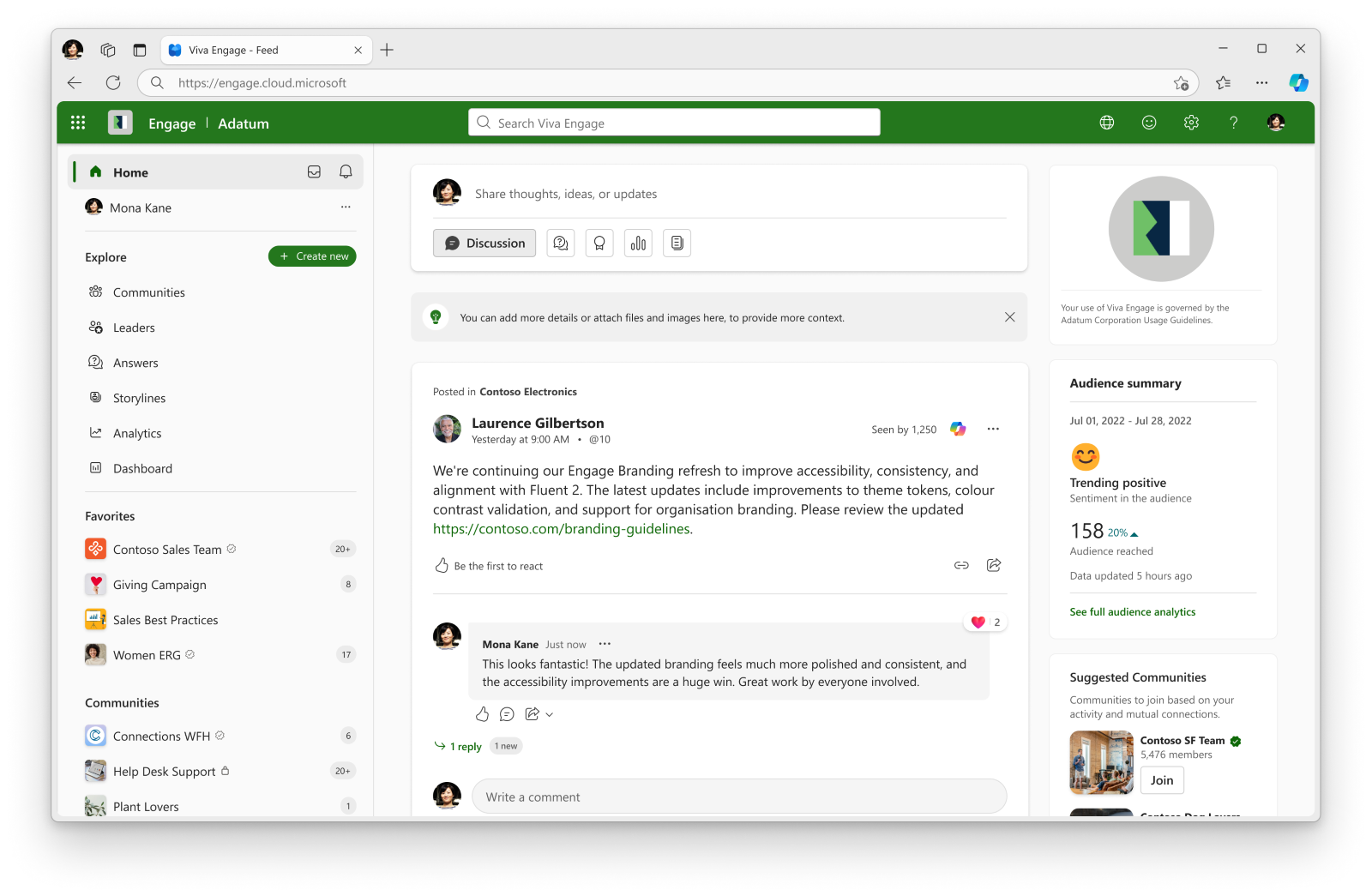
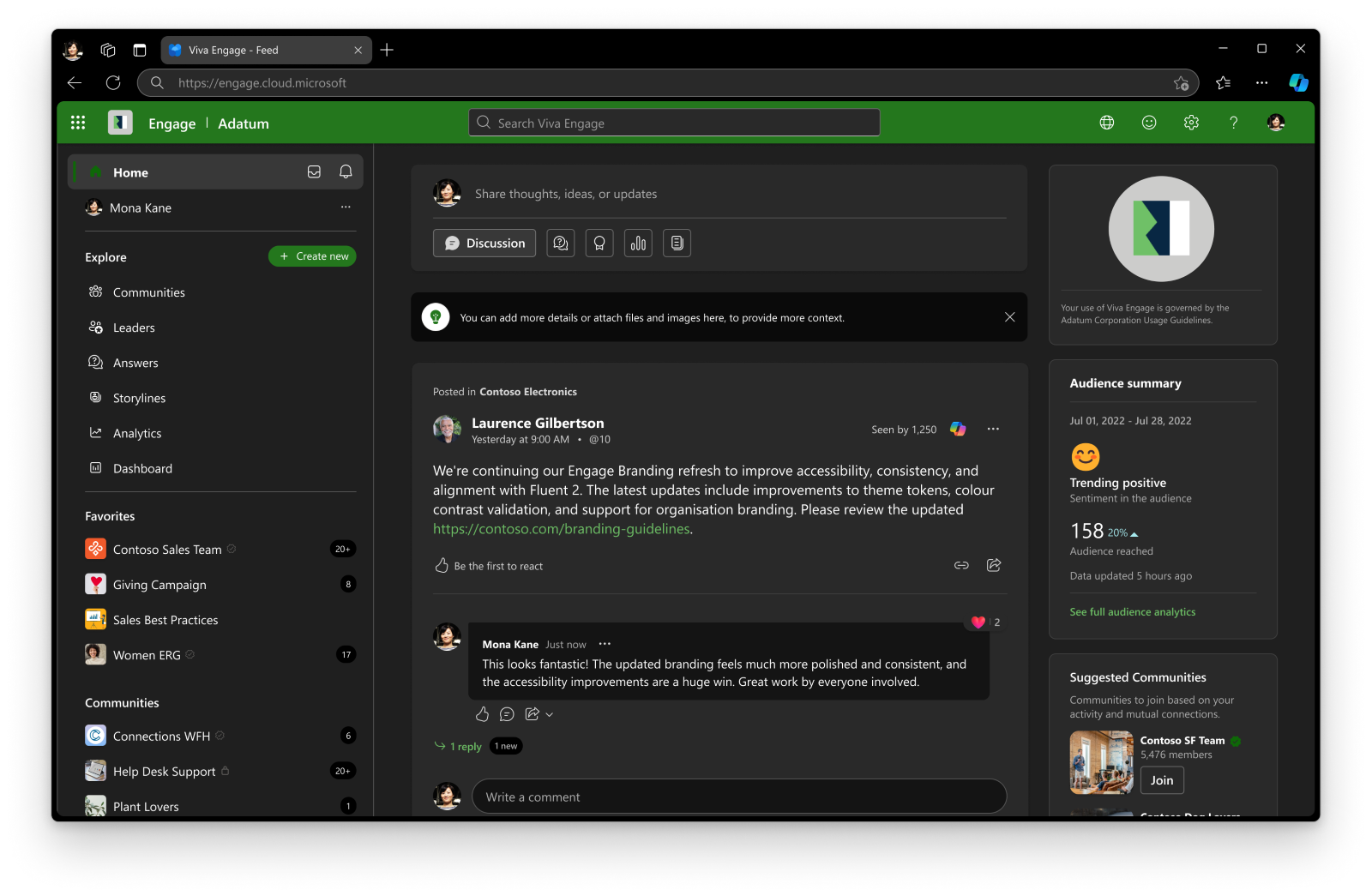
- Brand name: Displayed in the Viva Engage web app header.
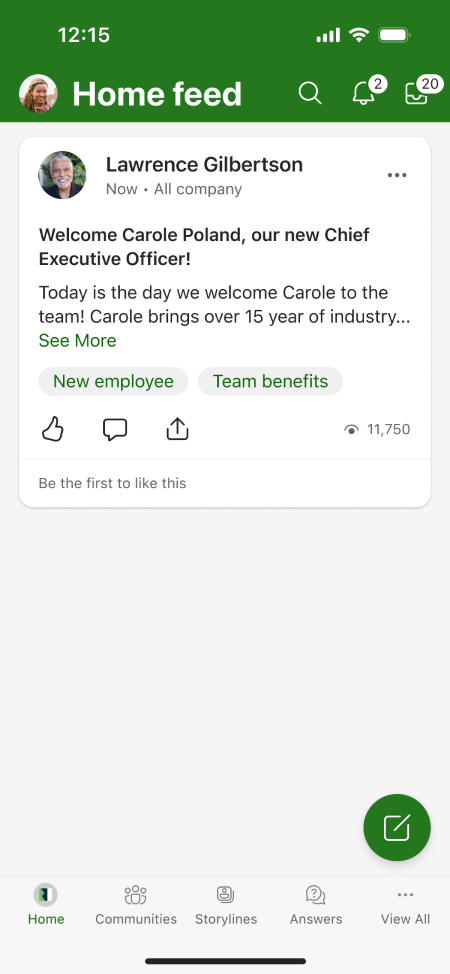
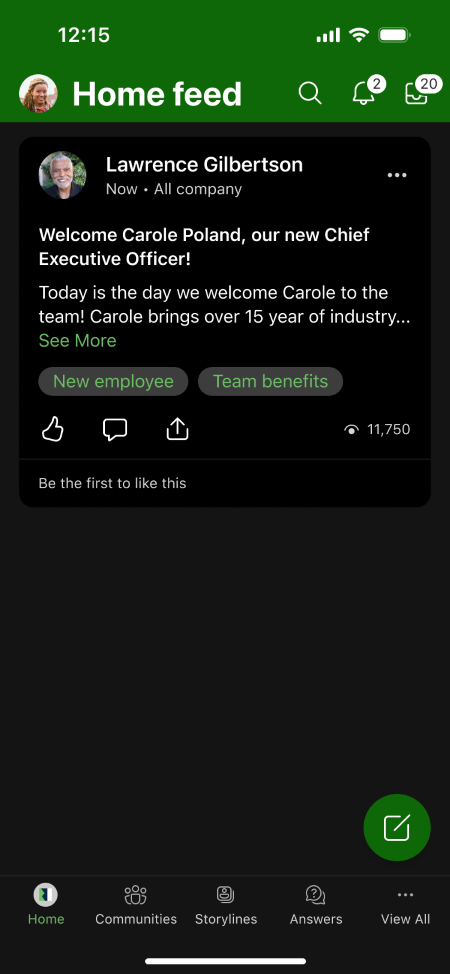
- Small logo: Displayed in the Viva Engage web app header and mobile app navigation bar.
- Large logo: Displayed in the right-side panel of the Viva Engage home page on the web.
- Theme color: Applied to supported buttons, icons, and other user interface elements across Viva Engage.
Administrators can:
- Save branding changes for personal preview before publishing them tenant-wide.
- Review the experience in web and mobile apps before publishing.
- Publish branding changes to all users in the tenant.
Important behavior changes:
- Once Custom Branding is published in Viva Engage, it takes precedence over Microsoft 365 organizational themes within Viva Engage.
- Individual user-selected Viva Engage themes will no longer be available when this feature is available in your tenant. This is irrespective of whether Branding has been applied in the tenant. This change was previously communicated in MC1162958.
- Organizations currently using Microsoft 365 organizational themes will continue to see their existing experience until Viva Engage Custom Branding is configured and published. Once Engage branding is published for the tenant, users will no longer be able to see the M365 org theme in Engage, and the Engage branding will apply instead.
- Branding is optional and is not applied unless an administrator configures and publishes branding settings.
Screenshot 1 - Branded user web experience (light mode) view:
Screenshot 2 - Branded user web experience (dark mode) view:
Screenshot 3 - Branded user Mobile experience (light mode) view:
Screenshot 4 - Branded user Mobile experience (dark mode) view:
[Action required and recommendations]
No action is required to receive this feature.
We recommend that administrators:
- Review internal documentation that references branding or theming in Viva Engage.
- Evaluate whether your organization wants to implement tenant-wide branding.
- Communicate the removal of individual user theme selection to users.
- Review existing Microsoft 365 organizational theme configurations because Viva Engage Custom Branding will override those themes within Viva Engage after publication.
Custom Branding is optional and is not applied unless an administrator configures and publishes branding settings.
[Compliance considerations]
| Question | Answer |
| Does the change include an admin control? | Yes. Viva Engage admins can configure and publish tenant-wide branding settings, including a brand name, logos, and theme color, from the Brand Center in the Viva Engage admin center. |
| Can the feature be controlled by administrators rather than individual users? | Yes. Branding is managed and published by Viva Engage admins. End users cannot configure the tenant-wide branding experience. |
| Does the change affect how users can personalize their experience? | Yes. After this feature is available in your tenant, users will no longer be able to apply individual user themes in Viva Engage. Tenant branding configured by admins will determine the visual experience. |
| Does the change require user communication or organizational awareness? | Yes. Organizations may want to notify users that individual user themes will be removed and that a tenant-wide branded experience may be introduced by administrators. |
| Does the feature include a preview or testing capability before broad deployment? | Yes. Admins can save branding changes for themselves and review the experience in Viva Engage web and mobile apps before publishing the changes to all users in the tenant. |
More information
Details
Platforms
- Web
- iOS
- Android
- Teams
Services
- Viva
Category
- Plan for change
Microsoft tags
- Admin Action
- New Feature
- User Adoption
- Highlighted
Related changes
- MC1162958 Viva Engage - Retirement of themes in user settings Message Center · Viva · Admin Low
- 568364 Rolling out Custom branding in Engage Roadmap · Viva · Launched