MC1446807 Interpreter agent support in Teams Rooms on Android
Primary service: Teams
ChangePilot summary
- Microsoft Teams Rooms on Android will gain Interpreter agent support for real-time spoken language interpretation in meetings.
- The feature is available only for Teams Rooms on Android devices licensed with Teams Rooms Pro; no separate Copilot license is needed.
- Interpreter is enabled by default at the tenant level, and admins can disable it or set the default voice behavior through Teams meeting policies.
- Users can choose among supported languages and voice options during meetings, with interpretation usage capped per room account each month.
- No immediate action is required, but admins should review room licensing, policy settings, and internal support/training materials.
What it means for you
What admins need to do
Verify that Teams Rooms on Android room accounts have valid Teams Rooms Pro licenses, review the current Teams meeting policy defaults for Interpreter and voice simulation, and decide whether to leave the feature enabled tenant-wide or disable it for specific groups. Update helpdesk guidance and user-facing training so support staff know how to explain language selection, voice options, and the monthly interpretation allocation.
Impact on users
Users joining supported meetings from Teams Rooms on Android can enable Interpreter, choose a target language, and select how translated speech is presented. This can improve cross-language meetings, but users may notice a brief delay while speech is translated.
If you miss it
If IT does not review licensing and policy settings, the feature will still appear enabled by default and users may start using it without internal guidance. That could lead to support confusion, unexpected consumption of the included monthly interpretation allowance, or inconsistent meeting behavior across rooms. The business impact is moderate rather than disruptive, because admins can still disable or adjust the feature after rollout.
- Admin controls available
- Yes
- Licences affected
- Teams Rooms Pro
History
Recorded changes
No changes recorded since ChangePilot first saw this post.
Microsoft message
[What and why]
We're bringing Interpreter agent to Microsoft Teams Rooms on Android, enabling real-time spoken language interpretation during meetings. This feature helps multilingual teams collaborate more effectively by allowing participants to speak and listen in their preferred language. Interpreter agent supports up to nine languages and includes options for voice simulation to create a more natural meeting experience.
This feature is available for Teams Rooms on Android with a Teams Rooms Pro license. No additional Copilot license is required.
[Rollout schedule]
- General Availability (Worldwide, GCC, GCC High and DoD): Beginning in late August 2026 and expected to complete by late September 2026
[Impact on your organization]
Who is affected
- Organizations using Microsoft Teams Rooms on Android with Teams Rooms Pro licensing
Platforms and services
- Microsoft Teams
- Teams Rooms on Android
What will happen
- Users will be able to enable Interpreter during supported meetings from the Teams Rooms on Android experience:
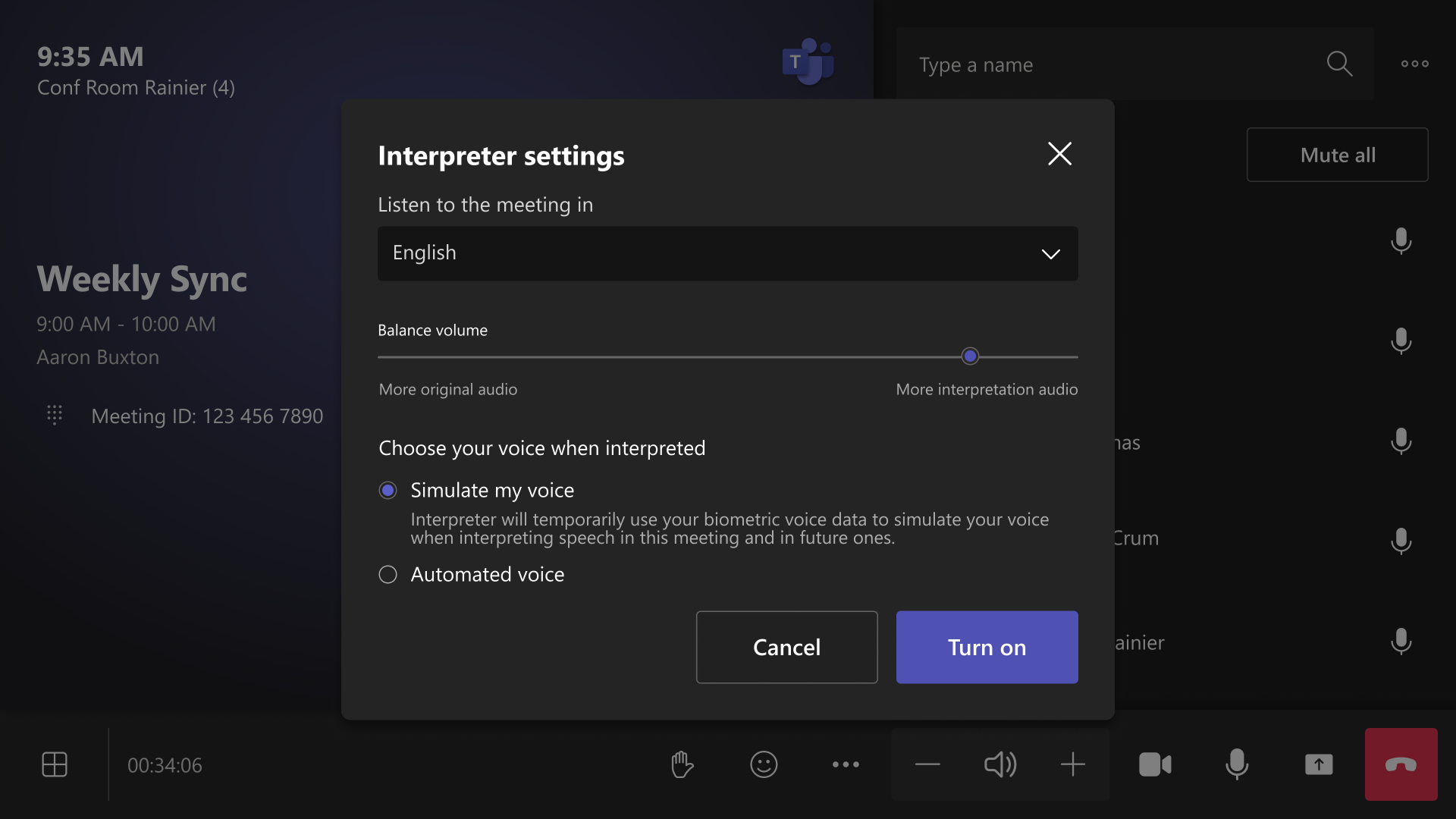
- Users can select a target language and choose how their translated speech is presented to others.
- Supported languages include Chinese (Mandarin), English, French, German, Italian, Japanese, Korean, Portuguese, and Spanish.
- Users can choose between Simulate my voice (default) and Automated voice for translated speech.
- Voice samples and biometric data are not stored. Audio is processed in real time and not retained.
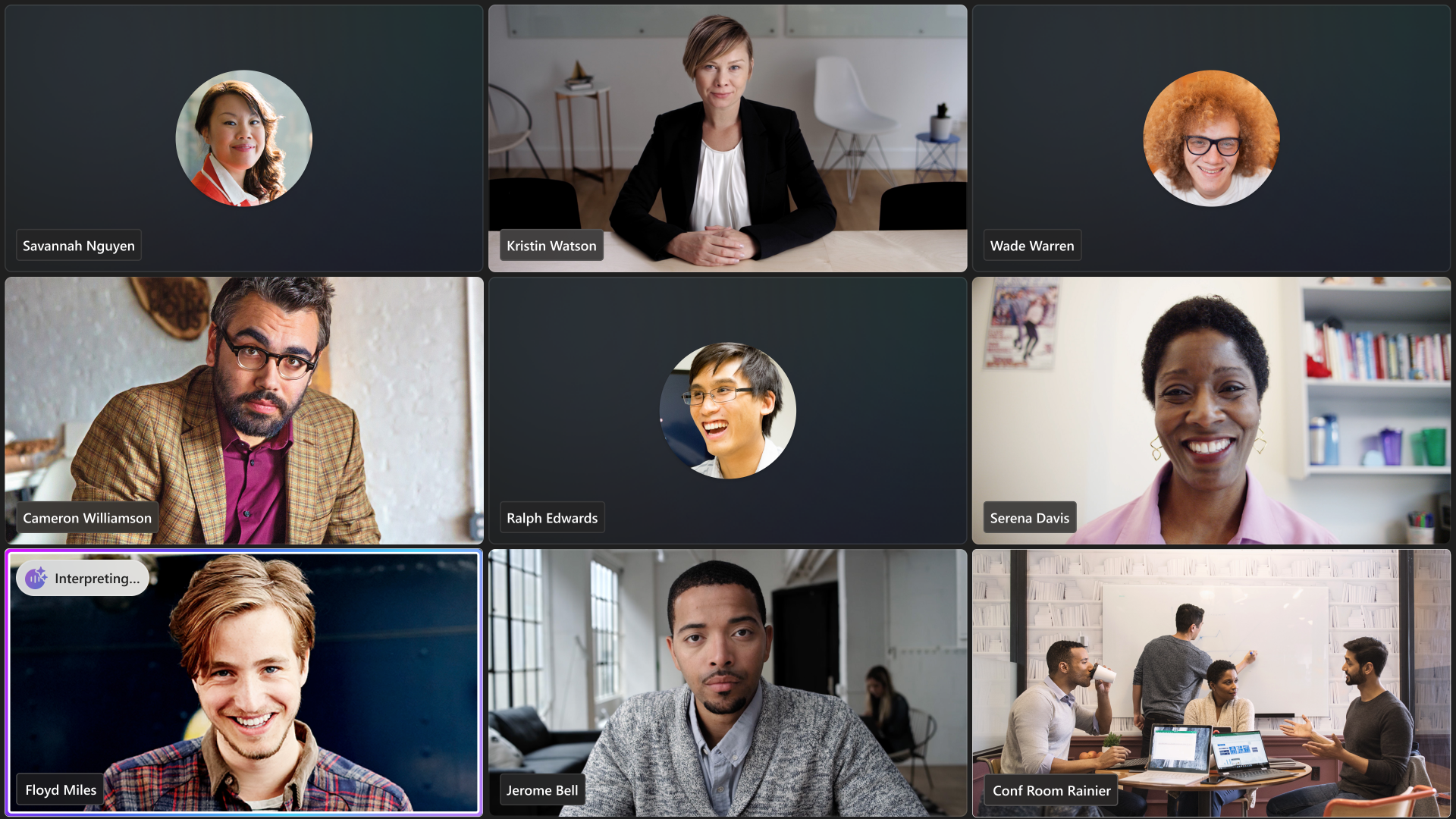
- Simultaneous interpretation may introduce a brief delay while speech is translated:
- Interpreter is enabled by default at the tenant level.
- Admins can disable Interpreter for their organization and configure the default voice option through Teams meeting policies.
- There is no device-level Interpreter setting in the Pro Management Portal (PMP).
- Twenty hours of interpretation per room account per month are included with a Teams Rooms Pro license. Usage beyond the included allocation is subject to available capacity.
[Action required and recommendations]
No action is required.
We recommend that administrators:
- Verify that applicable room accounts have a Teams Rooms Pro license.
- Review existing Interpreter settings and default voice preferences for your organization.
- Communicate this new capability to helpdesk and support teams.
- Update internal training and support documentation as appropriate.
- Review the Interpreter administration guidance available in Microsoft Learn.
[Compliance considerations]
| Question | Answer |
| Does the change introduce or significantly modify AI/ML or agent capabilities that interact with or provide access to customer data? | Yes. Interpreter agent performs AI-powered real-time speech recognition, translation, and speech synthesis during meetings. |
| Does the change provide end users any new way of interacting with generative AI? | Yes. Users can enable Interpreter during meetings and receive AI-generated speech translation, including optional voice simulation. |
| Does the change include an admin control and can it be controlled through policy? | Yes. Admins can enable or disable Interpreter and configure the default voice behavior through Teams meeting policies. |
| Does the change allow a user to enable and disable the feature themselves? | Yes. Meeting participants can choose whether to enable Interpreter during a meeting and select voice preferences. |
Details
Platforms
- Android
- Teams Rooms
Services
- MTR
- Teams
Category
- Stay informed
Microsoft tags
- Admin Action
- New Feature
- User Adoption
- Highlighted