MC1443520 Specify who has control of production tools in meetings and webinars
Primary service: Teams
ChangePilot summary
- Microsoft Teams is adding a new meeting option that lets organizers specify who controls production tools during meetings with presenters and webinars.
- Designated users can manage event production actions in Manage what attendees see and Green Room controls.
- The feature is enabled by default for eligible meetings and webinars, so organizers will see it without tenant configuration.
- No admin action is required, but IT should inform event organizers and update internal training or runbooks as needed.
Latest update: Standard end: late October 2026 (previously mid-September 2026).
What it means for you
What admins need to do
Notify webinar and presenter-meeting organizers that Teams will introduce a new production-control assignment option. Update event-production documentation and helpdesk guidance to reflect how organizers can delegate control of production tools and Green Room actions to designated staff. No tenant configuration is needed.
Impact on users
Organizers of webinars and presenter-led meetings will be able to assign specific people to control production tools during the event. Those designated users will be able to manage certain live-event controls, while presenters can stay focused on presenting.
If you miss it
If IT does nothing, the feature will still appear and work by default, so there is no outage or service disruption. The main risk is confusion for organizers and production teams who may not know the new delegation option exists, which could lead to less efficient event management during live webinars and presenter-led meetings.
- Admin controls available
- Yes
History
Recorded changes
- Standard end: late October 2026 (previously mid-September 2026).
Microsoft message
Updated September 22, 2026: We have updated the timeline. Thank you for your patience.
[What and why]
Microsoft Teams is introducing a new meeting option for meetings with presenters and webinars that allows organizers to specify who has control of production tools during an event. This helps organizers assign production responsibilities to designated individuals, improving event management and reducing the risk of unintended changes during live events.
This message is associated with Microsoft 365 Roadmap ID 567305.
[Rollout schedule]
- Targeted Release: Beginning in mid-August 2026 and expect to complete by late August 2026
- General Availability (Worldwide, GCC, GCC High, DoD): Beginning in late August 2026 and expect to complete by end of October 2026 (previously mid-September)
[Impact on your organization]
Who is affected
- Organizers of meetings with presenters and webinars in Microsoft Teams
- Designated production staff who support live events
Platforms/Services
- Microsoft Teams
- Teams desktop app
- Teams web app
What will happen
- Organizers will see a new meeting option called Who has control of production tools:
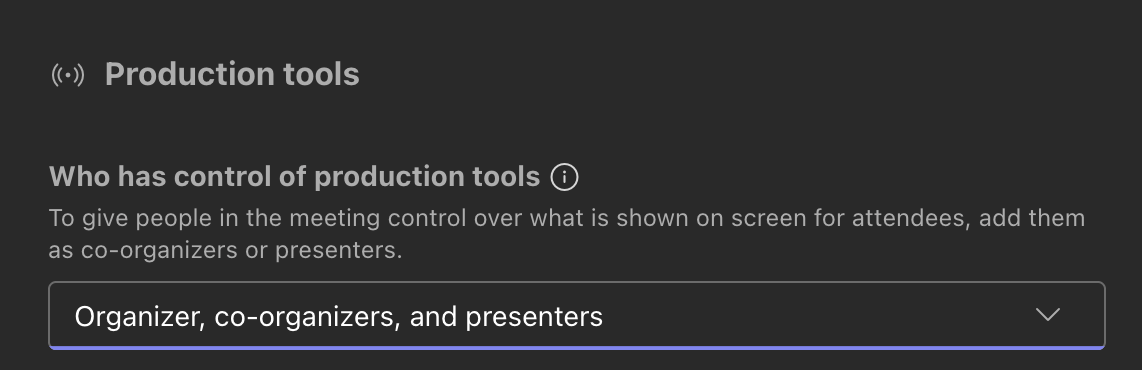
- This option will be enabled by default for eligible meetings with presenters and webinars.
- Organizers can designate specific users to manage production experiences during an event.
- Designated users will have access to controls in Manage what attendees see.
- Designated users will have access to Green Room controls.
- Event organizers can separate production responsibilities from presenter responsibilities when needed.
[Action required and recommendations]
No admin action is required. This capability will be available by default once rolled out.
We recommend that you:
- Inform users who organize webinars and presenter-led meetings about this new capability.
- Update internal training or event-production documentation, if applicable.
- Review planned live event workflows to determine whether dedicated production staff should be assigned using this new option.
Learn more
[Compliance considerations]
No compliance considerations identified. Review as appropriate for your organization.
More information
Details
In weekly changes
Platforms
- Desktop
- Mac
- Web
Services
- Teams
- Town Hall
- Webinar
Category
- Stay informed
Microsoft tags
- Admin Action
- New Feature
- User Adoption
Related changes
- 567305 Specify who has control of production tools in Teams meetings and events Roadmap · Teams · Rolling out