MC1422017 Outlook for Mac: Paragraph options for composing emails
Primary service: Outlook
ChangePilot summary
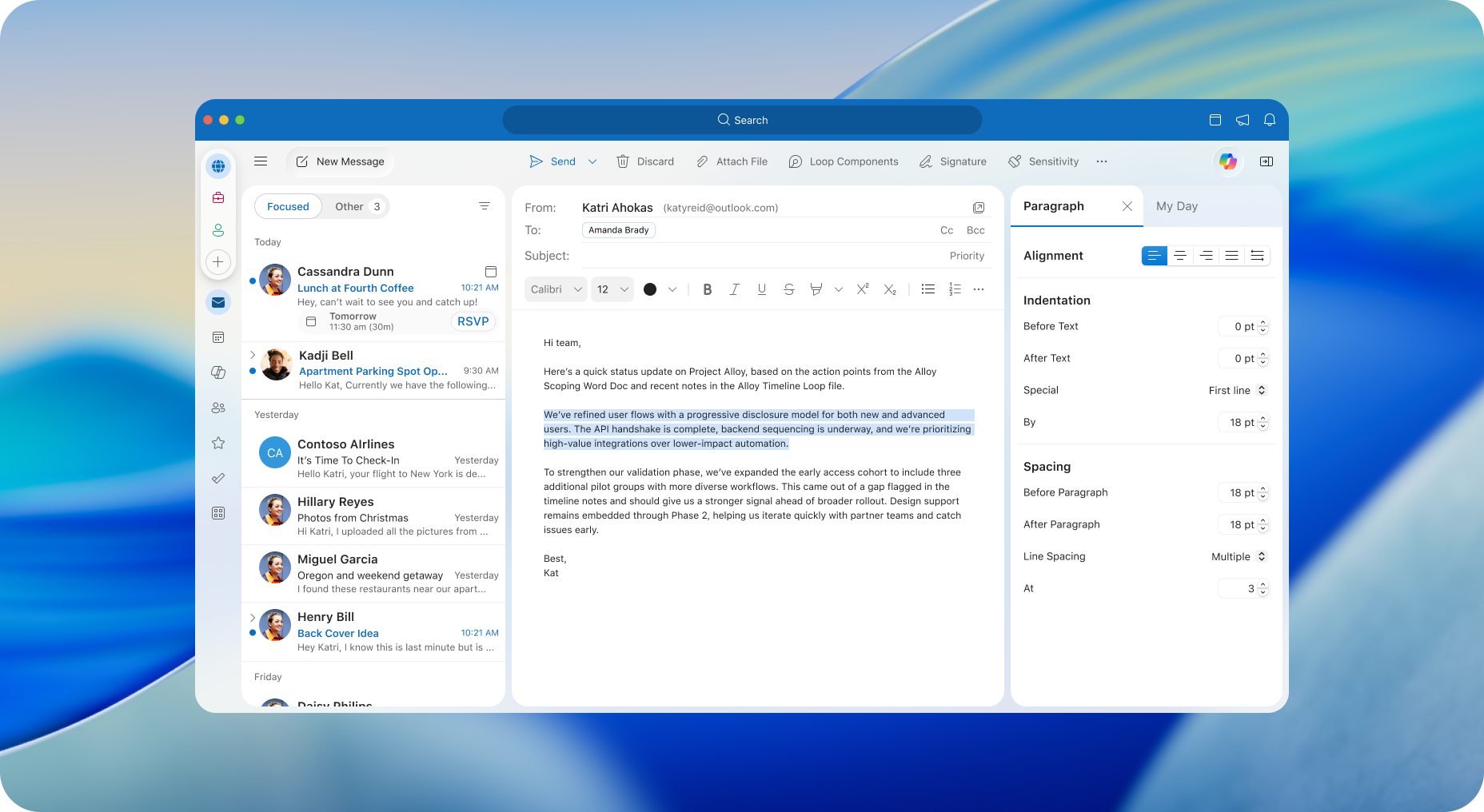
- Outlook for Mac is gaining enhanced paragraph formatting controls for email composition, including more precise alignment, indentation, and spacing options.
- A new Paragraph Options pane will be available from the line spacing menu, extending existing formatting capabilities.
- The feature will be enabled by default for all Outlook for Mac users.
- No admin action is required, but IT may want to inform users and update internal guidance if needed.
Latest update: No material change.
What it means for you
What admins need to do
No proactive configuration is needed. IT teams should briefly inform Outlook for Mac users that additional paragraph formatting controls will appear in the compose experience, and update any user-facing documentation or helpdesk guidance that describes email formatting options.
Impact on users
Outlook for Mac users will see a new Paragraph Options pane in the email composer and can more precisely control alignment, indentation, and spacing while writing messages. The change is enabled by default, so users will notice additional formatting choices without needing to turn anything on.
If you miss it
If IT does nothing, the change will still appear automatically and users may be surprised by the added formatting options. The business impact is low, but helpdesk teams may get questions from users who notice the new composer controls without prior communication.
- Admin controls available
- No
History
Recorded changes
No changes recorded since ChangePilot first saw this post.
Microsoft message
Updated July 21, 2026: We have updated the content. Thank you for your patience.
[What and Why:]
Outlook for Mac is introducing enhanced paragraph formatting options to improve email composition. This update provides users with greater control over alignment, indentation, and spacing, helping create clearer and more professional communications and improving overall productivity.
[Rollout Schedule:]
General Availability (Worldwide, GCC, GCC High, DoD): Rollout begins in mid-July 2026; expected to complete by late July 2026
[Impact on Your Organization:]
Who is affected: All users of Outlook for Mac
Platforms/Services: Outlook for Mac (desktop)
What will happen:
- Users will have access to richer paragraph formatting options while composing emails.
- A new Paragraph Options pane will be available from the line spacing menu.
- Users can adjust alignment, indentation, and spacing more precisely.
- The feature will be enabled by default.
- Existing formatting options will remain available and be extended.
Screenshot - New Paragraph Pane
[Action Required / Recommendations:]
- No action is required.
- Consider informing users about enhanced formatting capabilities.
- Update internal documentation if applicable.
[Compliance considerations:]
No compliance considerations identified, review as appropriate for your organization.
Details
Platforms
- Mac
- Desktop
Services
- M365 Apps
- Mac
- Outlook
Category
- Stay informed
Microsoft tags
- New Feature
- User Adoption