MC1404322 Recap app consolidates meeting recaps in one place
Primary service: Teams
ChangePilot summary
- Microsoft Teams is introducing a new Recap app that centralizes meeting recaps in one place.
- The app surfaces recordings, transcripts, and recap summaries for meetings from the past 30 days, with filters for date, participants, and keywords.
- AI-generated recap capabilities such as audio recap, video recap, and intelligent summaries require Microsoft 365 Copilot licensing; users without Copilot can still access recordings and transcripts based on permissions.
- The app is pre-installed and enabled by default but is not pinned, so admins may want to pin it for discoverability and update user guidance.
- No immediate action is required, but admins should review adoption materials and communicate licensing requirements.
Latest update: Image URL Change
What it means for you
What admins need to do
Review your Teams app setup policies and decide whether to pin the Recap app for easier discovery. Update training, FAQ, and helpdesk guidance to explain where the app appears in Teams and that AI-generated recap features require Microsoft 365 Copilot. If you do not plan to pin it, be prepared to direct users to Apps > Recap.
Impact on users
Users will see a new Recap app in Teams that lets them review meeting recordings, transcripts, and recap summaries in one place. Users without Copilot can still open recordings and transcripts they have permission to access, while Copilot users can use AI-generated audio recaps, video recaps, and intelligent summaries.
If you miss it
If IT does nothing, the app will still appear by default in Teams and users may discover it on their own, but it may be harder to find because it is not pinned. Users may be confused about why some recap features are unavailable unless they have Copilot licensing, and helpdesk volume may increase if guidance and communications are not updated. The business impact is low to moderate, mainly affecting adoption and user expectations rather than service availability.
- Admin controls available
- Yes
- Licences affected
- Copilot
History
Recorded changes
- Standard end: late August 2026 (previously early August 2026).
- Standard end: early August 2026 (previously late July 2026).
- Standard end: early August 2026 (previously late July 2026).
Microsoft message
Updated August 11, 2026: We have updated the timeline. Thank you for your patience.
[What and Why]
The Recap app in Microsoft Teams provides a centralized experience for users to find, review, and catch up on meeting recaps. By bringing recordings, transcripts, and AI-powered summaries together, this feature improves personal productivity and helps users quickly stay informed across meetings.
Quick filters help users find the right meetings faster, while audio recap capabilities enable efficient review of multiple meetings in a podcast-style format. Users can also browse and revisit meeting recaps from the past 30 days, making it easier to stay up to date.
This message is associated with Microsoft 365 Roadmap ID 564614.
[Rollout Schedule]
- Targeted Release: Rollout begins in early July 2026 and is expected to complete in early July 2026.
- General Availability (Worldwide): Rollout begins in early July 2026 and is expected to complete by end of August 2026 (previously early August).
[Impact on Your Organization]
Who is affected
- All Microsoft Teams users
Platforms/Services
- Microsoft Teams for Windows
- Microsoft Teams for Mac
- Microsoft Teams for web
- Mobile support coming soon
What will happen
- The Recap app is a first-party Microsoft Teams core app.
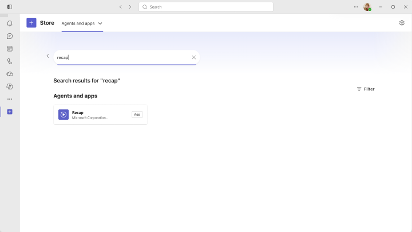
- A new Recap app will be available in Teams and accessible from the app store in the left rail:
- The app is pre-installed but not pinned by default.
- Users will be able to:
- View meeting recaps from the past 30 days
- Filter meetings by date, participants, or keywords
- Access recaps for meetings that include a recording or transcript
- Watch video recaps or listen to audio recaps:
- Generate a combined audio recap across multiple meetings:
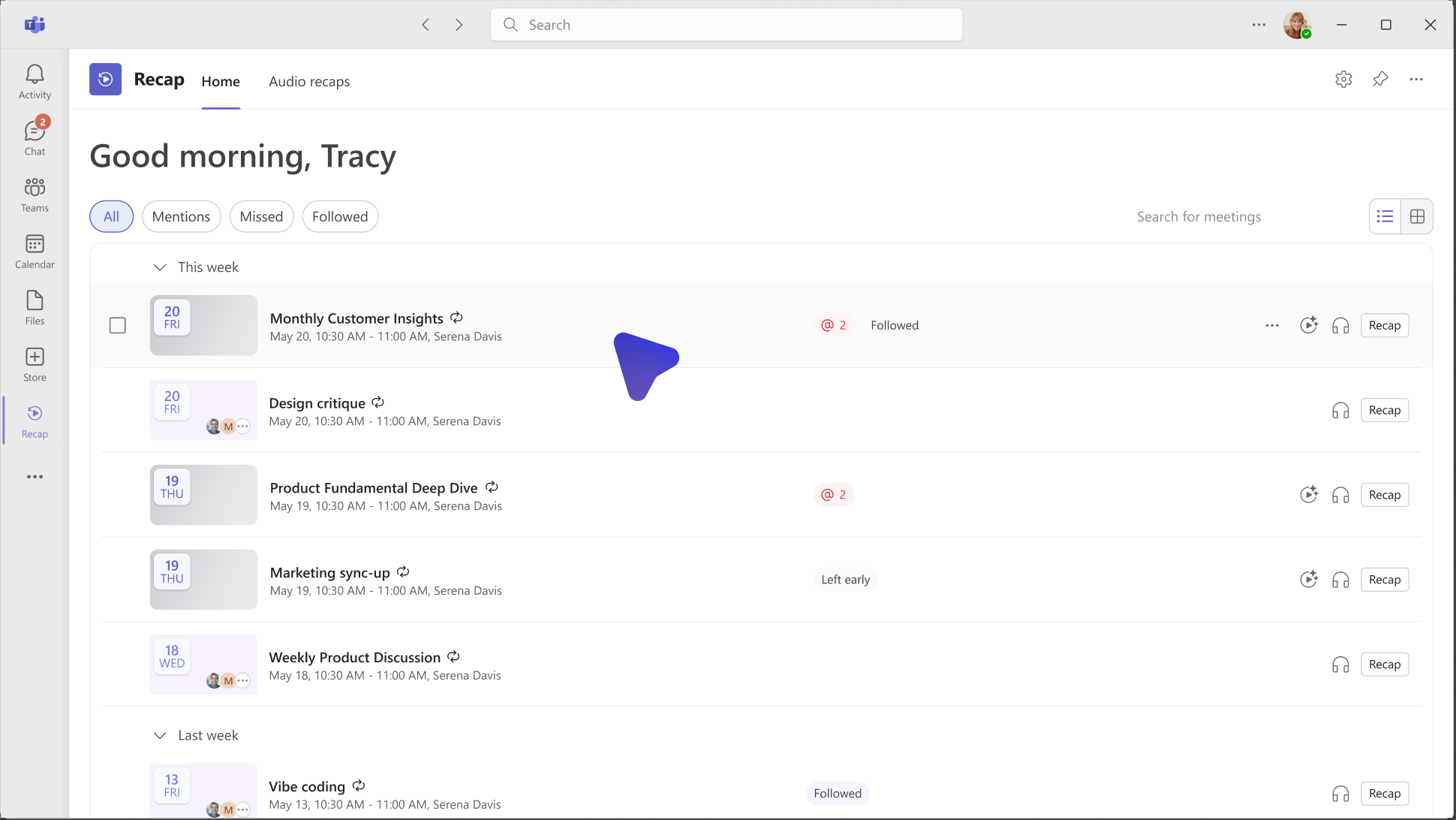
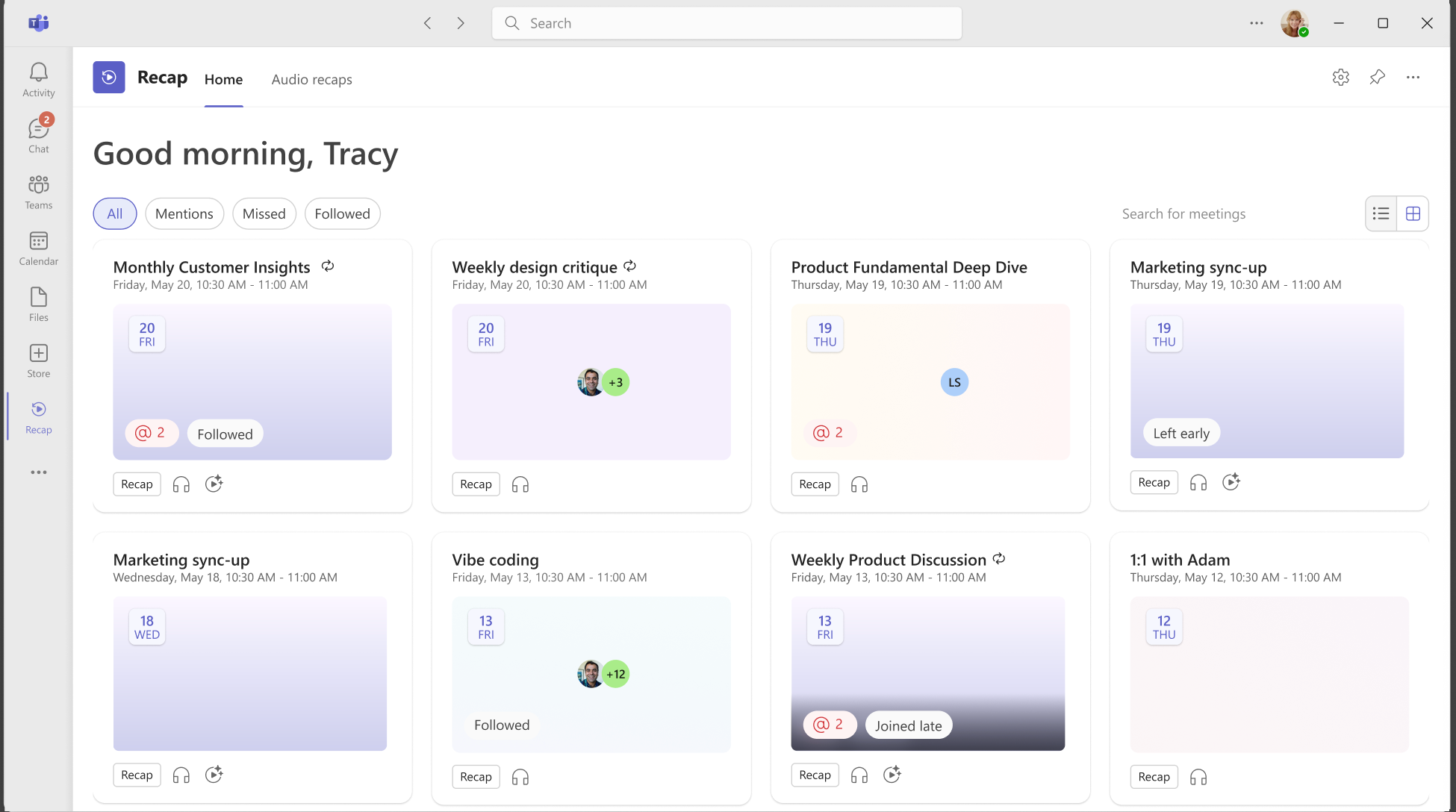
- Users can access the Recap app from the Teams app store by selecting Apps and then Recap, browse recent meetings, and open individual recaps to view or listen.
- AI-powered recap features such as audio recap, video recap, and intelligent summaries require a Microsoft 365 Copilot license.
- Users without a Copilot license can still access recordings and transcripts based on existing permissions.
- The feature is enabled by default.
[Action Required/Recommendations]
No action is required.
Consider the following recommendations:
- Review and update internal training and adoption materials.
- Communicate Copilot licensing requirements for AI-generated recap features.
- Pin the Recap app for your organization using Teams admin center (app setup policies) to improve discoverability.
[Compliance considerations]
No compliance considerations have been identified for this change.
More information
Details
Platforms
- Desktop
- Mac
- Web
Services
- M365 Copilot
- Teams
Category
- Stay informed
Microsoft tags
- Admin Action
- New Feature
- User Adoption
- Highlighted
Related changes
- 564614 Meeting recap app Roadmap · Teams · Launched