MC1402306 Use multiple phone lines on Teams mobile
Primary service: Teams
ChangePilot summary
- Microsoft Teams Phone is extending multi-line calling to the Teams mobile app, allowing users with multiple assigned numbers to choose the correct line when calling or returning calls.
- Affected users are those already assigned multiple phone numbers in Teams Phone; this is primarily a Teams mobile (iOS/Android) experience change.
- Users will see a unified call history with filtering by phone line and can place calls from the dial pad using a selected line.
- No immediate admin action is required, but admins may want to review multi-number assignments, emergency address configuration, and regional telecom compliance.
- The feature extends existing Teams Phone multi-line functionality to mobile devices and is enabled for users already configured with multiple numbers.
Latest update: Image URL Change
What it means for you
What admins need to do
Review users who have multiple Teams Phone numbers assigned and confirm emergency addresses and telecom/regional compliance are correct. Update any internal help content or user guidance so people understand how to select the right line in Teams mobile and how returned calls will behave. Brief the service desk on the new multi-line calling experience.
Impact on users
Users who have more than one Teams Phone number will be able to choose which line to use from the Teams mobile Calls app when placing or returning calls. They will also see a unified call history with filtering by line, making it easier to call back from the correct number on iOS or Android.
If you miss it
If IT does nothing, the feature will still roll out and eligible users may notice new line-selection options in Teams mobile without prior communication. That could lead to confusion for users with multiple numbers, and support teams may see questions about which number was used for outbound or returned calls. There is no major service disruption, but missed review of emergency addresses or telecom compliance could create administrative or regulatory risk where multiple numbers are assigned.
- Admin controls available
- Yes
History
Recorded changes
- Standard end: late August 2026 (previously mid-August 2026).
Microsoft message
Updated August 18, 2026: We have updated the timeline. Thank you for your patience.
[What and Why]
We are expanding Microsoft Teams Phone capabilities to mobile devices by enabling users to manage and use multiple assigned phone numbers directly within the Teams mobile app. Users will see and manage their assigned phone lines in the Calls app on Teams mobile, allowing them to choose the appropriate number when placing or returning calls. This update provides a more consistent calling experience across devices and helps users who manage multiple roles or regions stay productive without switching devices or workflows.
This message is associated with Microsoft 365 Roadmap ID 565131.
[Rollout Schedule]
- General Availability (Worldwide): We will begin rolling out in late July 2026 and expect to complete by end of August 2026 (previously mid-August).
[Impact on Your Organization]
Who is affected:
- Organizations using Teams Phone
- Users who are assigned multiple phone numbers in Teams Phone
Platforms/Services
- Microsoft Teams
- Teams mobile (iOS and Android)
What will happen
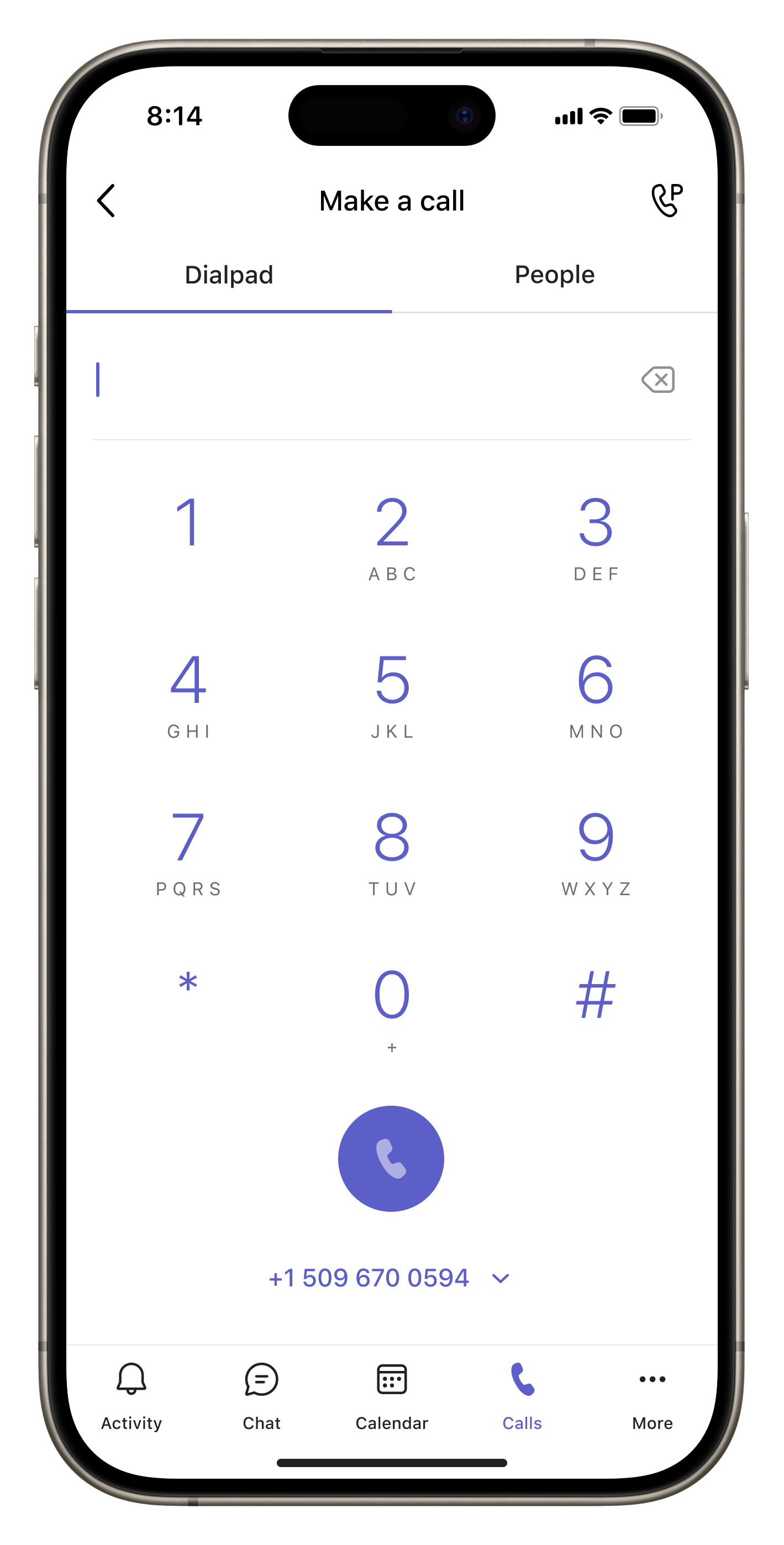
- Users will be able to select which phone line to use when placing calls from the dial pad:
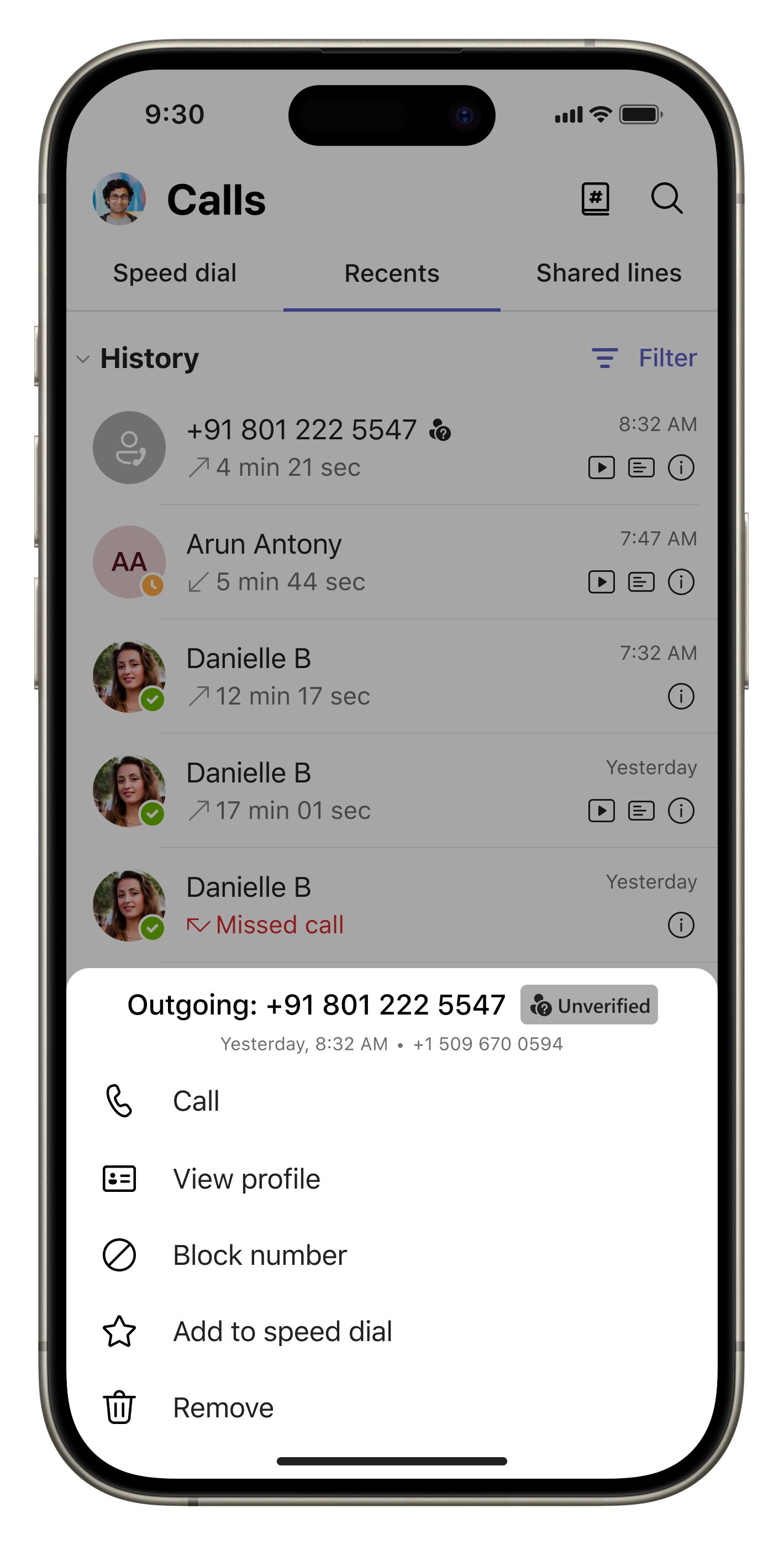
- Calls can be returned using a selected phone line directly from call history:
- A unified call history will be available, with the ability to filter by phone line.
- Calling across multiple phone lines will be supported within Teams mobile.
- This capability extends existing Teams Phone multi-line functionality to mobile devices.
- The feature will be available to users who are already configured with multiple phone numbers in Teams Phone.
[Action Required or Recommendations]
No action is required.
After rollout, admins may choose to:
- Review which users require multiple phone numbers.
- Assign and manage phone numbers in the Teams admin center.
- Ensure each assigned number has a valid emergency address configured.
- Confirm compliance with regional telecommunications requirements.
Learn more: (To be updated closer to rollout.) Use the dial pad to make a call in Microsoft Teams | Microsoft Support
[Compliance considerations]
No compliance considerations identified. Review as appropriate for your organization.
More information
Details
Platforms
- iOS
- Android
Services
- Teams
- Teams UC
Category
- Plan for change
Microsoft tags
- Admin Action
- New Feature
- User Adoption
Related changes
- 565131 Multi-line Calling on Teams Mobile Roadmap · Teams · Launched