MC1393808 Experience improvements to Voice apps configuration wizard in Teams admin center
Primary service: Teams
ChangePilot summary
- Microsoft Teams is updating the Voice apps configuration wizard in the Teams admin center for Auto Attendant and Call Queue.
- The new experience streamlines setup with fewer steps, clearer navigation, updated defaults, and improved performance.
- This change affects admins who configure Voice apps in the Teams admin center; existing configurations, call flows, and policies are not changed.
- No rollback option is available to admins; Microsoft controls any rollback if needed.
- No action is required beyond informing admins, updating internal documentation, and briefing helpdesk staff.
Latest update: Image URL Change
What it means for you
What admins need to do
Notify Teams voice administrators that the Auto Attendant and Call Queue setup wizard in the Teams admin center will look and work differently, and update any internal runbooks, screenshots, and training material that reference the old flow. Brief the helpdesk so they can answer questions about the new entry points, renamed steps, and resource account placement within General info.
Impact on users
End users should not see any change in how Auto Attendant or Call Queue works. The update only changes the admin configuration experience; existing voice configurations and call behavior remain the same.
If you miss it
If IT does not prepare, admins and helpdesk staff may be confused by the revised wizard and waste time looking for old steps or screens. The business impact is otherwise low because the change does not alter existing configurations or user calling behavior.
- Admin controls available
- No
History
Recorded changes
-
- GCC High start: late July 2026.
- DoD start: late July 2026.
Microsoft message
Updated July 29, 2026: We have updated the timeline. Thank you for your patience.
[What and Why].
Microsoft is updating the configuration experience for Auto Attendant and Call Queue in the Teams admin center. These improvements streamline key setup steps, improve clarity, and enhance performance to reduce setup time and increase administrator efficiency when managing Voice apps.
[Rollout Schedule]
General Availability
- Worldwide: Rollout began in early June 2026 and is expected to complete by mid-June 2026.
- GCC High and DoD: Rollout is expected to begin end of July 2026.
[Impact on Your Organization]
Who is affected
- Admins who configure Auto Attendant and Call Queue in the Teams admin center
Platforms/Services
- Teams admin center (web)
What will happen
- The Voice apps configuration wizard experience in the Teams admin center will be updated.
- Admins will see a revised and streamlined configuration flow with fewer steps, improved navigation, and updated configuration experiences.
- Key experience improvements include.
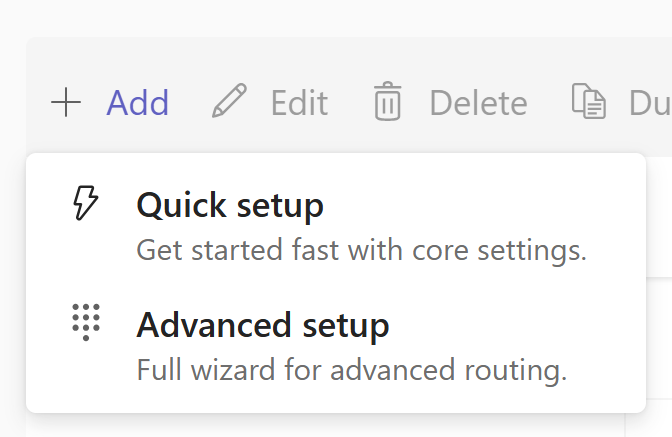
- New quick and advanced setup entry points from the list view to reduce clicks and improve discoverability of setup options.
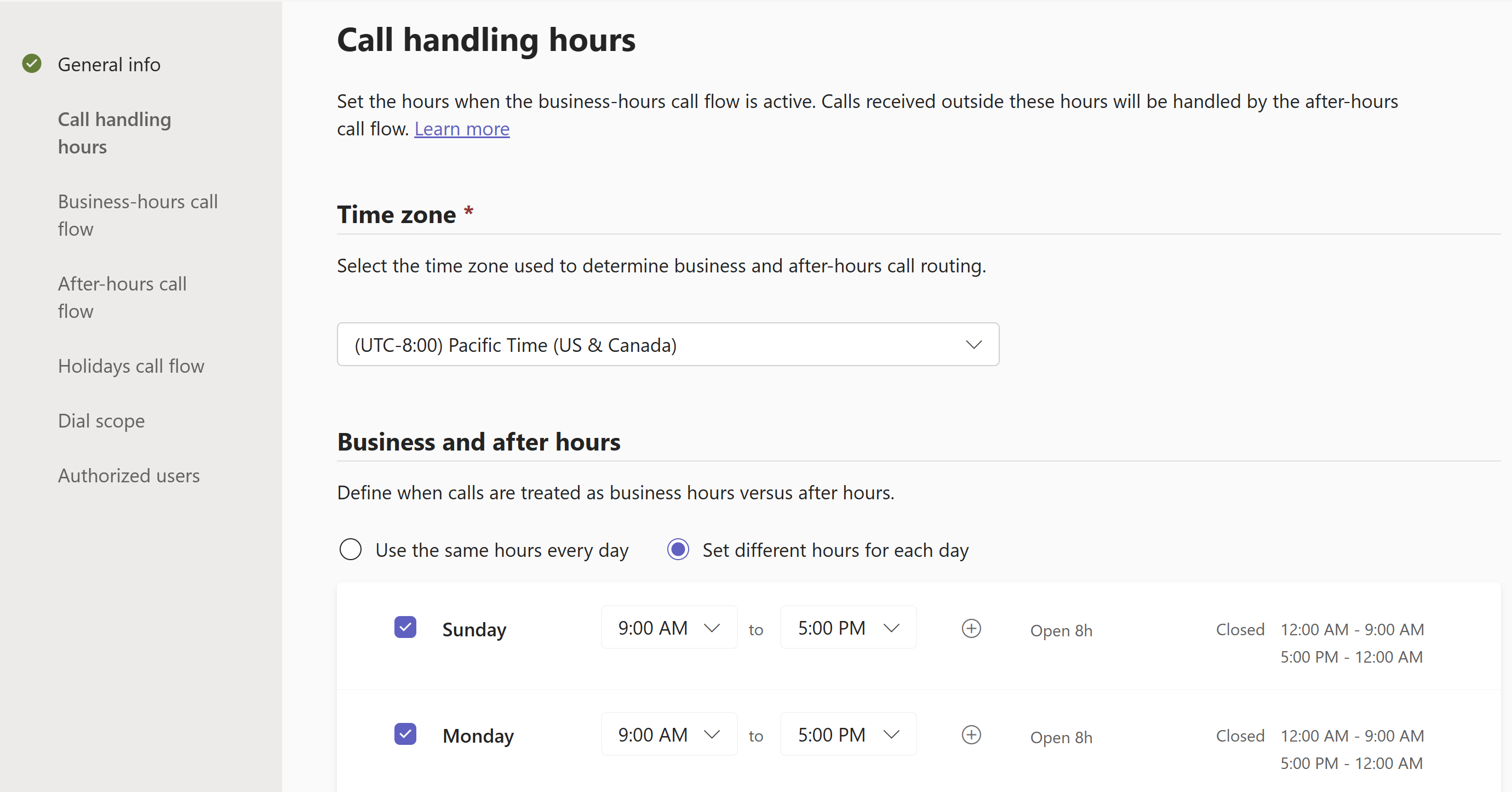
- A new Call handling hours step that consolidates time zone, business hours, and after-hours configuration into a single experience.
- Renamed and clearer configuration steps for example Call flow is now Business hours call flow.
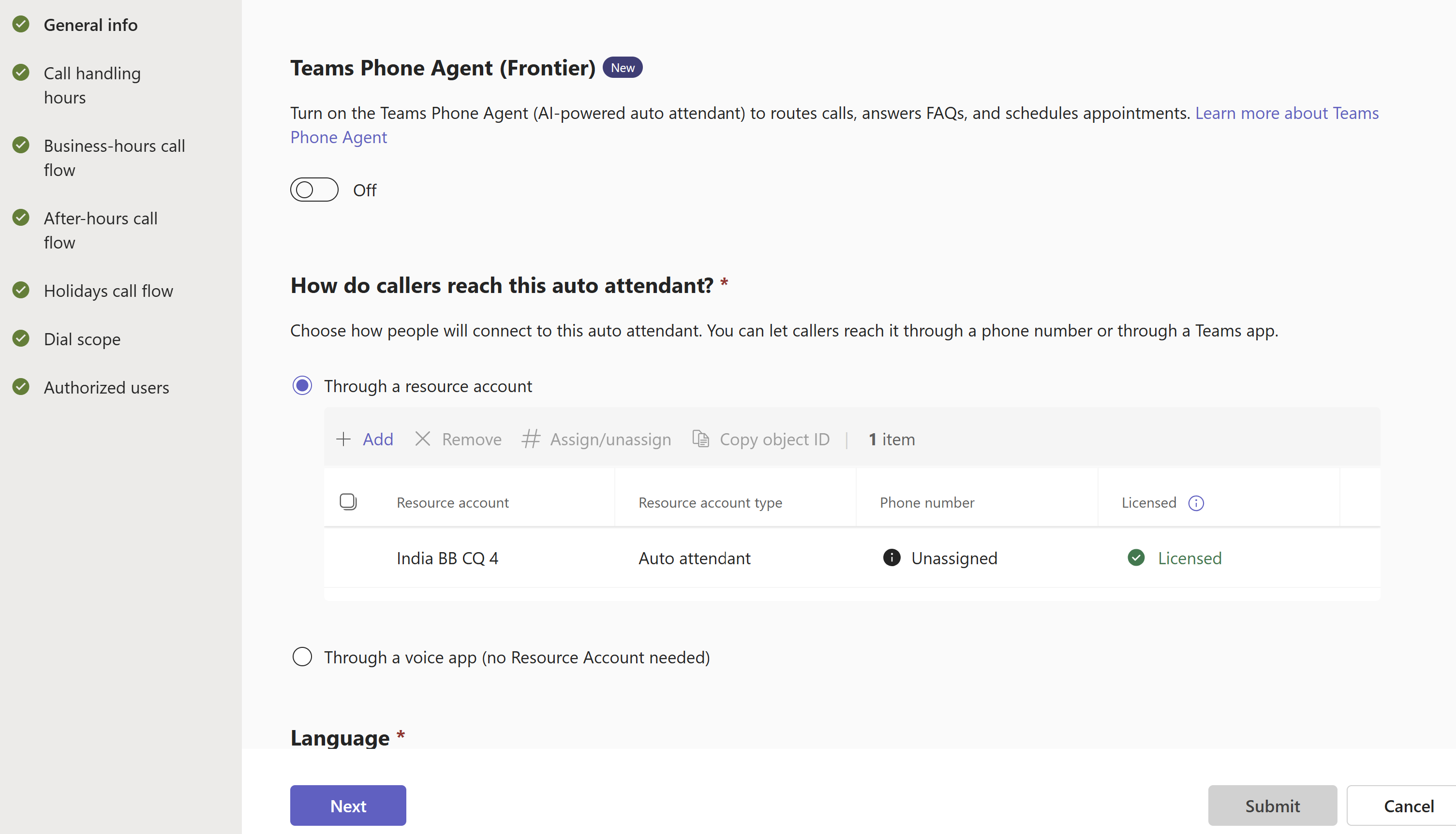
- Simplified resource account configuration now included within General info, removing a separate step.
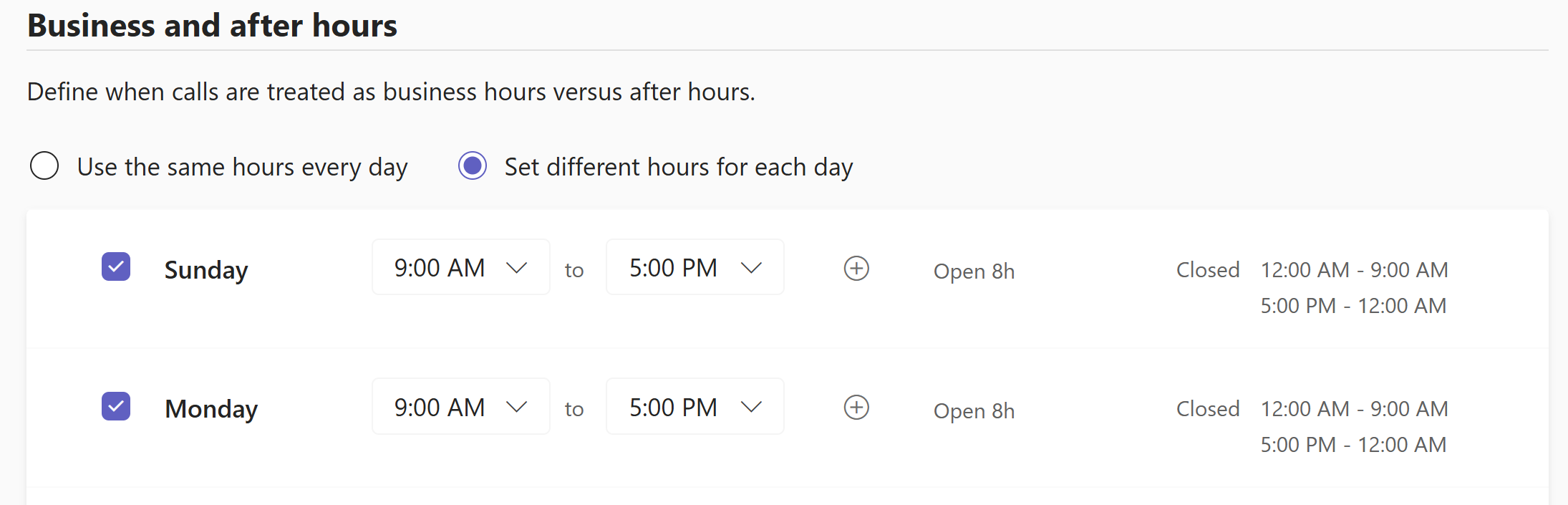
- Improved defaults such as standard business hours and clearer configuration controls.
- Updated UI elements including inline messaging, improved tables, and more consistent visual design.
- Faster and more responsive performance with reduced page reloads and fewer interruptions during navigation.
Screenshot 1 - Quick and advanced setup entry points:
Screenshot 2 - Call handling hours and navigation flow:
Screenshot 3 - Resource account configuration in General info:
Screenshot 4 - Business hours configuration experience:
- The previous configuration wizard experience will be replaced.
- There is no option to revert to the previous experience. Rollback, if required, is service controlled.
- The updated experience will be enabled by default.
- Existing configurations, call flows, and policies will not be changed.
- There is no impact to Voice apps behavior or user experience.
[Action Required/Recommendations]
- No action is required.
- Inform your Teams administrators about the updated configuration experience.
- Review Microsoft Teams admin center documentation for Voice apps configuration.
- Update any internal documentation or training materials that reference the previous wizard steps.
- If you provide internal support for Voice apps, ensure helpdesk staff are aware of the updated configuration flow.
[Compliance considerations]
No compliance considerations identified, review as appropriate for your organization.
Details
Platforms
- Web
Services
- Admin
- Teams
Category
- Plan for change
Microsoft tags
- Admin Action
- User Adoption