MC1387578 Localized default mark and notify email template
Primary service: Defender XDR
ChangePilot summary
- Microsoft Defender for Office 365 will localize the default “Mark and notify” email template so notification emails are delivered in a user’s preferred language (based on Outlook settings).
- Applies only to organizations using Defender for Office 365 and to users/admins participating in user-reported message workflows, and only when the default notification template is used.
- Feature is enabled by default when auto-notification is turned on; there are no changes to message verdicts, automated investigations, or custom admin-configured templates.
- No admin action is required, but admins should review User reported settings and update internal documentation/helpdesk guidance if needed.
Latest update: GCC start: late November 2026 (previously mid-July 2026). GCC end: December 2026 (previously end of October 2026).
What it means for you
What admins need to do
No proactive configuration is required. Recommended steps: review the Microsoft Defender settings (Security.microsoft.com > Settings > Email and collaboration > User reported settings) to confirm auto-notification behavior and any custom templates; notify helpdesk and update internal documentation to reflect that user notification emails may appear in the user’s preferred Outlook language; if you maintain custom notification templates, verify they remain unchanged after rollout.
Impact on users
Users who report messages or are part of admin review flows may begin receiving the default “Mark and notify” emails in the language configured in their Outlook preferences. There are no changes to the security verdicts or automated investigations — only the notification language and consistent formatting are affected.
If you miss it
If IT does nothing, impact is low: users will simply receive default notification emails in their Outlook-preferred language, which is an improvement for many. Admins who rely on custom templates are unaffected. There are no compliance or classification changes and no service disruption expected.
- Admin controls available
- Yes
History
Recorded changes
-
- GCC start: late November 2026 (previously mid-July 2026).
- GCC end: December 2026 (previously end of October 2026).
- GCC end: late October 2026 (previously late September 2026).
-
- Standard end: late September 2026 (previously late July 2026).
- GCC, GCC High and DoD end: late September 2026 (previously late July 2026).
- What will happen bullet points and screenshot updated.
- What will happen bullet points and screenshot updated.
Microsoft message
Updated November 12, 2026: We have updated the timeline. Thank you for your patience.
[What and Why]
Microsoft Defender for Office 365 is introducing localization support for the default “Mark and notify” email template used in admin review and automated notification flows for user-reported messages.
This update ensures that users receive notification emails in their preferred language based on their Outlook settings, improving clarity and understanding of review outcomes. This helps improve engagement and supports stronger security practices.
This message is associated with Microsoft 365 Roadmap ID 557558.
[Rollout Schedule]
General Availability
- Worldwide: Rollout begins in June 2026 and is expected to complete by end of September 2026 (previously late July).
- GCC, GCC High, DoD: Rollout begins in late November 2026 (previously mid-July) and is expected to complete by end of December 2026 (previously end of October).
[Impact on Your Organization]
Who is affected
- Organizations using Microsoft Defender for Office 365
- Admins and users participating in user-reported message workflows
- Applies only when the default notification template is used
Platforms/Services
- Microsoft Defender for Office 365
- Microsoft 365 Defender portal (web)
- Exchange Online
What will happen
- Default “Mark and notify” email templates will be localized.
- Notifications will be delivered in the user’s preferred language based on Outlook settings.
- Feature is enabled by default when auto-notification is turned on.
- Notifications will have consistent formatting and messaging across supported languages.
- No changes to message verdicts or classification logic.
- No changes to automated investigation behavior.
- No changes to custom notification templates configured by admins in the user reported settings page.
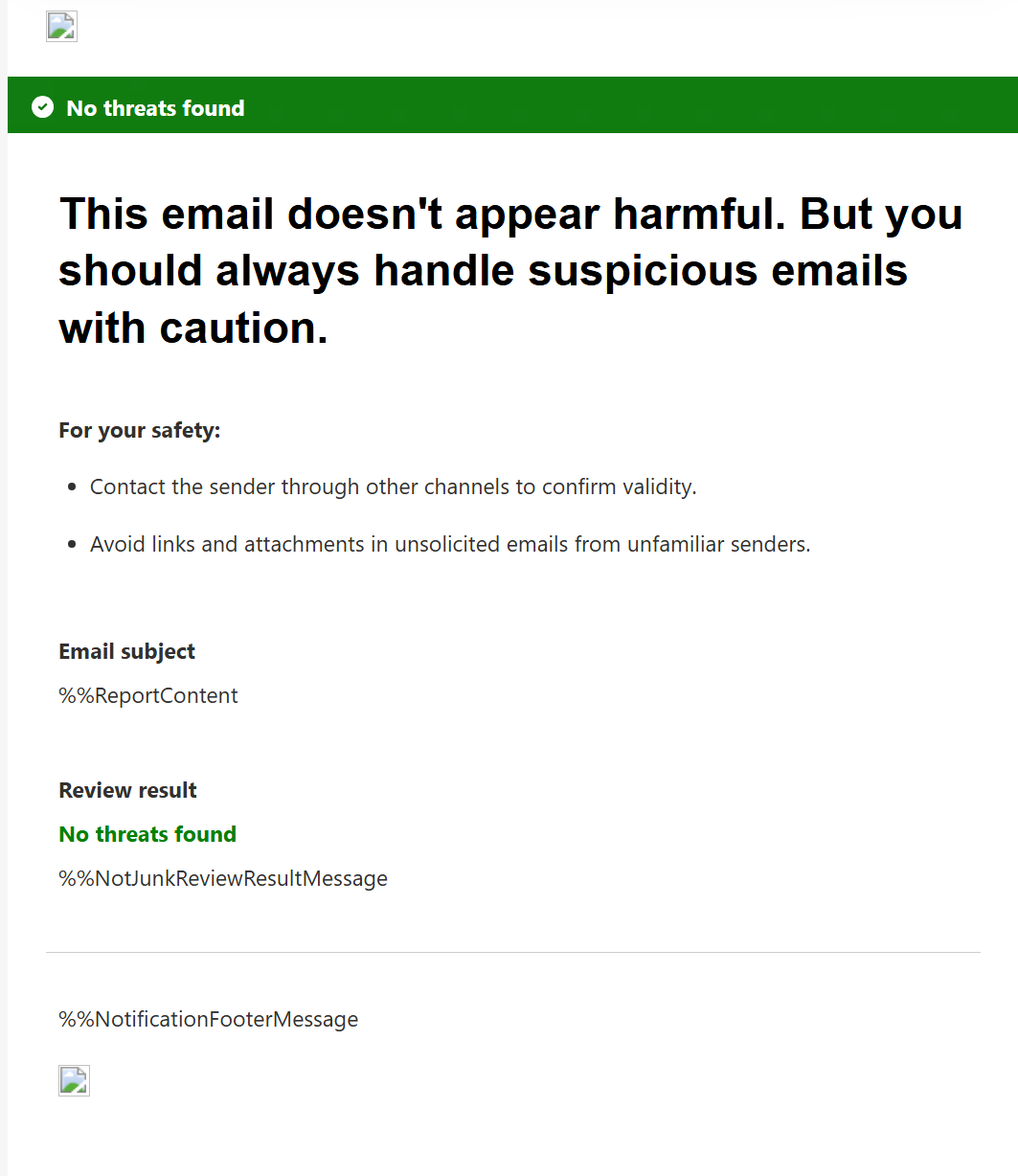
- Default 'safe' message template will also use softer, clearer wording while continuing to advise users to exercise caution:
- This email doesn’t appear harmful. But you should always handle suspicious emails with caution.
- The safe-message template will also advise users to:
- Contact the sender through another channel to confirm the message’s validity.
- Avoid links and attachments in unsolicited emails from unfamiliar senders.
Screenshot 1 - Before localization view:

Screenshot 1 - Localized template view:

Screenshot 2 - Default safe message:
[Action Required/Recommendations]
No action is required.
You may consider the following:
- Inform users that notification emails may now appear in their preferred language.
- Review notification settings in Microsoft Defender: Settings > Email and collaboration > User reported settings.
- Update internal documentation or helpdesk guidance if this workflow is documented.
[Compliance considerations]
No compliance considerations identified. Review as appropriate for your organization.
More information
Details
In weekly changes
Platforms
- Web
Services
- Defender XDR
- Exchange
- Outlook
Category
- Stay informed
Microsoft tags
- Admin Action
- New Feature
- User Adoption
Related changes
- 557558 Localized Default Mark and Notify Email Template Roadmap · Defender · Rolling out