MC1325422 Microsoft 365 Copilot app: Simplified, chat-centered experience
Primary service: M365 Copilot
ChangePilot summary
- Microsoft is updating the Microsoft 365 Copilot app to a streamlined, chat-centered UI that changes navigation, chat layout, agent surfaces, and introduces a Tasks view and pinned navigation.
- Affects all users of the Microsoft 365 Copilot app on web and desktop, and applies to Microsoft 365 Copilot (Premium) and Copilot Chat (Basic) tenants.
- Work IQ (combined enterprise + web grounding) will be the consolidated grounding control enabled by default; turning it off limits enterprise data and some UI elements (Sources, CIQ suggestions).
- No admin enablement is required, but admins should inform users, update internal guidance/training and support documentation; preview participants should validate and provide feedback.
- See Microsoft Description for Environment Specific IDs
Latest update: Image URL Change
What it means for you
What admins need to do
No tenant configuration is required, but IT should: communicate the UX changes and new Work IQ behavior to end users and support teams; update internal training and knowledge-base articles to reflect new navigation, Tasks tab, and Work IQ implications; if you participate in Frontier/preview, validate the experience and submit feedback to Microsoft; prepare helpdesk scripts to address questions about Work IQ, pinned navigation, and agent behavior.
Impact on users
End users will see a redesigned, chat-focused Copilot app on web and desktop: a pinned navigation area, a Tasks tab for long-running Copilot activity, a simplified chat canvas, and a consolidated Work IQ toggle that mixes enterprise data and web grounding by default. Turning off Work IQ limits enterprise data in responses and hides some suggestion/source UI. Agents will show maker/profile details and clearer context in chats.
If you miss it
If ignored, IT won't need to perform emergency configuration, but users and helpdesk staff may be surprised by the UI and grounding changes (Work IQ defaulting to include enterprise data). This can increase support calls and cause temporary user confusion; organizations with strict data-handling requirements should ensure users understand Work IQ behavior to avoid unexpected enterprise-data usage in Copilot responses.
- Admin controls available
- Unknown
- Licences affected
- Microsoft 365 Copilot (Premium), Copilot Chat (Basic)
History
Recorded changes
No changes recorded since ChangePilot first saw this post.
Microsoft message
Updated June 22, 2026: We are starting rollout of the updated Microsoft 365 Copilot app experience to worldwide audiences. This updated experience was previously rolled out to Frontier audiences in May. The worldwide rollout will begin standard release on June 22. Users will see a “New Copilot” toggle in the top right of their app that lets them switch between the current experience and the updated experience. The updated experience will be turned on by default.
This toggle gives users control to:
- Switch back at any time if it doesn’t meet their needs
- Share feedback when they switch back to help us improve
- This is a temporary opt-out experience as we roll out updates and learn from feedback.
On July 15 for standard release, the toggle will be removed and the updated experience will be default on without the option for users to switch back to the previous experience. On August 22, the updated experience will start rolling out worldwide for deferred release.
[Introduction]
We are introducing updates to the Microsoft 365 Copilot app that deliver a more streamlined, chat-centered experience. These updates simplify the chat and response layout, improve navigation, and introduce new ways for users to organize work—helping them stay focused, maintain context, and move work forward efficiently.
[When this will happen]
- Frontier: Available now
- Generally available with opt-out toggle: Available now
- Generally available, no opt-out toggle: July 2026
- Generally available, deferred release: August 2026
[How this affects your organization]
Who is affected
- All users accessing the Microsoft 365 Copilot app on the web or desktop
- Applies to Microsoft 365 Copilot (Premium) and Copilot Chat (Basic) tenants
What will happen
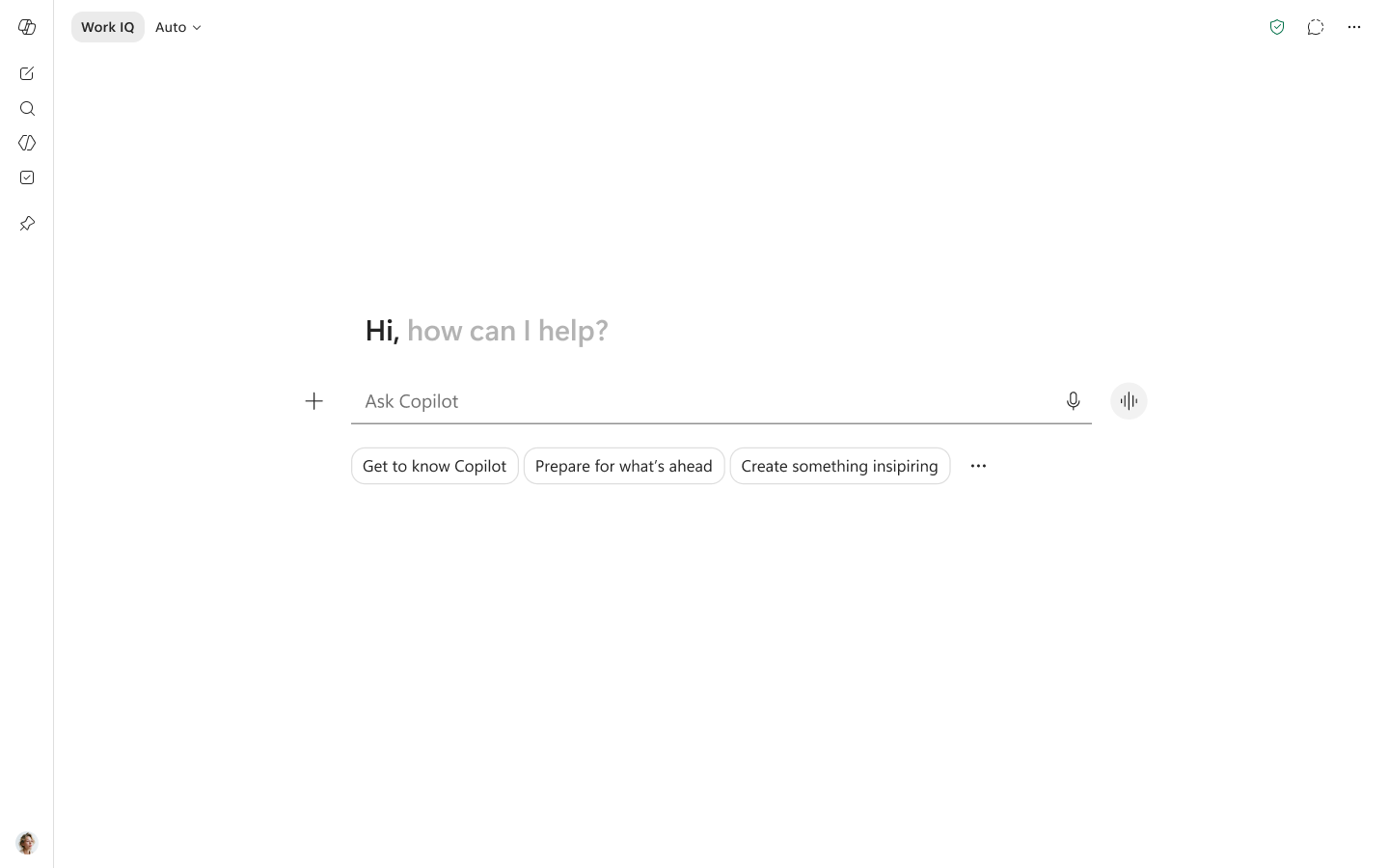
Throughout the Copilot app, experiences have a new, cleaner look with simplified headers and text input components. In addition, users will see the following updates:
Streamlined navigation
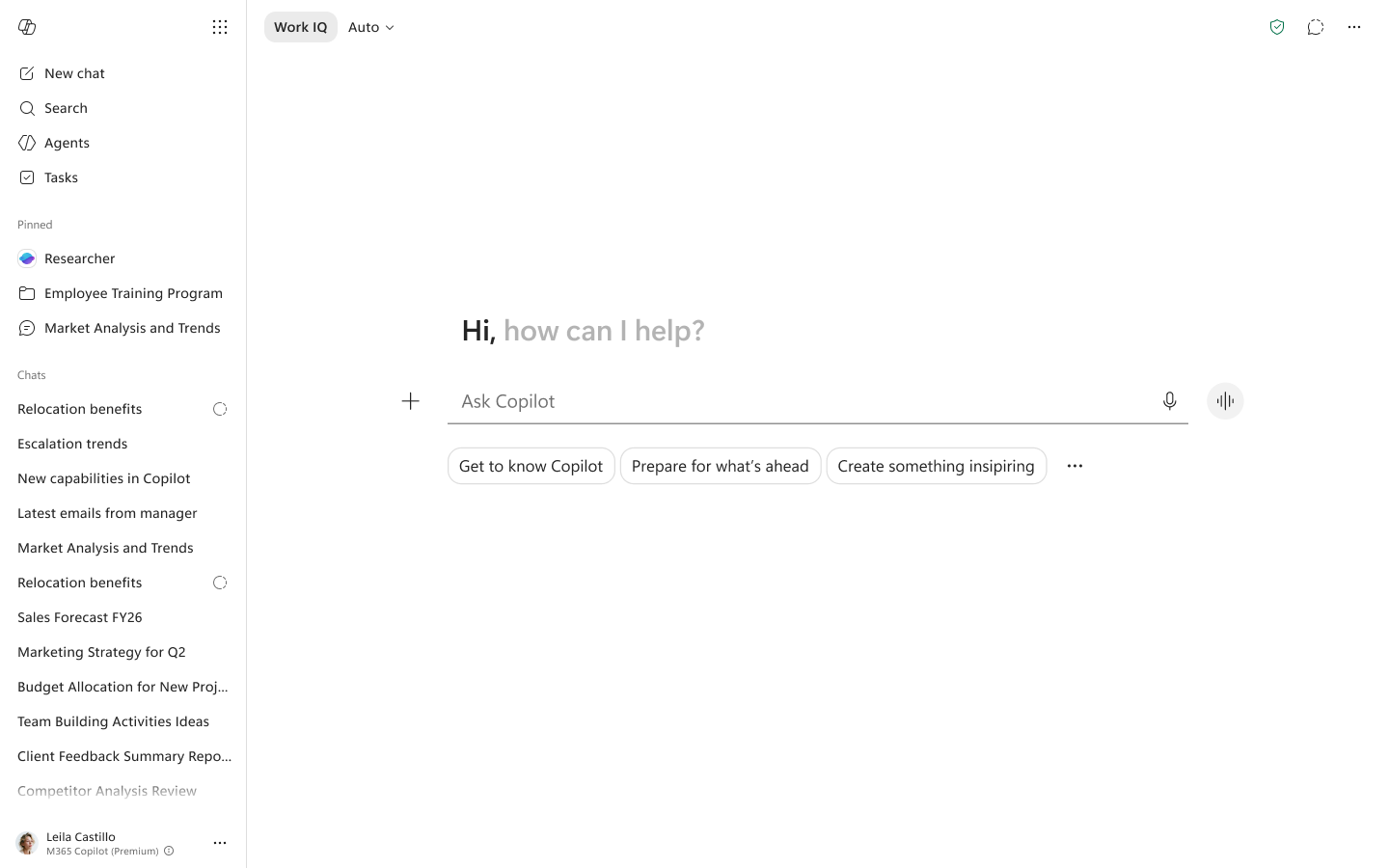
- The navigation pane has a new pinned section where users can pin frequently used agents, apps, and Copilot experiences (like Notebooks, Microsoft 365 apps, chat conversations, etc.) directly in the navigation pane for easy access.
- The app launcher moves to the waffle menu in the top right of the expanded navigation pane where users can access apps and experiences like Create, Notebooks, Outlook, Teams, Word, Excel, PowerPoint, and custom apps. Some users in an early test group may have already seen this change roll out a few weeks prior.
- The agents section in the navigation pane is simplified to a flyout menu, where users can hover over to see their pinned and recently used agents, as well as access agent store and agent builder. Users can also select the agents label to open the agent store directly.
- The new Tasks tab in the navigation pane opens a consolidated view of the user’s long-running Copilot activity, including scheduled chats and agent activity, so they can easily track autonomous Copilot tasks and take action when needed.
- Users can collapse the Copilot app navigation pane by selecting the icon in the top left corner of the pane ("collapse navigation" text string appears when the user hovers over the icon).
Chat update
- Work and web grounding controls are consolidated into a single “Work IQ” toggle in the upper-left corner of the chat screen. Work IQ is enabled by default and combines enterprise data with web grounding to provide more complete responses. Users can turn off Work IQ to disable enterprise data tools and switch to web-only grounding. When Work IQ is turned off, prompt suggestions and the CIQ menu are limited to web-based suggestions, and the Sources menu is disabled. Agents continue to function as usual.
- The Copilot Chat layout has been simplified with a rich prompting canvas that preserves formatting when pasting content, refreshed prompt suggestions and header text, and a streamlined menu for adding content, agents, and images.
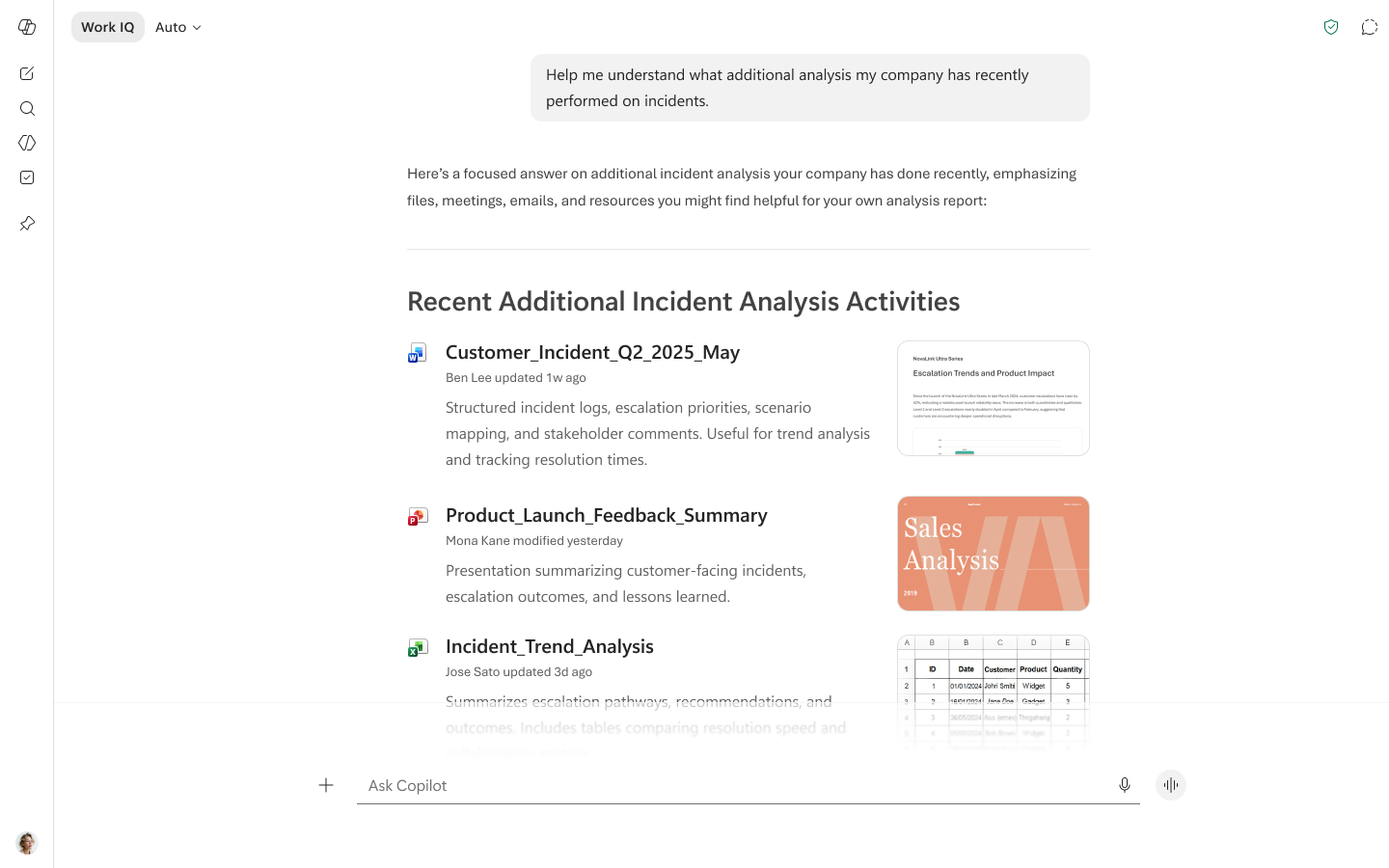
- Copilot Chat response's structure is clearer for more scannable information, citations, and more relevant suggested actions.
Agent update
- When a user opens an agent from the agent flyout menu in the navigation pane or from the Agent Store and lands on the agent home screen, they will see details about where the agent came from, including a profile card of the agent maker and tooltips alongside the organization name. The ghost text in the agent chat input includes the agent’s name to clearly show that the interaction is with the agent.
These updates will roll out to all Microsoft 365 users with access to the Copilot app.
Default behavior
- When these updates roll out to Frontier users, the new experience will be their default experience. This allows Microsoft to generate sufficient feedback to inform decisions impacting full GA deployment.
- When these updates roll out to worldwide users in June, the new experience will be available via an opt-in toggle. The experience will be disabled by default.
- In July, these features will become available by default for all users. The opt-in toggle will be removed at this time.
Screenshot 1 - Microsoft 365 Copilot app home screen view:
Screenshot 2 - Microsoft 365 Copilot app home screen with expanded navigation view:
Screenshot 3 - Chat response in Copilot app view:
[What you can do to prepare]
No action is required to enable this change.
To prepare for these changes, we recommend that administrators:
- Inform users about the updated Copilot app experience
- Share updated Microsoft support documentation (https://support.microsoft.com/Microsoft-365-Copilot/what-is-the-microsoft-365-copilot-app) with users when it has been updated with the new experience in June (aligned to when the updates roll out to general audiences).
- If applicable, update internal guidance and training materials to reflect changes to navigation, chat experience, and where users access key capabilities.
- If participating in preview programs (e.g., Frontier), validate the experience in your environment and provide feedback to help shape final GA
Learn more:
[Compliance considerations]
| Consideration | Impact | Notes |
|---|---|---|
| Changes how data is processed/accessed | Yes | Expanded use of Copilot across chats, agents, and workspaces |
| Introduces/modifies AI/ML interactions | Yes | Increased agent orchestration and chat-based workflows |
| New generative AI interactions | Yes | Deeper chat-centric creation and agent-driven actions |
More information
Details
Platforms
- Web
- Desktop
Services
- Excel
- M365
- M365 Apps
- M365 Copilot
- Outlook
- PowerPoint
- Teams
- Word
Category
- Plan for change
Microsoft tags
- Admin Action
- New Feature
- User Adoption