MC1311974 PowerPoint for Windows: Create a presentation with Copilot directly from PowerPoint Home
Primary service: M365 Apps
ChangePilot summary
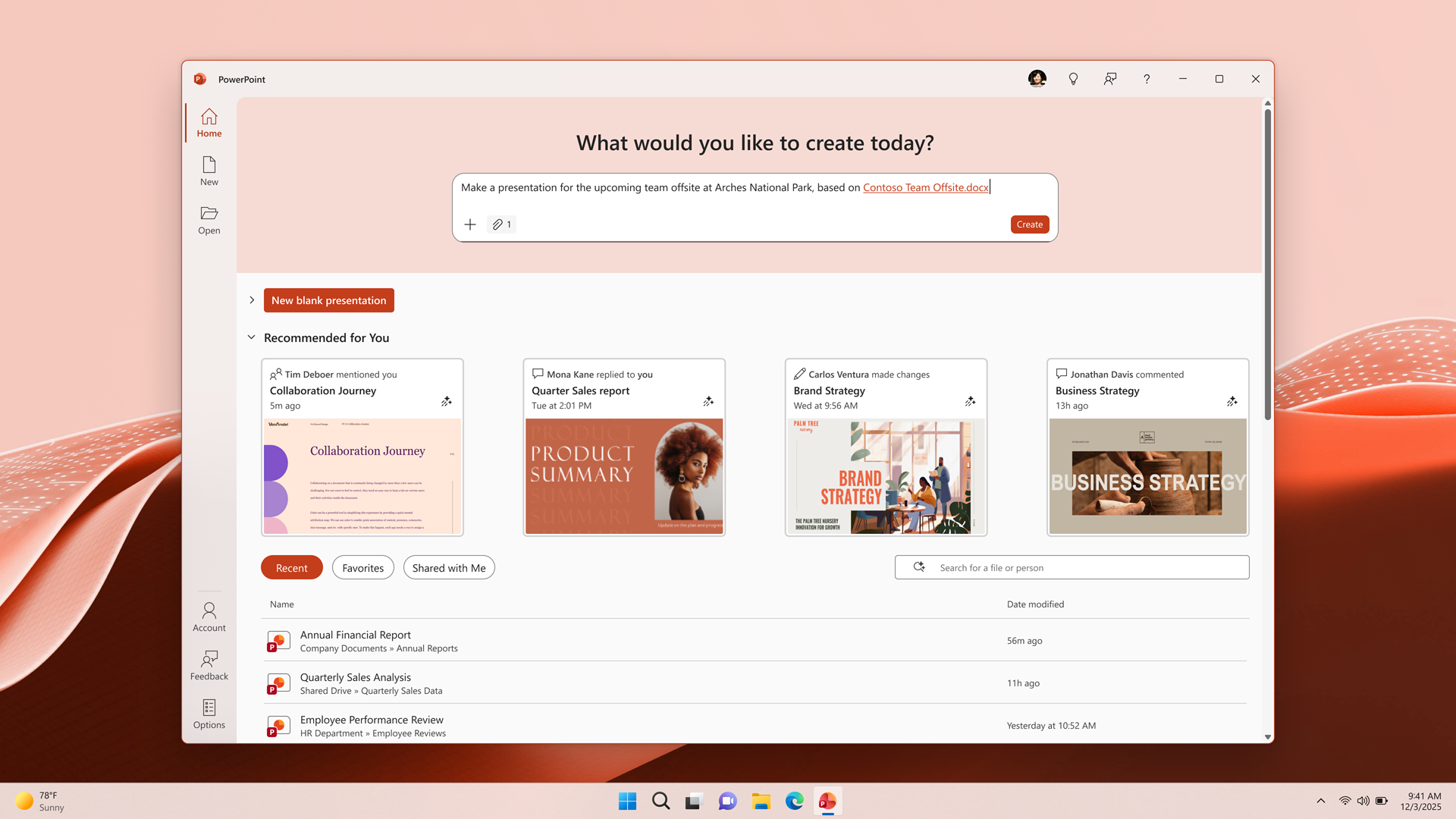
- Presentation creation in PowerPoint for Windows will be enhanced by allowing users to create presentations directly from the PowerPoint Home in the File menu with Copilot.
- This feature will be enabled by default for users with a Microsoft Copilot license and does not require any administrator configuration changes.
- The new option will be visible immediately upon opening PowerPoint, streamlining the process from idea to first draft.
- Users should be informed about this new Copilot capability to maximize its benefits.
- Existing Microsoft 365 and Copilot policies will continue to apply.
Latest update: Image URL Change
History
Recorded changes
No changes recorded since ChangePilot first saw this post.
Microsoft message
[Introduction]
We’re improving how users get started with Copilot in PowerPoint for Windows by enabling presentation creation powered by Copilot directly from PowerPoint Home in the File menu. This update reduces friction at the start of the workflow, helping users move from idea to first draft faster without needing to open a new file.
This message is associated with Microsoft 365 Roadmap ID 560694.
[When this will happen:]
General Availability (Worldwide): Rollout begins in late May 2026.
[How this affects your organization:]
Who is affected:
- Users on PowerPoint for Windows
- Users who are assigned a Microsoft Copilot license
What will happen:
- Users will find a new option on PowerPoint Home (File menu) to create a presentation using Copilot.
- The experience is available immediately when PowerPoint is opened.
- The feature is enabled by default for eligible users.
- Existing Microsoft 365 and Copilot policies are respected; no admin configuration changes are required.
[What you can do to prepare:]
- No action is required.
- Consider informing users about this new Copilot capability.
[Compliance considerations:]
No compliance considerations identified, review as appropriate for your organization.
More information
Details
Platforms
- Desktop
Services
- M365 Apps
- M365 Copilot
Category
- Stay informed
Microsoft tags
- New Feature
- User Adoption
Related changes
- 560694 Create a presentation with Copilot in PowerPoint directly from the PowerPoint Home Roadmap · M365 Copilot · Rolling out