MC1289725 Delete meeting generated content in recap
Primary service: Teams
ChangePilot summary
- Meeting organizers can delete meeting-generated content like recordings, transcripts, AI summaries, and notes from the meeting recap.
- A new "Delete recap content" option will be added to the More (…) menu on the recap page.
- Deleted content cannot be restored and shared files will remain accessible in their original locations.
- The feature is enabled by default with no admin configuration needed.
- Users should be informed about this capability, and internal documentation should be updated accordingly.
Latest update: Image URL Change
History
Recorded changes
- The timeline for GCC high has been updated from a rollout in late June 2026 to an updated schedule starting in early September 2026 and completing by late September 2026.
- The timeline for GCC high has been updated from a rollout in late June 2026 to an updated schedule starting in early September 2026 and completing by late September 2026.
Microsoft message
Updated June 2, 2026: We have updated the timeline. Thank you for your patience.
[Introduction]
Meeting organizers in Microsoft Teams can now delete meeting‑generated content—including recordings, transcripts, AI summaries, and notes—directly from the meeting recap. This capability helps organizers manage meeting artifacts after the meeting. Shared files from the meeting are not deleted.
This message is associated with Microsoft 365 Roadmap ID 557170.
[When this will happen:]
- Targeted Release: We will begin rolling out in early May 2026 and expect to complete by early May 2026.
- General Availability (Worldwide): We will begin rolling out in late May 2026 and expect to complete by early June 2026.
- General Availability (GCC): We will begin rolling out in mid-June 2026 and expect to complete by mid-June 2026.
- General Availability (GCCH): We will begin rolling out in early September 2026 (previously late June) and expect to complete by late September 2026 (previously late June).
[How this affects your organization:]
Who is affected:
- Microsoft Teams meeting organizers
- Tenants using meeting recap features
What will happen:
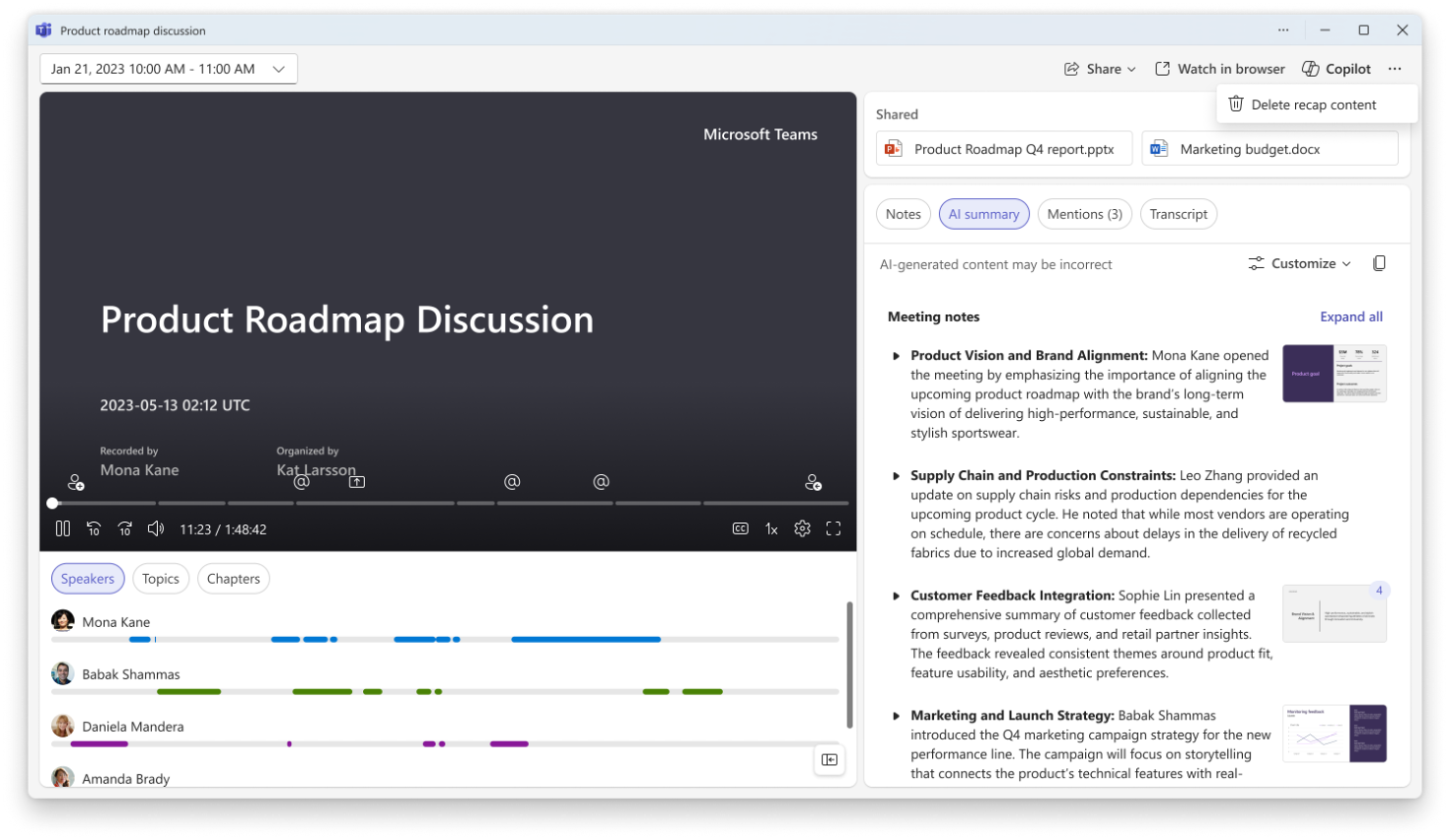
- A new Delete recap content option will appear in the More (…) menu on the meeting recap page.
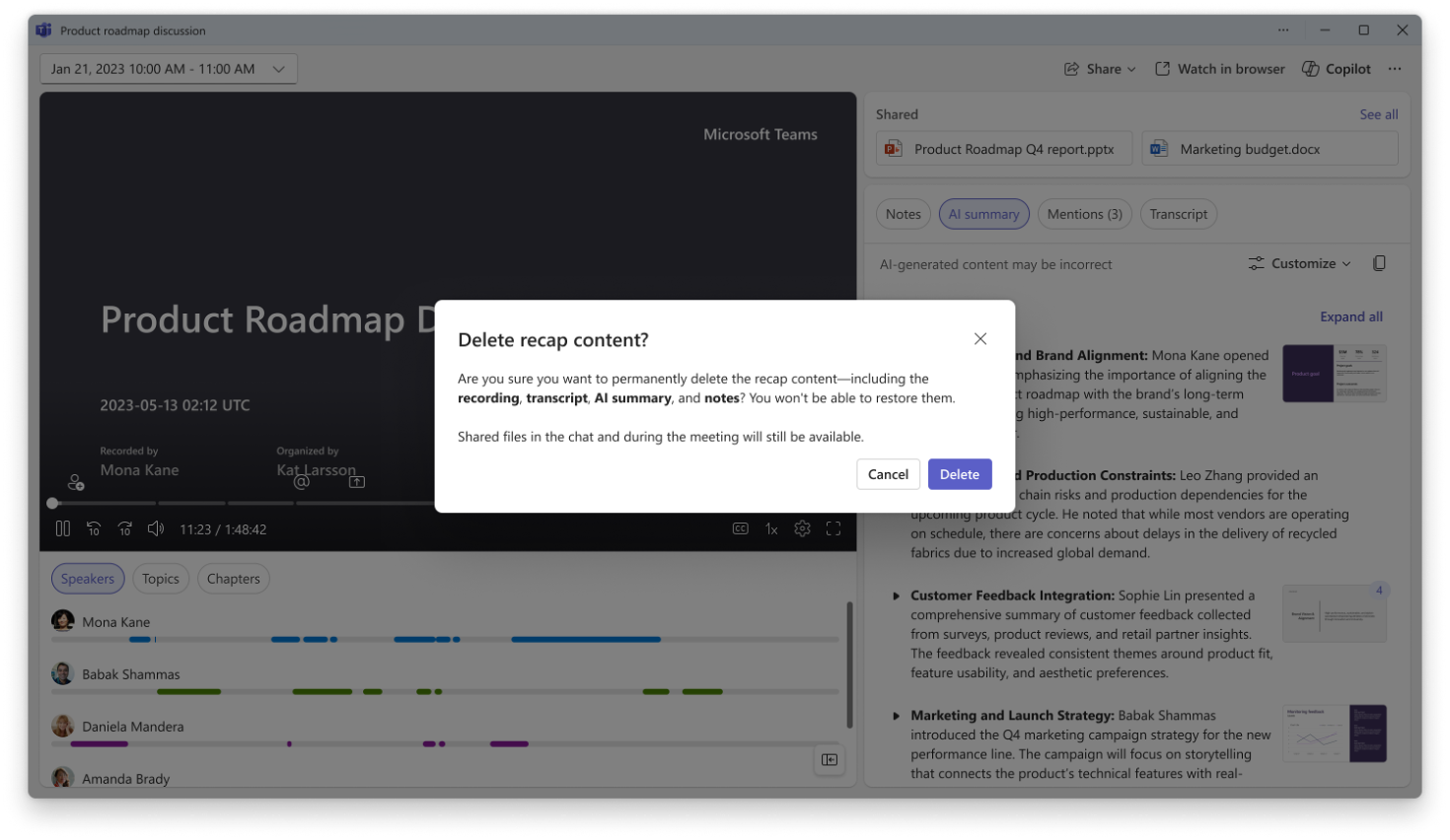
- Meeting organizers can permanently delete:
- Recordings
- Transcripts
- AI summary
- Notes
- Shared files are not deleted and remain accessible in their original storage locations.
- Custom summary and Audio recap will not be deleted with Delete recap content in this release.
- Deleted meeting content cannot be restored.
- The feature is enabled by default and does not require admin configuration.
Screenshot 1: Delete recap content option found under the More (...) menu:
 >
Screenshot 2: Delete recap content confirmation:
[What you can do to prepare:]
- Inform users about this new capability.
- Update internal documentation and helpdesk guidance.
- Review meeting governance and retention guidance.
- Monitor usage through Teams and SharePoint analytics.
[Compliance considerations:]
Meeting organizers can now permanently delete meeting-generated content, impacting how users manage and delete their data. Review as appropriate for your organization.
More information
Details
Platforms
- Desktop
Services
- Teams
Category
- Plan for change
Microsoft tags
- New Feature
- User Adoption
Related changes
- 557170 delete meeting generated content in recap Roadmap · M365 Copilot · Launched