MC1289724 Sharing recap access
Primary service: M365 Copilot
ChangePilot summary
- Microsoft Teams will introduce enhanced recap sharing, allowing meeting organizers to grant access to recordings, transcripts, AI summaries, and notes via a recap link.
- Meeting organizers can specify individuals who receive access at the time of sharing, while attendees can share recap links and request access if they weren't present in the meeting.
- The new feature will be enabled by default for all users.
- No admin action is required, but organizations should inform users about the new sharing experience.
- The change is categorized as a new feature with user impact.
Latest update: Image URL Change
History
Recorded changes
- The update timeline for GCC High has been changed from "early July 2026" to "early September 2026," with completion adjusted from "early July 2026" to "mid-September 2026."
- The timeline for the Targeted Release of the enhanced recap sharing feature has been updated. The rollout will now begin in late May 2026 and is expected to be completed by the end of May 2026, instead of the previously planned mid-May 2026 time frame.
- The timeline for the Targeted Release of the enhanced recap sharing feature has been updated. The rollout will now begin in late May 2026 and is expected to be completed by the end of May 2026, instead of the previously planned mid-May 2026 time frame.
Microsoft message
Updated June 16, 2026: We have updated the timeline. Thank you for your patience.
[Introduction]
Microsoft Teams is introducing enhanced recap sharing. Meeting organizers can grant access to meeting recordings, transcripts, AI-generated summaries, and notes when copying or sharing a recap link. This update improves how meeting content can be shared with people who were not part of the original meeting.
This message is associated with Microsoft 365 Roadmap ID 559606.
[When this will happen:]
- Targeted Release: We will begin rolling out in late May 2026 (previously mid-May) and expect to complete by end of May 2026 (previously mid-May).
- General Availability (GCC): We will begin rolling out in early June 2026 and expect to complete by early June 2026.
- General Availability (Worldwide): We will begin rolling out in early June 2026 and expect to complete by late June 2026.
- General Availability (GCC High): We will begin rolling out in early September 2026 (previously early July) and expect to complete by mid-September 2026 (previously early July).
[How this affects your organization:]
Who is affected:
- Microsoft Teams users who organize or attend meetings with recaps enabled.
What will happen:
- Meeting organizers can:
- Grant access to the meeting recording, transcript, AI summary, and notes when copying or sharing a recap link.
- Specify which people receive access at the time the recap link is shared.
- Meeting attendees who are not organizers can:
- Copy or share recap links.
- Recipients who were not in the meeting will be prompted to request access.
- The feature will be available by default.
To use this feature:
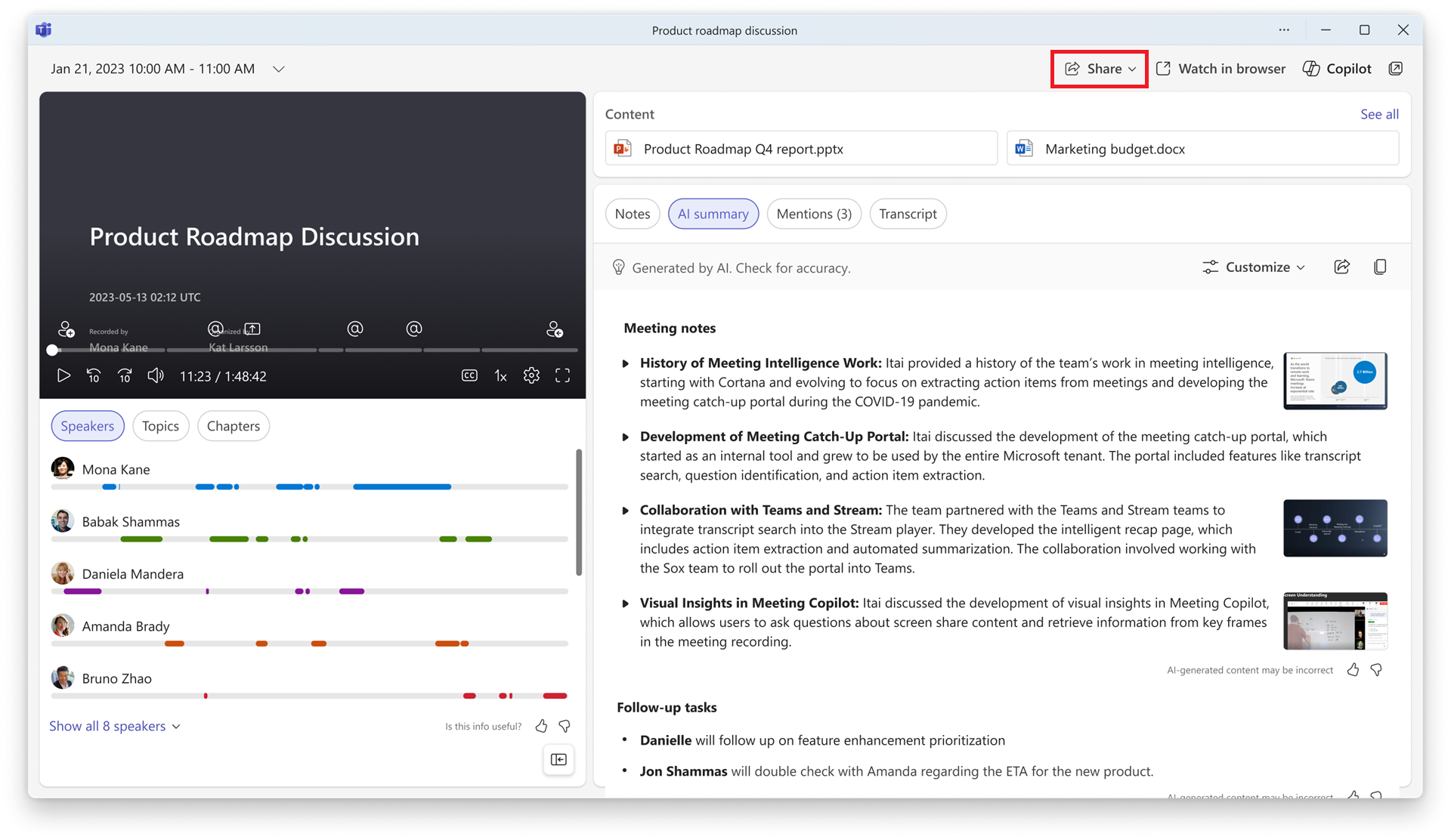
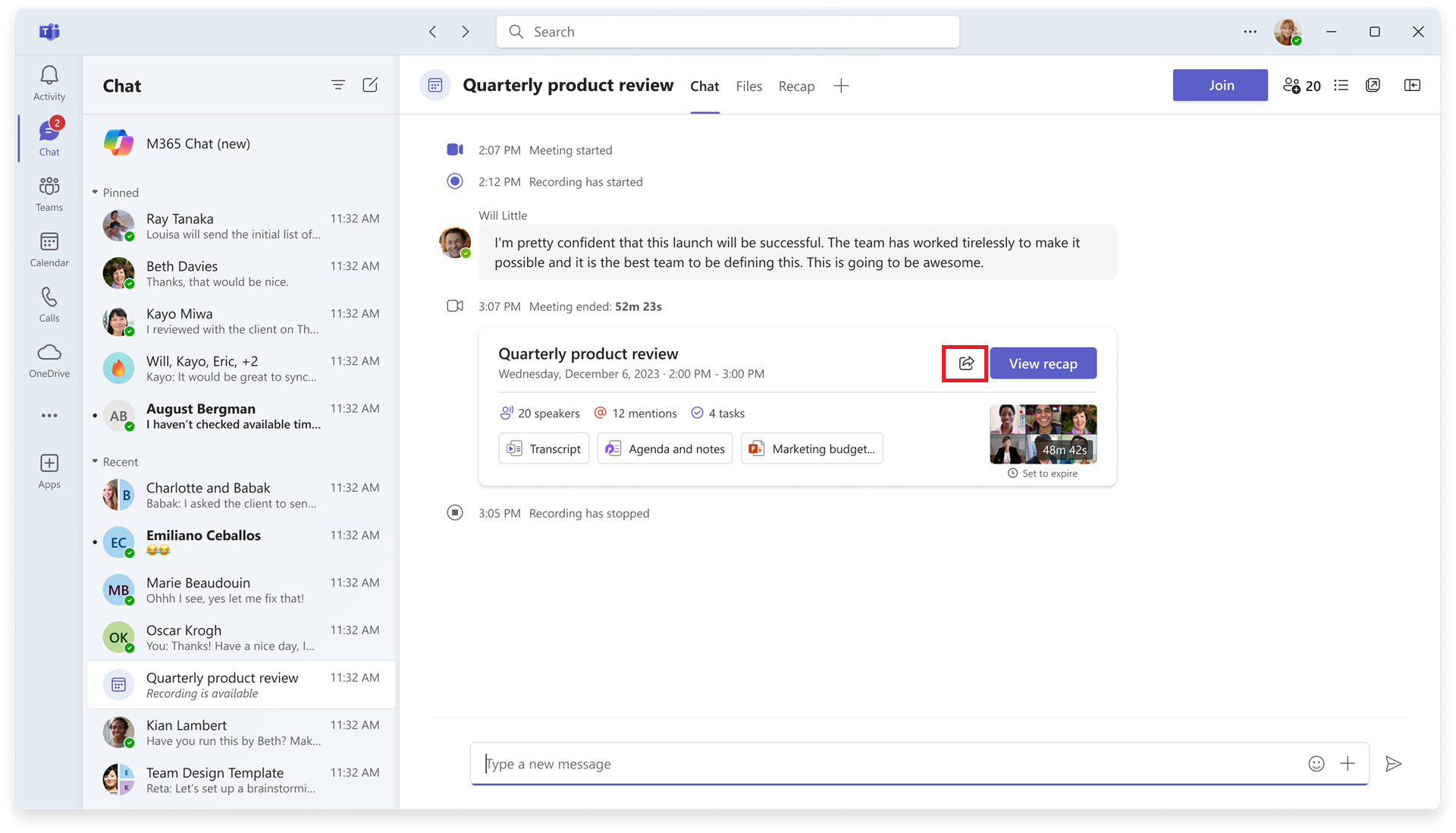
- Select the Share menu in the top-right corner of the recap page or on the recap thumbnail in the meeting chat.
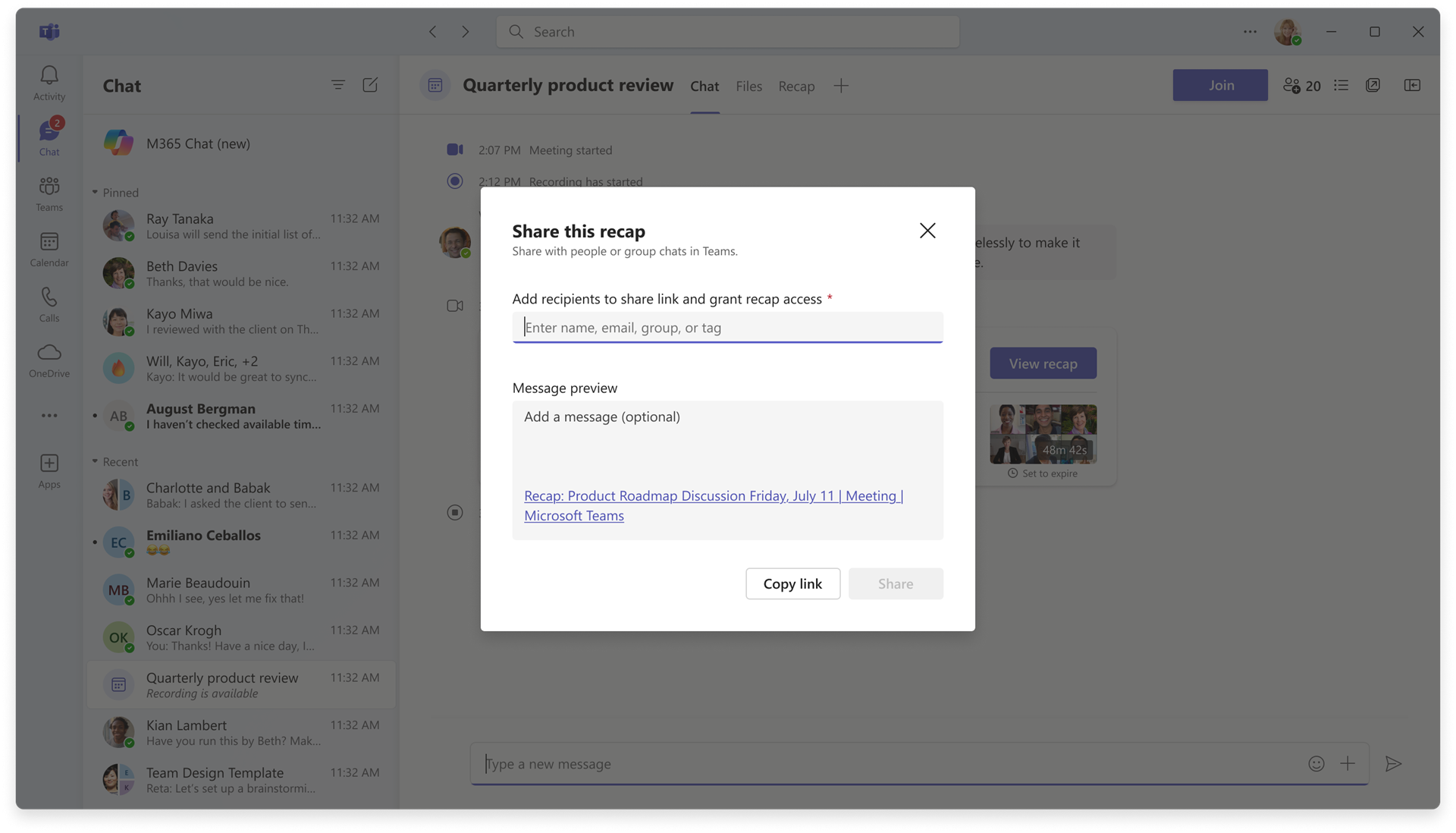
- If the user is the meeting organizer: The user can specify people and copy or share the recap link while granting recap access to the specified people.
Screenshot 1: Recap page with Share menu highlighted:
 >
Screenshot 2: Meeting chat with Share icon highlighted:
Screenshot 3: Share this recap options available to a meeting organizer:
If the user is not the organizer: The user can copy the recap link or share it by sending the link in a Teams chat. People who were not in the meeting will need to request access.
[What you can do to prepare:]
- No admin action is required.
- Inform users about the new sharing experience.
- Update internal documentation or helpdesk guidance if needed.
Learn more: Recap in Microsoft Teams | Microsoft Support (we will update the Share recap section before General Availability)
[Compliance considerations:]
No compliance considerations identified, review as appropriate for your organization.
More information
Details
Platforms
- Desktop
- Mac
Services
- M365 Copilot
- Teams
Category
- Stay informed
Microsoft tags
- New Feature
- User Adoption
Related changes
- 559606 Sharing recap access Roadmap · M365 Copilot · Rolling out