MC1282683 Create and edit SharePoint pages with Copilot-powered AI
Primary service: SharePoint
ChangePilot summary
- A new AI-powered authoring experience for SharePoint pages will assist page editors in creating and refining content using natural language prompts.
- Only users with a Microsoft 365 Copilot license will have access to this AI authoring feature.
- Page editors can generate and edit content, layouts, and web parts through an AI-assisted panel, improving efficiency in page creation.
- Users can toggle between AI-assisted and manual editing, and chat history is retained during the editing session.
- The feature is enabled by default for eligible users, and no specific action is required for organizations to prepare.
Latest update: Timeline updated after rollout paused. Standard start: late September 2026. Standard end: late September 2026.
History
Recorded changes
-
- Timeline updated after rollout paused.
- Standard start: late September 2026.
- Standard end: late September 2026.
Microsoft message
Updated September 10, 2026: We have have updated the timeline. Thank you for your patience.
[Introduction]
We are introducing Create and edit SharePoint pages with Copilot-powered AI, a new authoring experience that helps page editors plan, create, and refine SharePoint pages using natural language prompts. This feature reduces the time and effort required to build high-quality pages by allowing authors to generate and edit content, layouts, and web parts directly through an AI-assisted editing panel, grounded in their organization’s existing Microsoft 365 content.
[When this will happen]
- Targeted Release: We began rolling out in early April 2026 and expect to complete by mid-April 2026.
- General Availability (Worldwide): We have begun rollout and expect to complete by late September 2026.
[How this affects your organization]
Who is affected
- SharePoint page editors in Microsoft 365 tenants
- Only users assigned a Microsoft 365 Copilot license
- Production tenants (not GCC or Gallatin)
What will happen
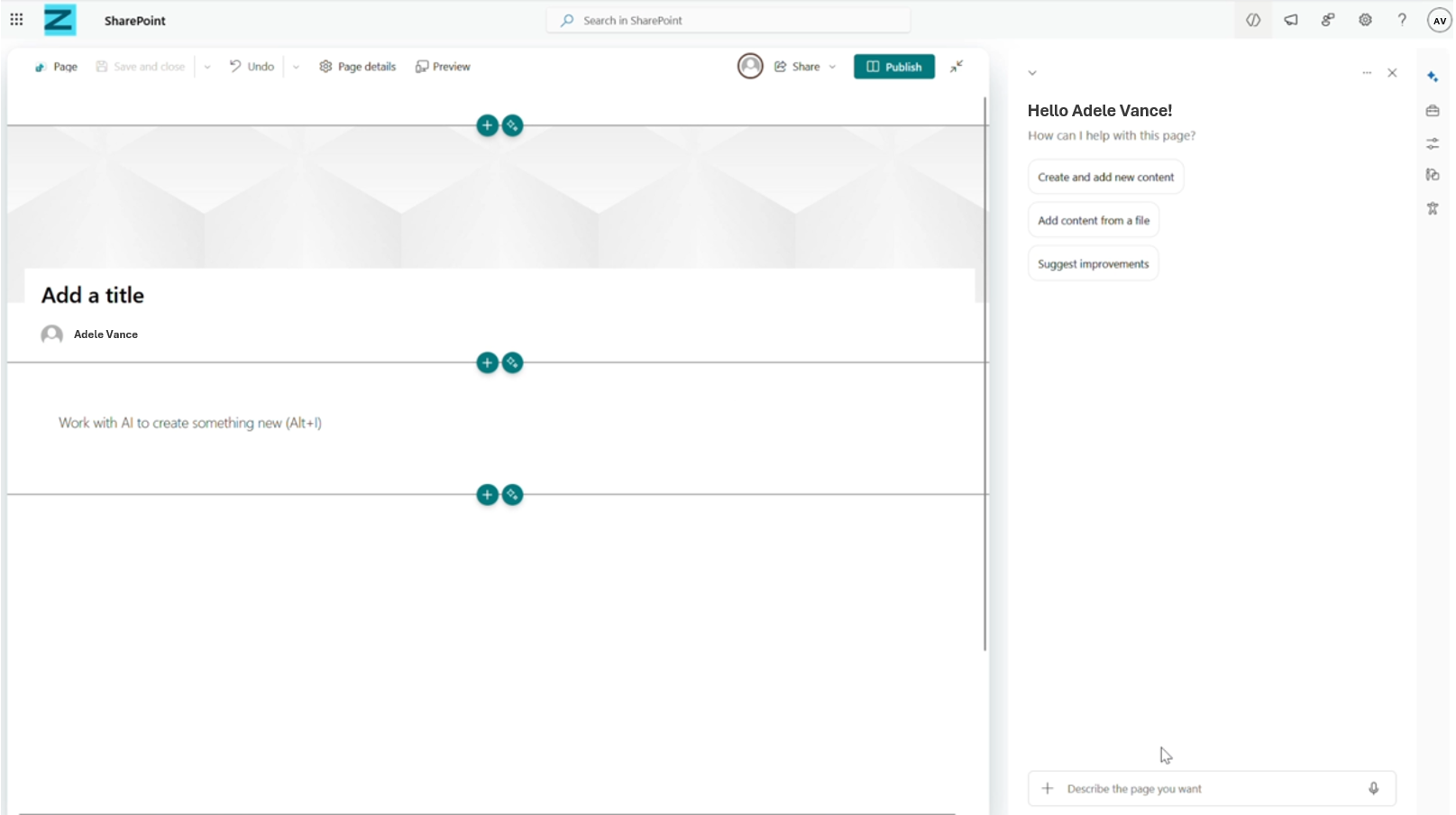
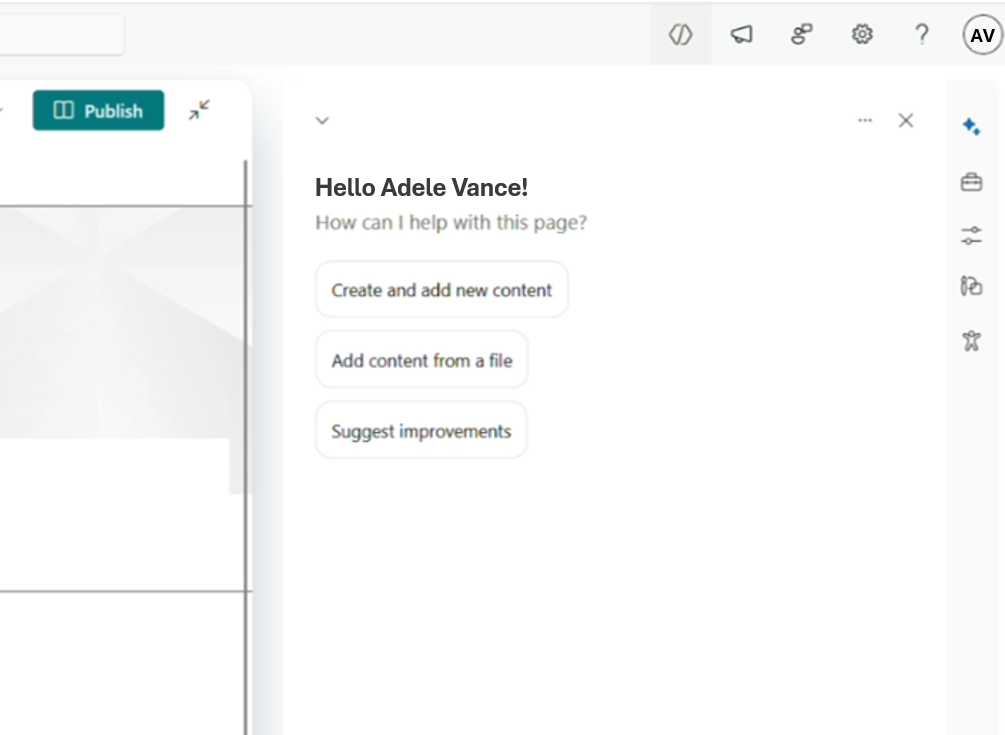
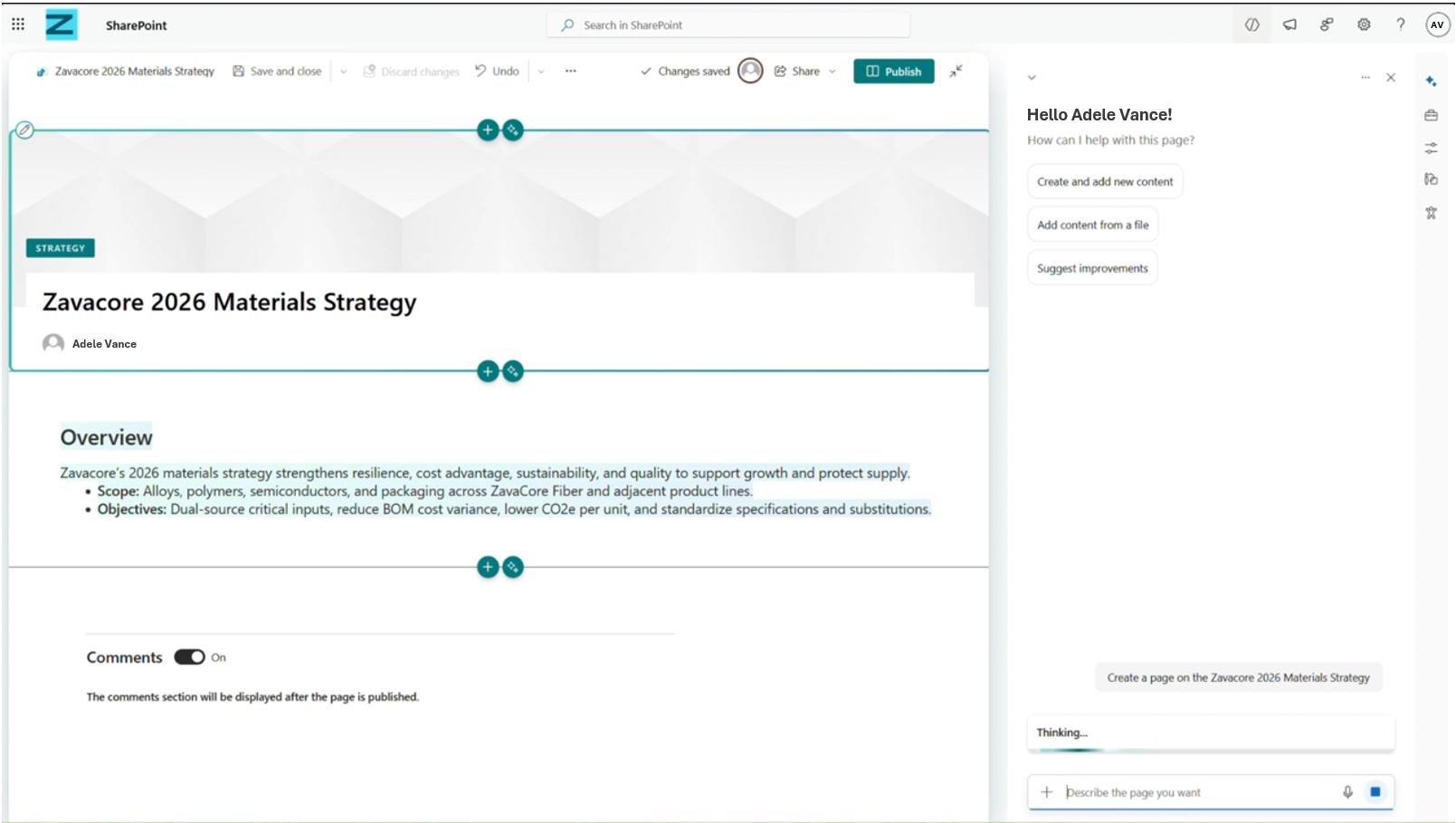
- Page editors with a Copilot license will see a new AI authoring panel automatically open when editing SharePoint pages:
- Users can:
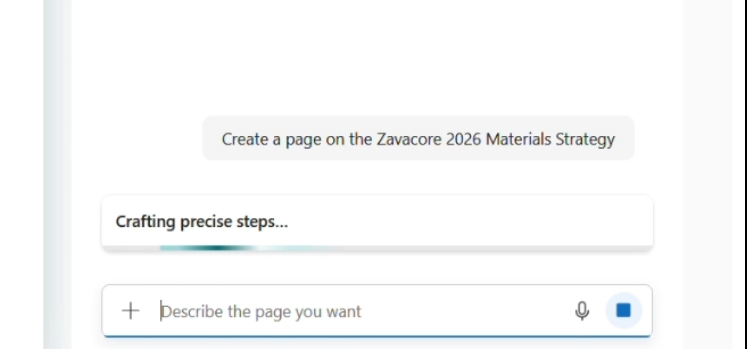
- Generate new page sections using natural language prompts:
- Edit existing text, layouts, and web parts through chat-based instructions.
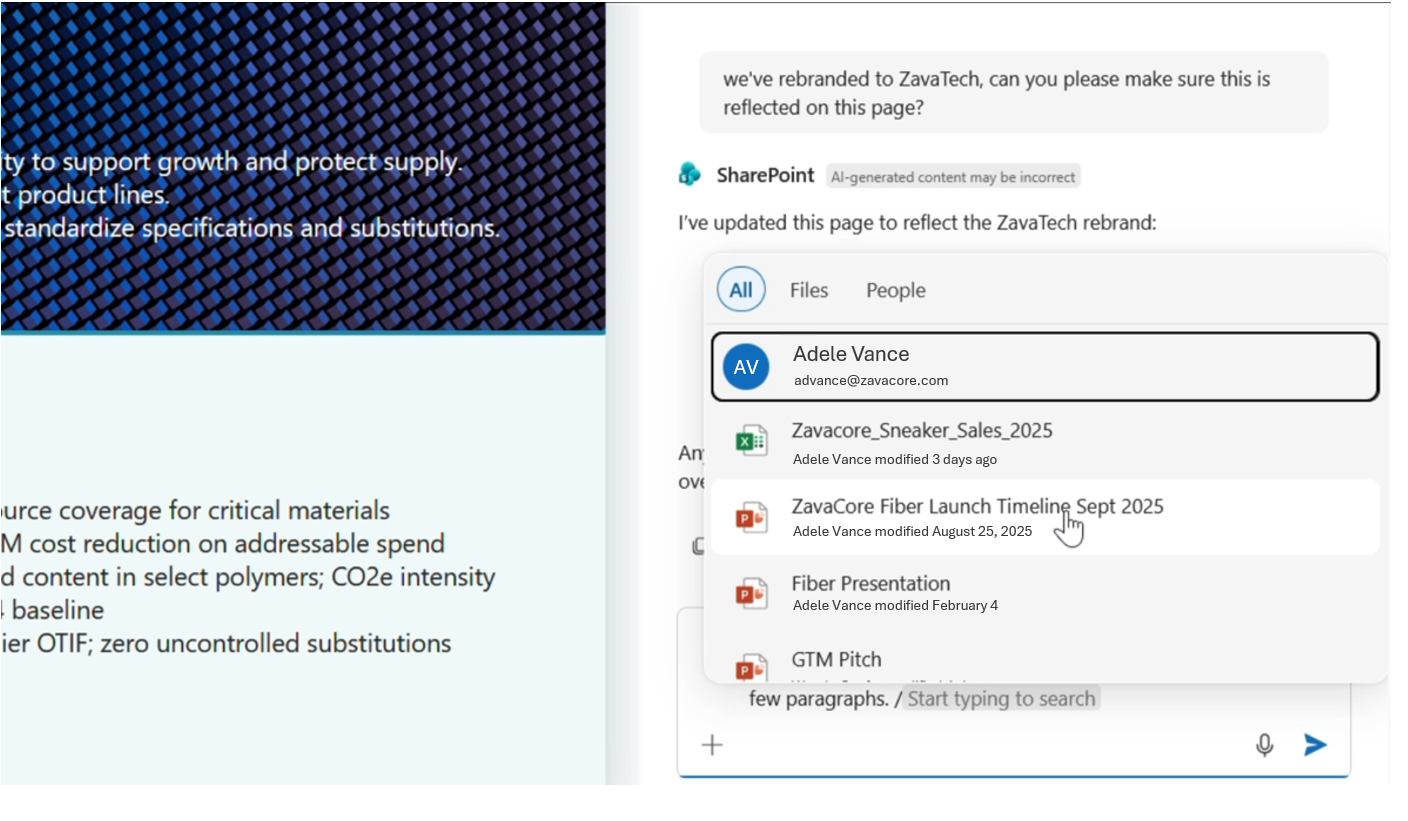
- Attach Microsoft 365 files as grounding context for better AI-generated results:
- Generate new page sections using natural language prompts:
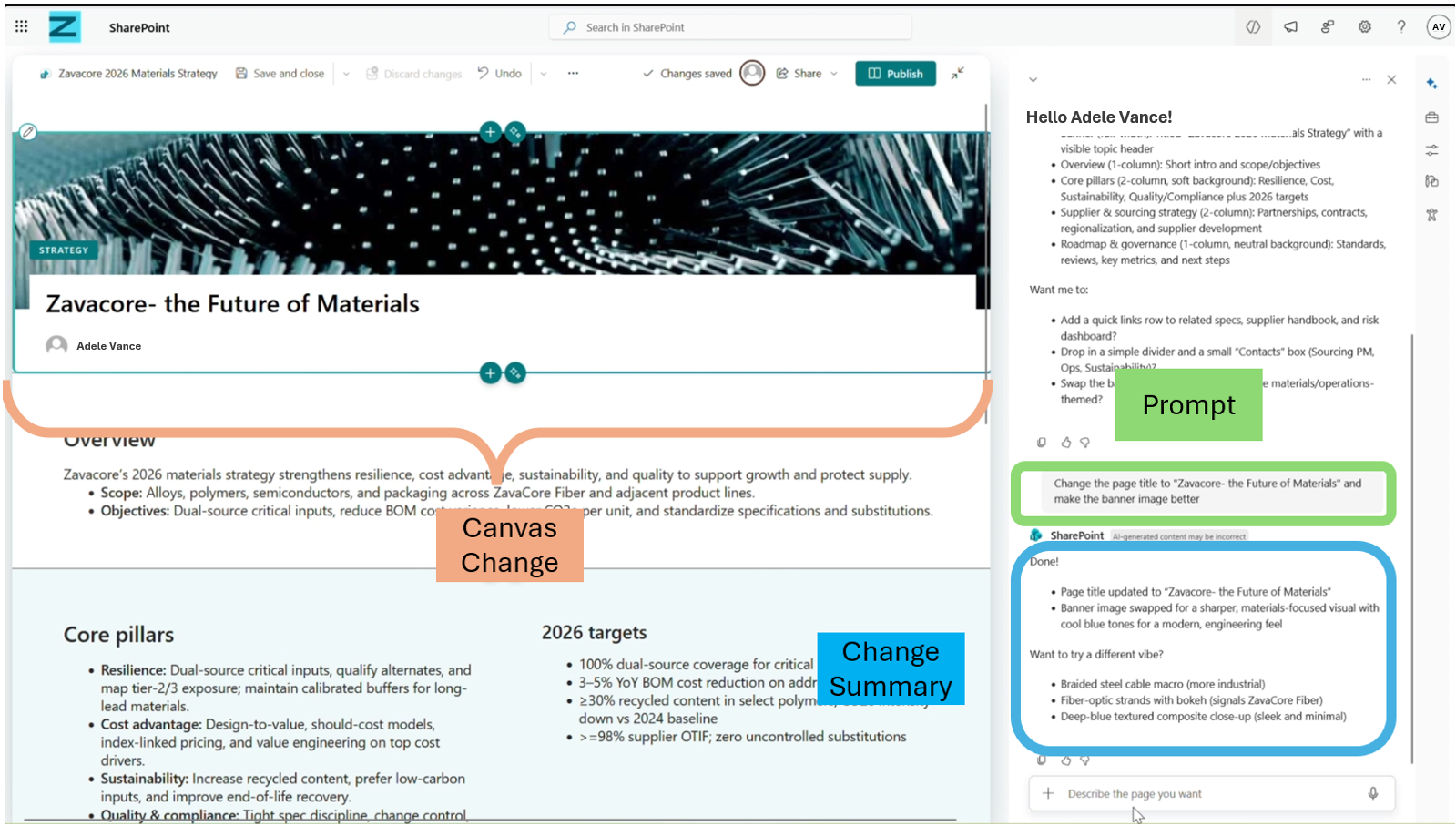
- AI-generated changes are inserted directly into the page and visually highlighted:
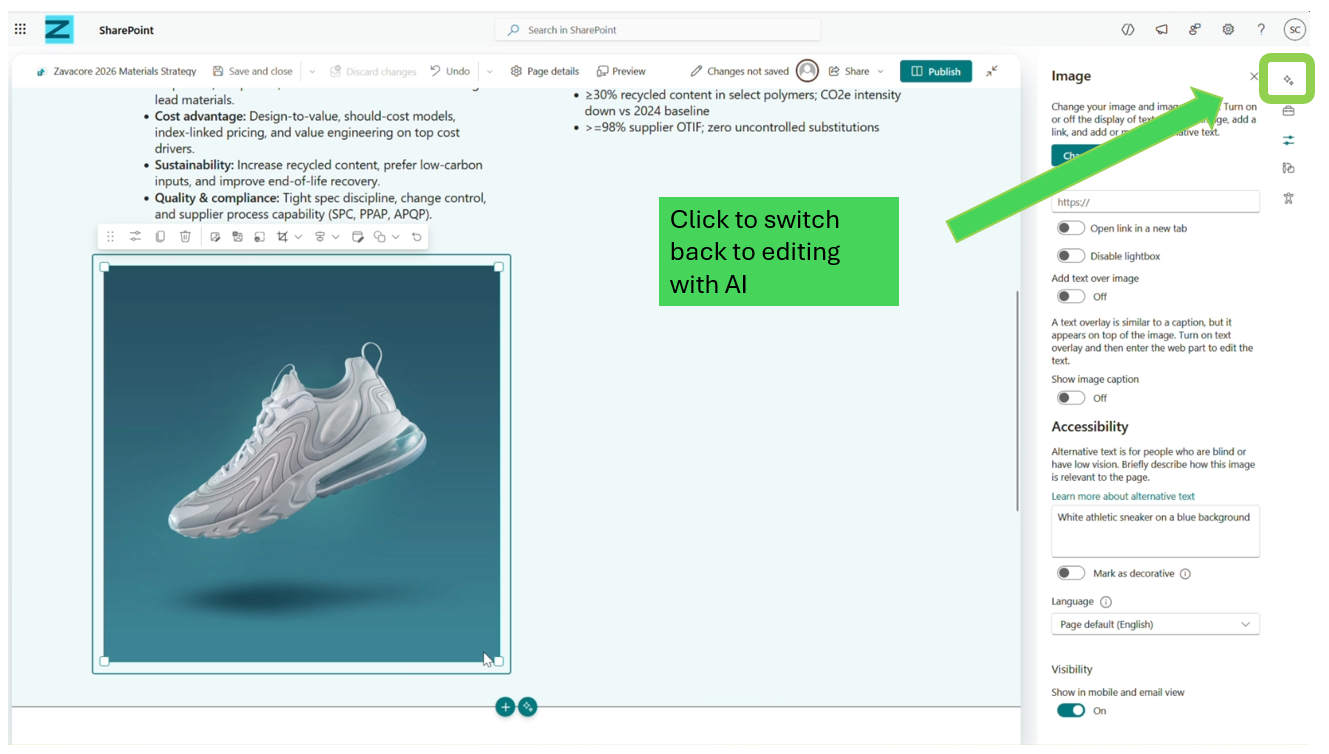
- Users can switch between AI-assisted editing and standard manual editing at any time:
- Chat history persists for the duration of the editing session unless manually cleared:
- This feature is enabled by default for eligible users with Copilot licenses.
[What you can do to prepare]
No action is required to prepare for this change.
Recommended actions:
- Inform SharePoint page authors about the new AI-assisted editing experience.
- Update internal documentation or training materials if you provide guidance on SharePoint authoring.
- Ensure Copilot license assignments align with who should have access to AI-powered page creation.
[Compliance considerations]
| Question | Answer |
| Does the change alter how existing customer data is processed, stored, or accessed (for example, documents or page content)? | Yes. Copilot uses existing SharePoint page content and user-selected Microsoft 365 files (such as documents) as grounding context to generate or edit page sections. Content is processed at the time of generation to produce suggestions and changes directly in the page editor. |
| Does the change introduce or significantly modify AI or agent capabilities that interact with customer data? | Yes. This change introduces a Copilot-powered AI authoring experience in SharePoint. The AI assists users by generating and editing page content, layouts, and web parts based on prompts and selected Microsoft 365 content. |
| Does the change provide users a new way of interacting with generative AI? | Yes. Page editors with a Copilot license can interact with generative AI directly within the SharePoint page editing experience using natural language chat prompts to plan, create, and modify content. |
| Does the change include an admin control, and can it be controlled through Entra ID group membership? | Yes. Access to the feature is governed by Microsoft Copilot license assignment. Only users assigned a Copilot license can access the AI authoring panel. There is no additional tenant-level toggle specific to this feature. |
| Does the change allow users to enable or disable the feature themselves? | Yes. While the feature is available by default for Copilot-licensed users, users can choose when to use AI during page editing and can switch between AI-assisted editing and standard manual editing at any time. |
Details
In weekly changes
Services
- SharePoint
Category
- Stay informed
Microsoft tags
- New Feature
- User Adoption
- Admin Action