MC1230892 Updated handling of entity inserts in the Copilot Chat input box
Primary service: M365 Copilot
ChangePilot summary
- Updates how entities inserted from Add Work Content appear in Microsoft 365 Copilot and Copilot Chat, eliminating entity names in the input box for a cleaner prompt-building experience.
- Available to both Microsoft 365 Copilot users and Copilot Chat users, with variations in experience.
- No changes to admin controls; the update is enabled by default for all tenants.
- Affected users include anyone with access to Microsoft 365 Copilot and Copilot Chat in commercial clouds.
- No action required, but optional steps include informing helpdesk teams and updating internal documentation.
Latest update: Image URL Change
History
Recorded changes
- The timeline for rollout has been updated from starting in late May 2026 and completing in mid-July 2026, to starting in mid-August 2026 and completing by late August 2026.
- The timeline for rollout has been updated from starting in late May 2026 and completing in mid-July 2026, to starting in mid-August 2026 and completing by late August 2026.
- The completion date for the rollout has been extended from "mid-June 2026" to "mid-July 2026".
- The completion date of the rollout changes from early June 2026 to mid-June 2026.
- The completion date of the rollout changes from early June 2026 to mid-June 2026.
- The updated timeline now states the rollout begins in late May 2026, rather than mid-May 2026, and completes in early June 2026, as opposed to the previous end of May 2026.
- The updated timeline now states the rollout begins in late May 2026, rather than mid-May 2026, and completes in early June 2026, as opposed to the previous end of May 2026.
- The timeline for the rollout has been updated, changing the start from mid-February 2026 to mid-May 2026 and the completion from the end of April 2026 to the end of May 2026.
- The rollout completion date for the update has been changed from mid-March 2026 to the end of April 2026.
- The rollout completion date for the update has been changed from mid-March 2026 to the end of April 2026.
- The timeline for completing the rollout has been updated from late February 2026 to mid-March 2026.
- The timeline for completing the rollout has been updated from late February 2026 to mid-March 2026.
Microsoft message
Updated August 4, 2026: We have updated the timeline. Thank you for your patience.
[Introduction]
We’re updating how entities inserted from Add Work Content under the + menu behave in Microsoft 365 Copilot and Copilot Chat. With this change, entity names (such as document titles, people names, or other referenced objects) will no longer be inserted as text within the input box, making it easier for users to craft clean prompts without needing to manually delete entity labels. This feature is available to both users with a Microsoft 365 Copilot license (Microsoft 365 Copilot users) and users without a Microsoft 365 Copilot license (Copilot Chat users), but the experience varies.
This message is associated with Microsoft 365 Roadmap ID 552592.
[When this will happen]
General Availability (Worldwide): Rollout begins in mid-August 2026 (previously late May) and completes by late August 2026 (previously mid-July).
[How this will affect your organization]
Who is affected: All users with access to Microsoft 365 Copilot and Copilot Chat in commercial (non-government) clouds.
What will happen:
- When users insert entities through Add Work Content (+):
- The entity pill will appear in context, but the entity name will no longer be inserted as text in the chat input box:
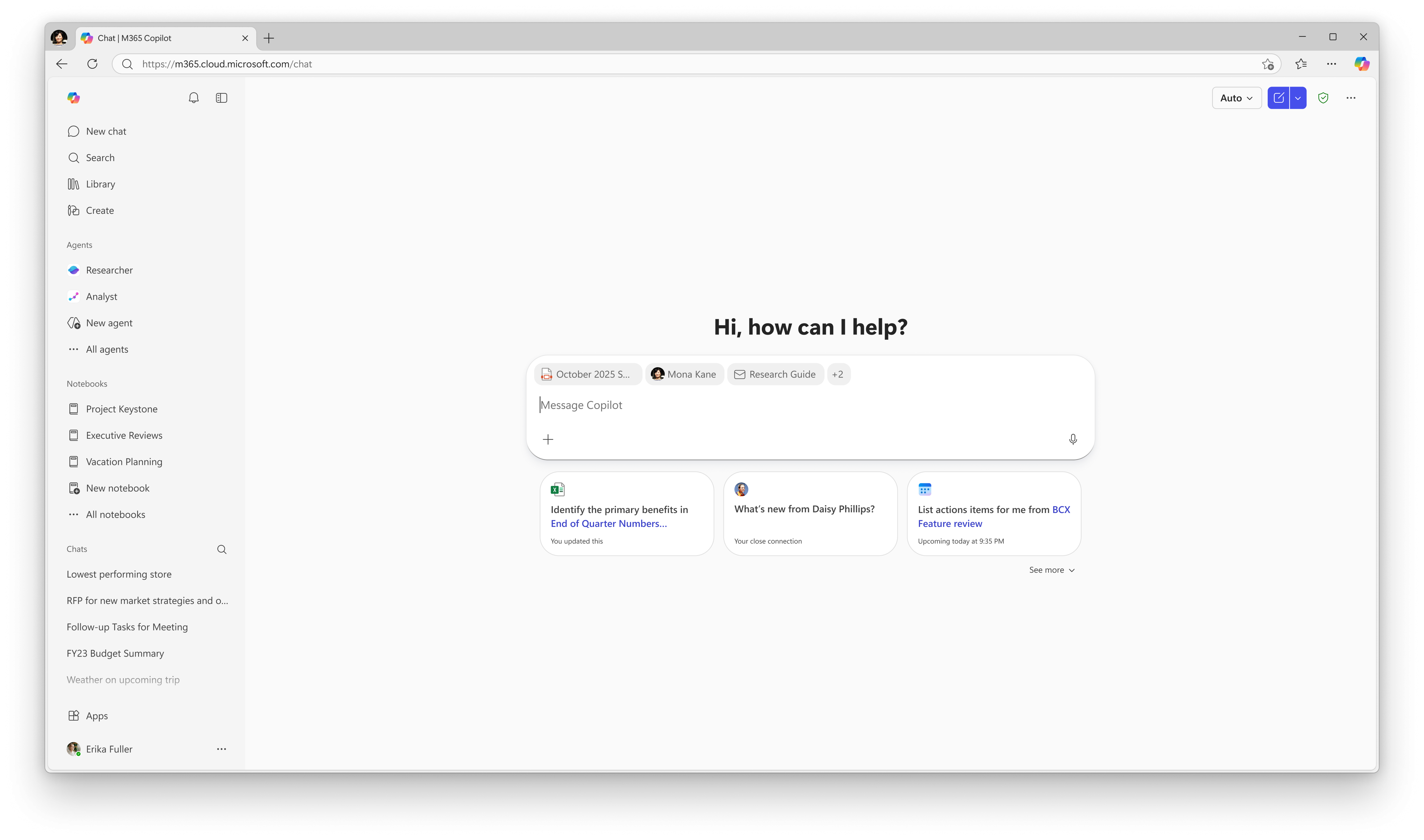
- The entity pill will appear in context, but the entity name will no longer be inserted as text in the chat input box:
- This change creates a cleaner prompt-building experience by removing extraneous text.
- No admin controls are changing.
- This update is enabled by default for all tenants.
[What you can do to prepare]
No action is required.
Optional steps include:
- Informing helpdesk or training teams about the change.
- Updating internal documentation that references entity insertion behavior in Copilot or Copilot Chat.
[Compliance considerations]
No compliance considerations identified. Review as appropriate for your organization.
More information
Details
Platforms
- Desktop
- Web
Services
- M365 Copilot Chat
Category
- Stay informed
Microsoft tags
- New Feature
- User Adoption
- Admin Action
Related changes
- 552592 Simplifying Content in the Input Box Roadmap · M365 Copilot · Launched