MC1227619 Ad-hoc room reservation from Teams Rooms on Android console
Primary service: Teams
ChangePilot summary
- Ad-hoc room reservation is being introduced directly from the Microsoft Teams Rooms on Android console.
- Users can reserve available rooms immediately without needing a personal device or hallway panel.
- The feature is enabled by default and requires a Teams Rooms Pro license.
- Admin controls will be available to manage ad-hoc reservations via the Teams Admin center or device settings.
- Users should be notified about the new reservation workflow and internal training or documentation updated as needed.
Latest update: Image URL Change
History
Recorded changes
- The rollout timeline for GCCH has been extended from late May to early August 2026, with the completion date also shifted from late June to early August 2026.
- The rollout timeline for GCCH has been extended from late May to early August 2026, with the completion date also shifted from late June to early August 2026.
- The rollout completion date for GCC High changed from late May 2026 to late June 2026.
- The rollout completion date for GCC High changed from late May 2026 to late June 2026.
- The updated timeline for the GCCH rollout has changed from beginning in late April 2026 and completing by late April 2026 to beginning in late May 2026 and completing by late May 2026.
- The rollout timeline for the feature has been delayed: originally scheduled for mid-March 2026 and late March 2026, it has been updated to mid-April 2026 and late April 2026 for Worldwide, GCC, and GCCH.
Microsoft message
Updated July 28, 2026: We have updated the timeline. Thank you for your patience.
[Introduction]
We’re introducing ad-hoc room reservation directly from the Microsoft Teams Rooms on Android console. This update enables users to reserve an available room on the spot without relying on a personal device or hallway panel, supporting quick, spontaneous meetings and helping reduce scheduling conflicts. This feature requires a Teams Rooms Pro license.
This message is associated with Microsoft 365 Roadmap ID 548652.
[When this will happen:]
- General Availability (Worldwide, GCC): Rollout will begin mid-April 2026 (previously mid-March) and complete by late April 2026 (previously late March).
- General Availability (GCCH): Rollout will begin end of July 2026 (previously late May) and complete by early August 2026 (previously late June).
[How this affects your organization:]
Who is affected:
- Users and admins of Teams Rooms on Android with Teams Rooms Pro licenses.
What will happen:
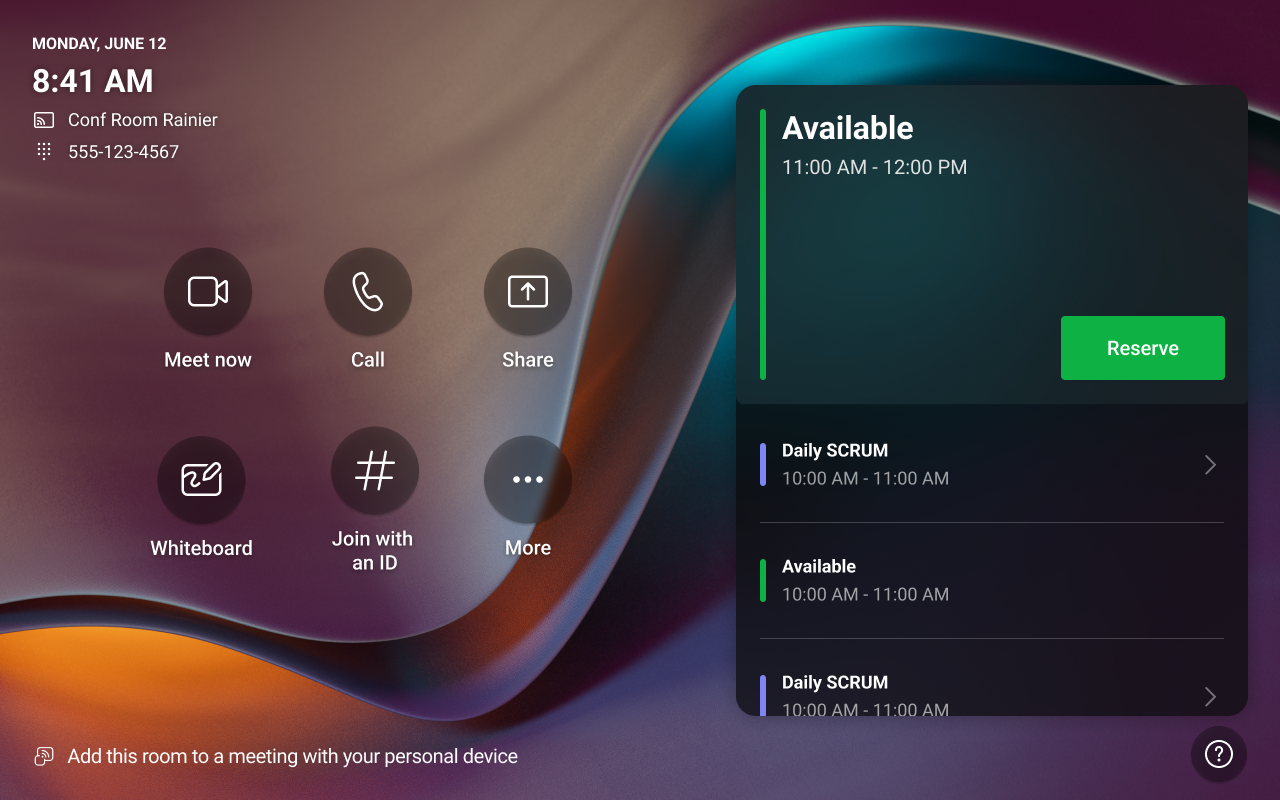
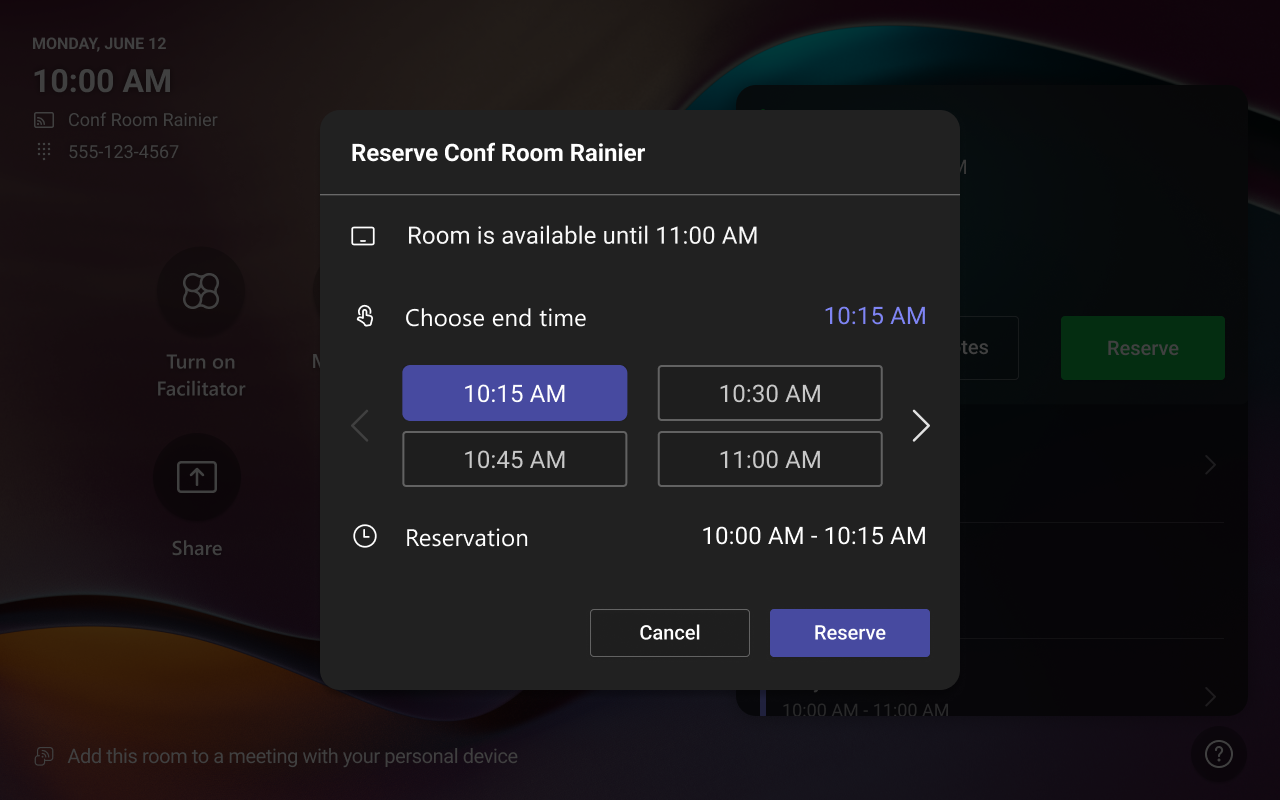
- After this feature becomes available on room devices, users can reserve an available room directly from the Teams Rooms calendar by tapping Reserve and selecting an end time.
- End times appear in 15-minute increments for up to 24 hours or until the next scheduled meeting, whichever comes sooner.
- The feature is enabled by default.
- Admin controls will be available:
- Teams Admin center: Go to Teams devices > Teams Rooms on Android > Configuration profile > Meetings > Allow ad-hoc room reservation.
- On the device: Go to Settings > Teams Admin settings > Meetings > Allow ad-hoc room reservation.
Screenshot 1: Reservation button
Screenshot 2: Reservation picker
[What you can do to prepare:]
- No action is required before rollout.
- Notify users of the new reservation workflow.
- Update internal training or documentation.
- Use Teams Admin center or device settings if you want to restrict ad-hoc reservations.
[Compliance considerations:]
No compliance considerations identified, review as appropriate for your organization.
More information
Details
Platforms
- Android
- Teams and Surface Devices
Services
- Teams
Category
- Stay informed
Microsoft tags
- New Feature
- User Adoption
Related changes
- 548652 Ad-hoc room reservation from Teams Rooms on Android console Roadmap · Teams · Launched