MC1059679 Insider Risk Management: Policy tuning analysis for priority content only policies
Primary service: Purview
ChangePilot summary
- Real-time prediction of users matching policy conditions in Microsoft Purview | Insider Risk Management (IRM) will be available for insider risk policies scoped for priority content.
- Admins can utilize analytics to efficiently manage insider risk strategies and alert thresholds.
- Features include the ability to prioritize content types and configure alert preferences based on priority content.
- Insights on user activity will be made visible to admins after policy adjustments are saved.
- Admins need to enable Analytics in IRM settings to utilize these new features effectively.
Latest update: Image URL Change
History
Recorded changes
-
- - The availability timeline for GCC, GCCHigh, and DoD environments has been postponed to a later date, with future communications to be sent via the Message center.
- - The general availability information has been differentiated between Worldwide rollout and a postponed timeline for GCC, GCCHigh, and DoD environments.
- - Additional apologies were provided for the postponement, indicating customer service responsiveness.
- The timeline for the rollout has changed; it is now expected to complete by late August 2025 instead of late July 2025.
- The rollout date for the feature has been updated from "mid-June 2025 to mid-July 2025" to "late June 2025 to late July 2025".
Microsoft message
Updated August 10, 2026: We have updated the timeline. Thank you for your patience.
In Microsoft Purview | Insider Risk Management (IRM), policy tuning analysis provides admins with a real-time prediction of the number of users in a tenant that could potentially match a given set of policy conditions. After this rollout, policy tuning analysis will support insider risk policies that are scoped for priority content.
This message is associated with Microsoft 365 Roadmap ID 378409.
This message is associated with MC786326 (about the preview for this feature that started in May 2024).
[When this will happen:]
General Availability (Worldwide): We will begin rolling out late June 2025 (previously mid-June) and expect to complete by late August 2025 (previously late July).
General Availability (GCC, GCCHigh, DoD): We will begin rolling out mid-December 2026 and expect to complete by end of December 2026.
[How this will affect your organization:]
After this rollout, admins can use real-time analytics for policies scoped for priority content to help predict the number of users that could potentially match a given set of policy conditions. This feature enables admins to quickly adjust the selection of indicators and thresholds of activity occurrence so they can efficiently translate their insider risk strategies into pragmatic controls and keep from having too few or too many alerts.
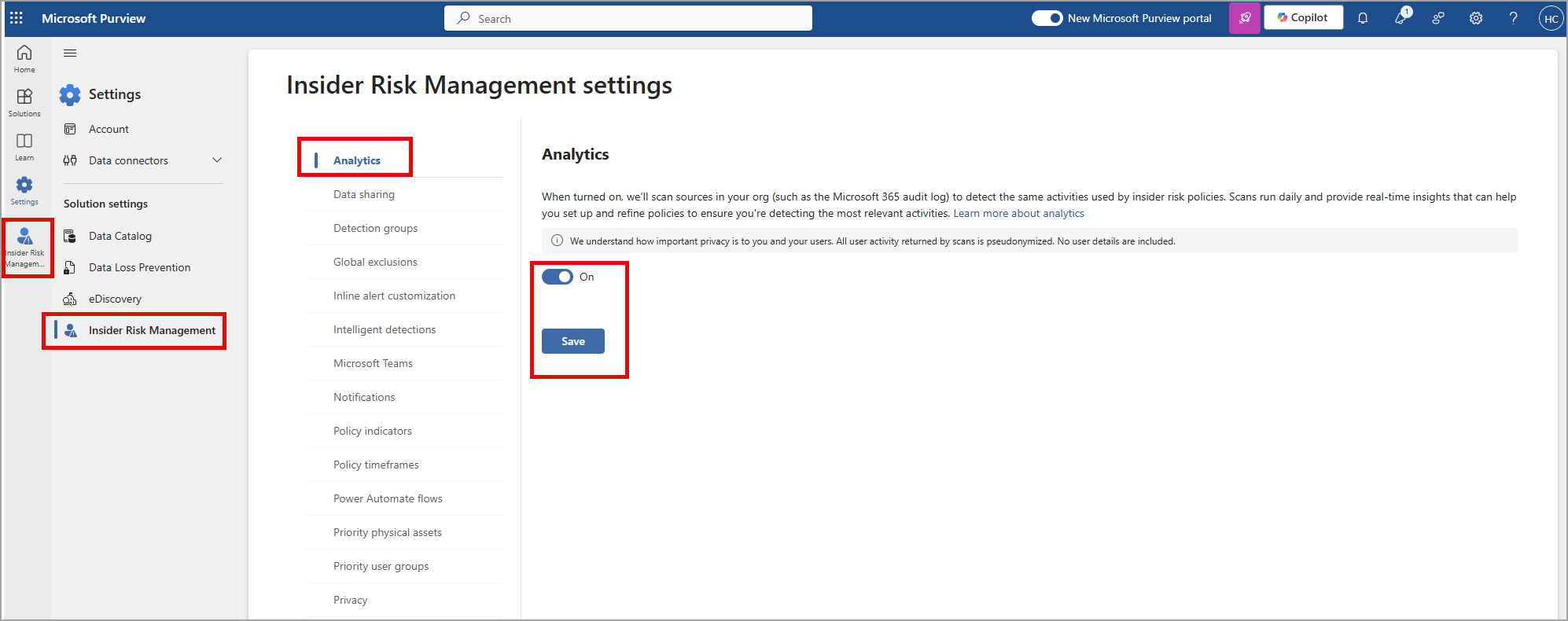
1. In IRM, Navigate to Settings > Insider Risk Management > Analytics, turn on Analytics, and then select Save.
2. Create/edit a policy scoped to all users in the organization.
3. When you get to Content to prioritize in the policy wizard, select the priority content types you want to prioritize:
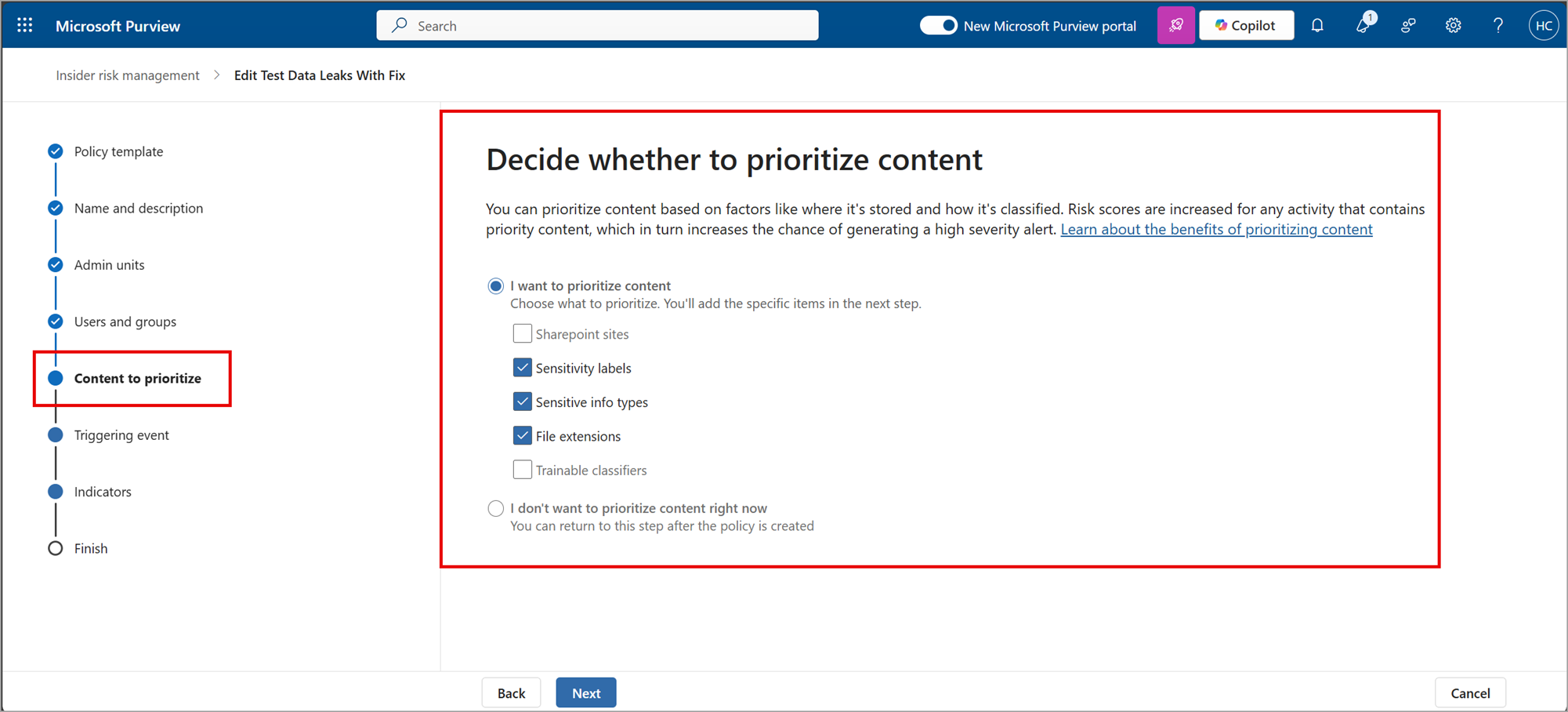
4. Select the items for each priority content type as applicable.
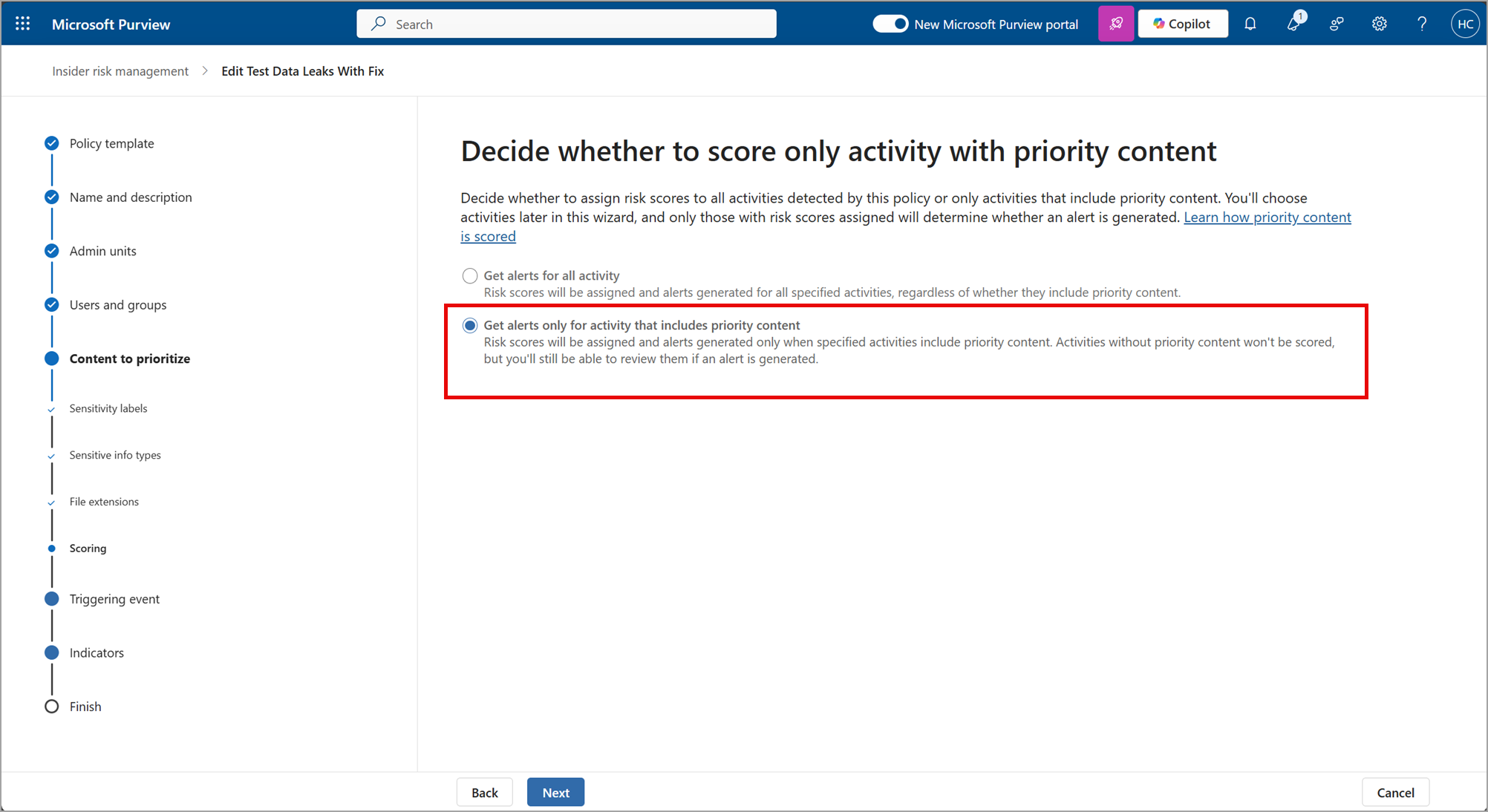
5. On the scoring page, select Get alerts only for activity that includes priority content:
6. Configure the rest of the policy as applicable and save it.
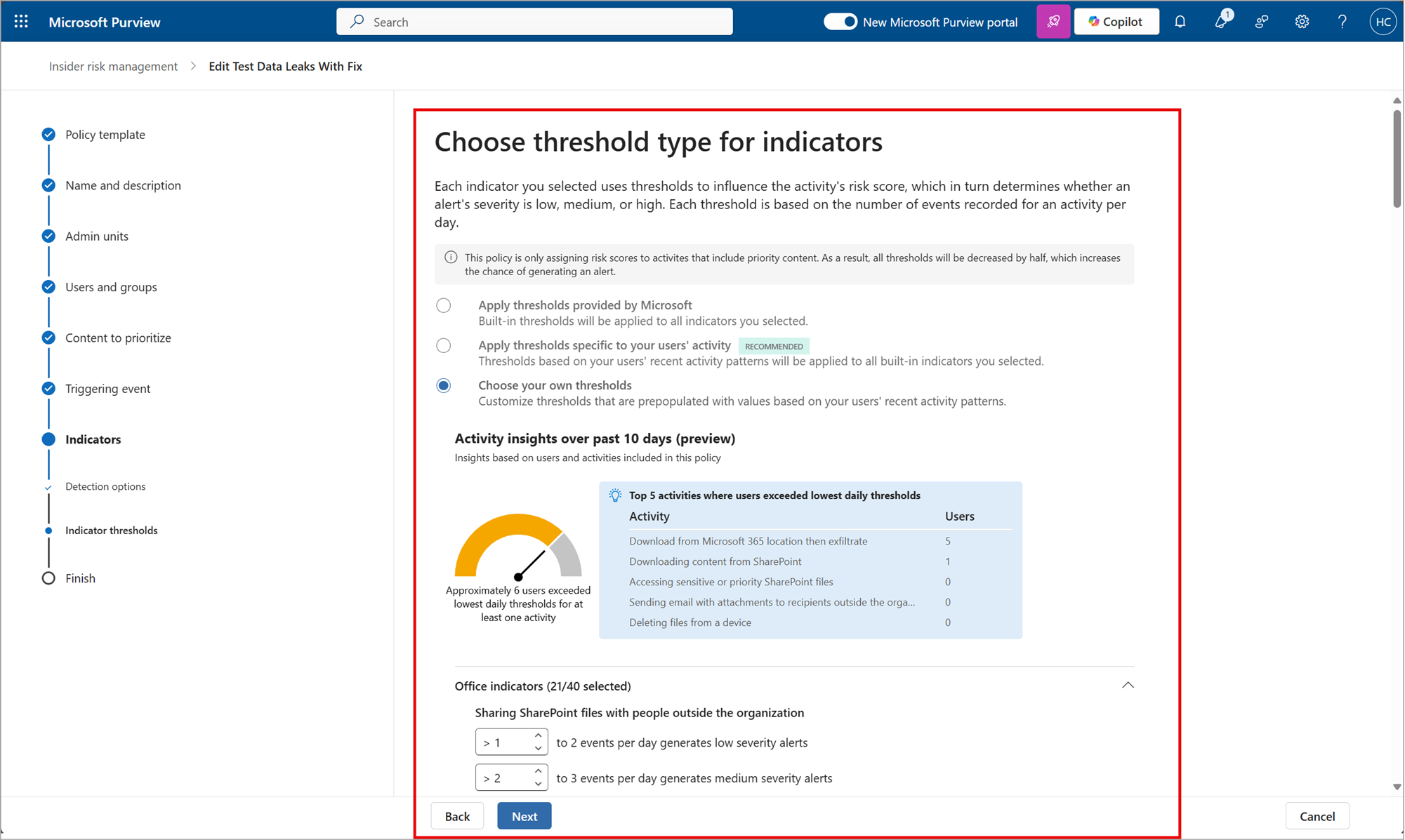
7. 1-2 days after the policy is saved, edit the policy again and navigate to the indicator thresholds page where insights on user activity containing the scoped priority content for each indicator will be visible under Choose your own thresholds:
[What you need to do to prepare:]
This rollout will happen automatically by the specified date with no admin action required before the rollout. Review your current configuration to determine the impact for your organization. You may want to notify your users about this change and update any relevant documentation.
This change will be available by default for admins to configure. To use this feature, admins will need to enable Analytics in Insider risk management > Settings. After Analytics is enabled and insights are populated, admins will be able to see real-time predictions in policies scoped to all users/groups and scored only for priority content.
Microsoft Purview Insider Risk Management correlates various signals to identify potential malicious or inadvertent insider risks, such as IP theft, data leakage and security violations. Insider Risk Management enables customers to create policies based on their own internal policies, governance and organizational requirements. Built with privacy by design, users are pseudonymized by default, and role-based access controls and audit logs are in place to help ensure user-level privacy.
You can access the Insider Risk Management solution in the Microsoft Purview compliance portal.
Learn more: Configure policy indicators in insider risk management | Microsoft Learn
More information
Details
Platforms
- Web
Services
- Purview
Category
- Stay informed
Microsoft tags
- New Feature
- Admin Action
Related changes
- MC786326 Microsoft Purview | Insider Risk Management: Policy tuning analysis for priority content only policies Message Center · Purview · Admin High
- 378409 Insider Risk Management - Policy tuning analysis for priority content-only policies Roadmap · Purview · Rolling out